Exadata Database - PITR
Learn how to perform a point-in-time restore for your Exadata Database.
You can perform a point-in-time restore by using the OCI Console, OCI CLI, or Terraform.
Container Database (CDB) Point-in-Time Restores
These are the steps to perform a point-in-time restore on the Container Database in the OCI Console.
- From the OCI Console, select the Oracle Exadata Database on Dedicated Infrastrucutre.
- Select Exadata VM Clusters that you are using.
- Select Exadata Database (CDB), and select the database that you are using.
- Select the More actions button, and then select the Restore.
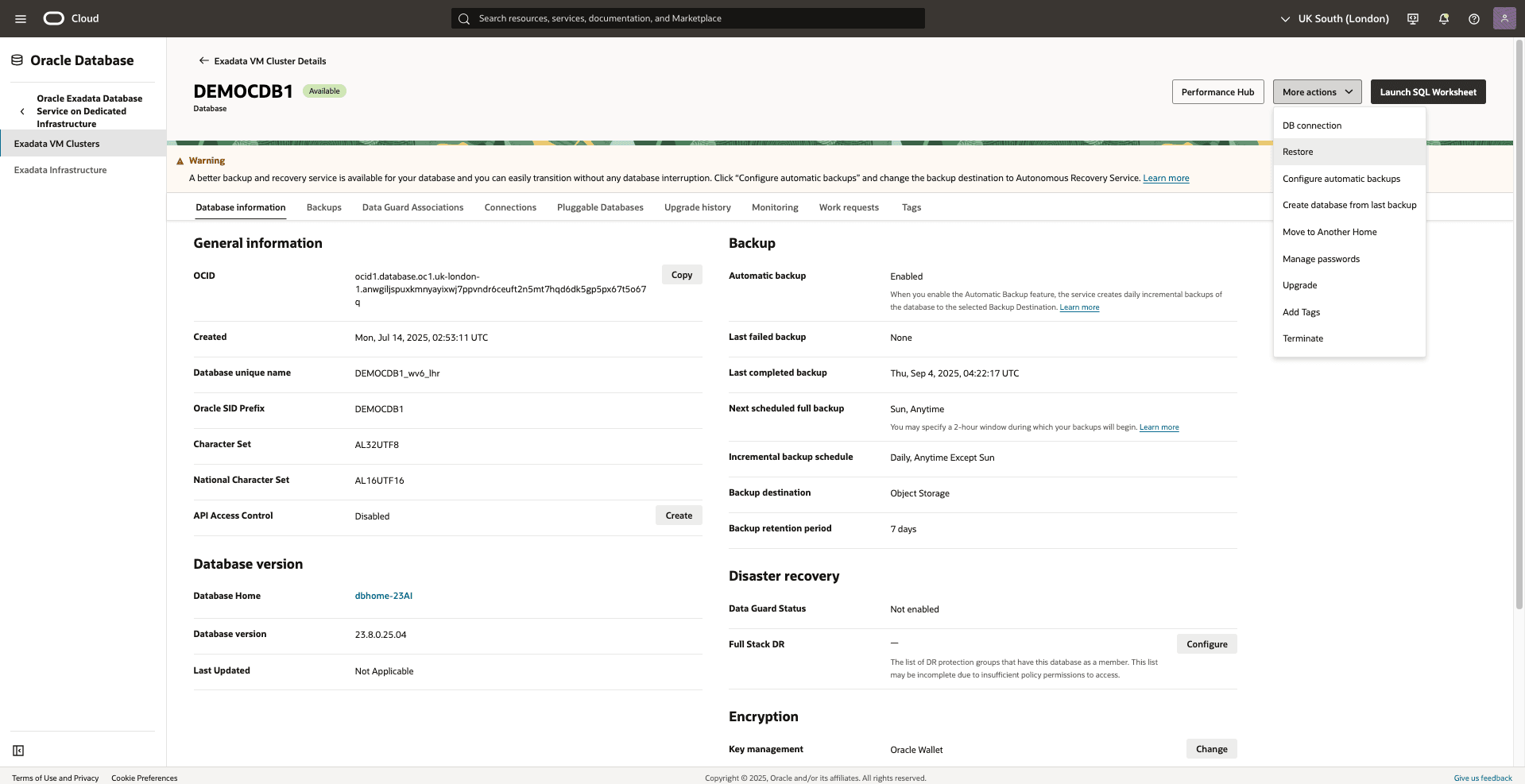
- From the Restore Database page, select the restore type Restore to latest, Restore to a timestamp, Restore to SCN depending upon your requirement.
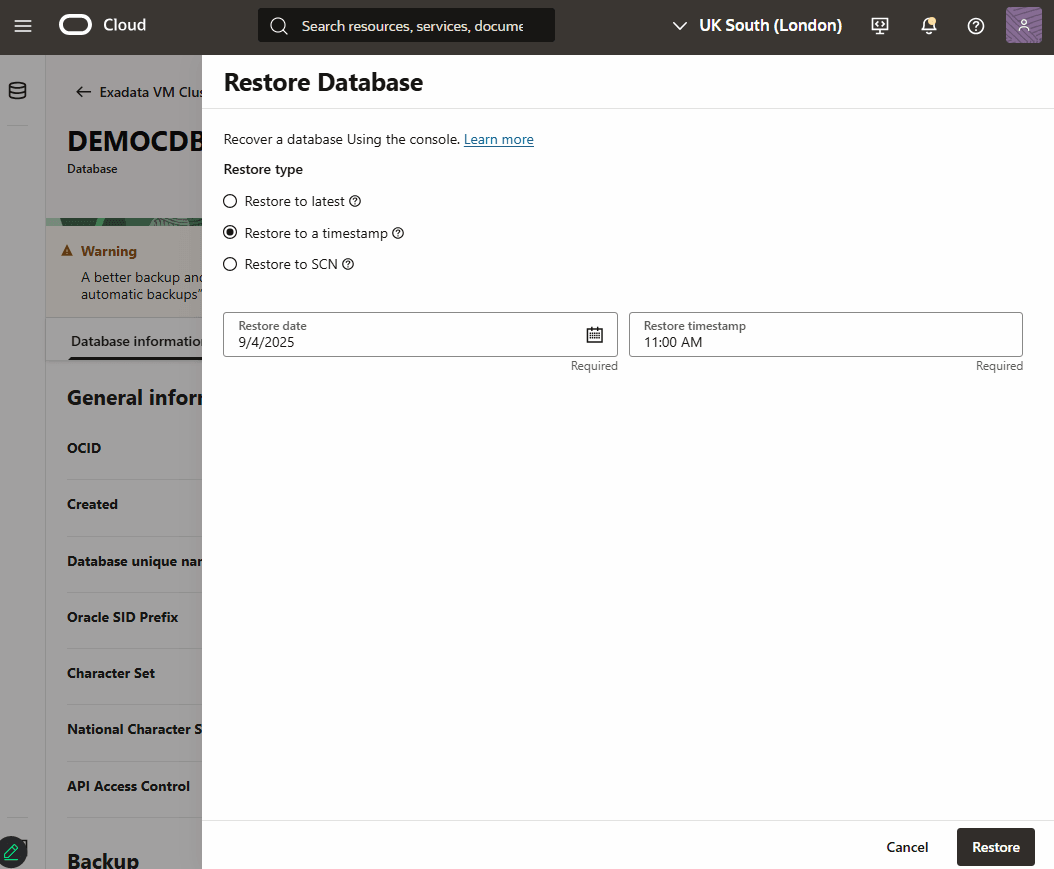
- Specify your Restore date and Restore timestamp.
- Select the Restore button.
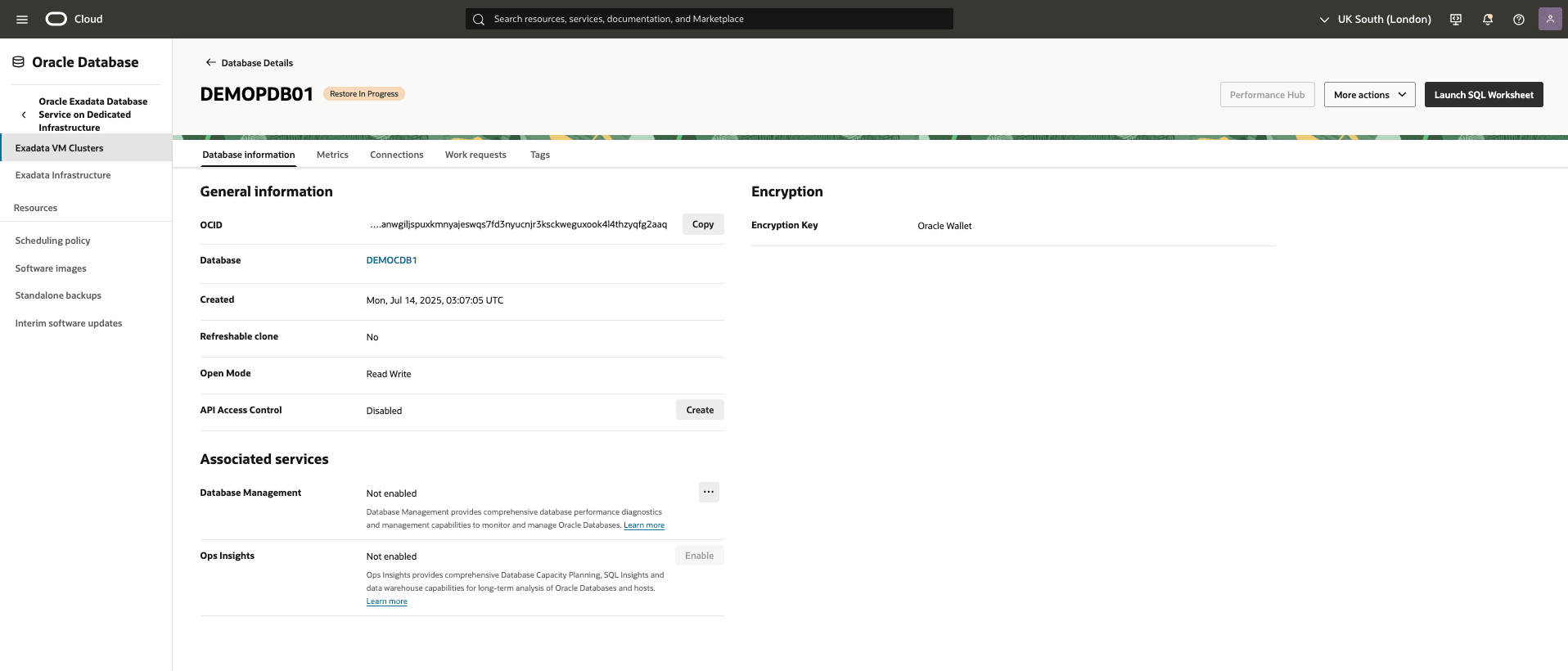
- Return to the Exadata Database (CDB) to view the State of your restore process.
Pluggable Database (PDB) Point-in-Time Restores
These are the steps to perform a point-in-time restore on the Pluggable Database in the OCI Console.
- From the OCI Console, select the Oracle Exadata Database on Dedicated Infrastrucutre.
- From the Exadata VM Clusters page, select Exadata VM Cluster that you are using.
- From the Databases tab, select the container database that you are using.
- From the Pluggable Databases tab, select the pluggable database that you want to restore.
- From the More actions dropdown, select Restore.
- From the Restore PDB page, select Restore to a timestamp as your Restore type.
- Specify your date and time.
- Select the Restore button.
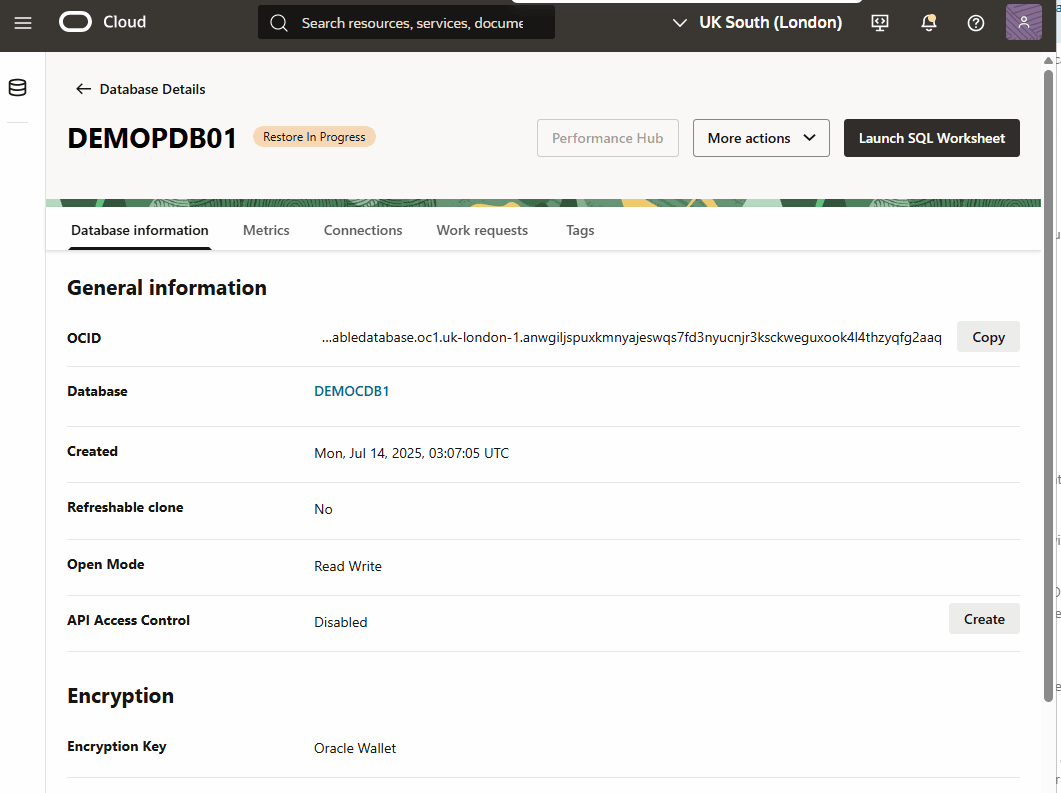
- Return to the Database information page to view the State of your restore process.
You can perform a point-in-time restore by using the OCI Console, OCI CLI, or Terraform.
There is currently no content for this page. Oracle AI Database@Azure team intends to add content here, and this placeholder text is provided until that text is added. The Oracle AI Database@Azure team is excited about future new features, enhancements, and fixes to this product and this accompanying documentation. We strongly recommend you watch this page for those updates.
There is currently no content for this page. Oracle AI Database@Azure team intends to add content here, and this placeholder text is provided until that text is added. The Oracle AI Database@Azure team is excited about future new features, enhancements, and fixes to this product and this accompanying documentation. We strongly recommend you watch this page for those updates.