Autonomous AI Database (Serverless) - Oracle Wallet
Oracle-Managed Keys (OMK) are the default method for securing data encryption in Oracle AI Database@Azure. In Oracle AI Database, data encryption at rest is enabled by transparent data encryption (TDE). When you select Oracle-Managed Keys, the database system automatically manages all key operations, including key generation, secure storage, and rotation required by TDE. There are no prerequisites or additional configuration steps required to use Oracle-Managed Keys in Oracle AI Database@Azure.
View Encryption Details
-
Navigate to the Oracle AI Database@Azure portal.
-
From the left menu, select Oracle Autonomous AI Database.
-
.From the list, select the Name of your Autonomous AI Database to open the Overview page.
-
From the Essentials section, select the Go to OCI link which redirects you to the OCI console
-
Subsequent steps are performed through the OCI Console.
-
View Encryption Details
-
From the OCI console, select Oracle AI Database and then select Autonomous AI Database.
-
From the list, select your Autonomous AI Database that you want to check the key management.
-
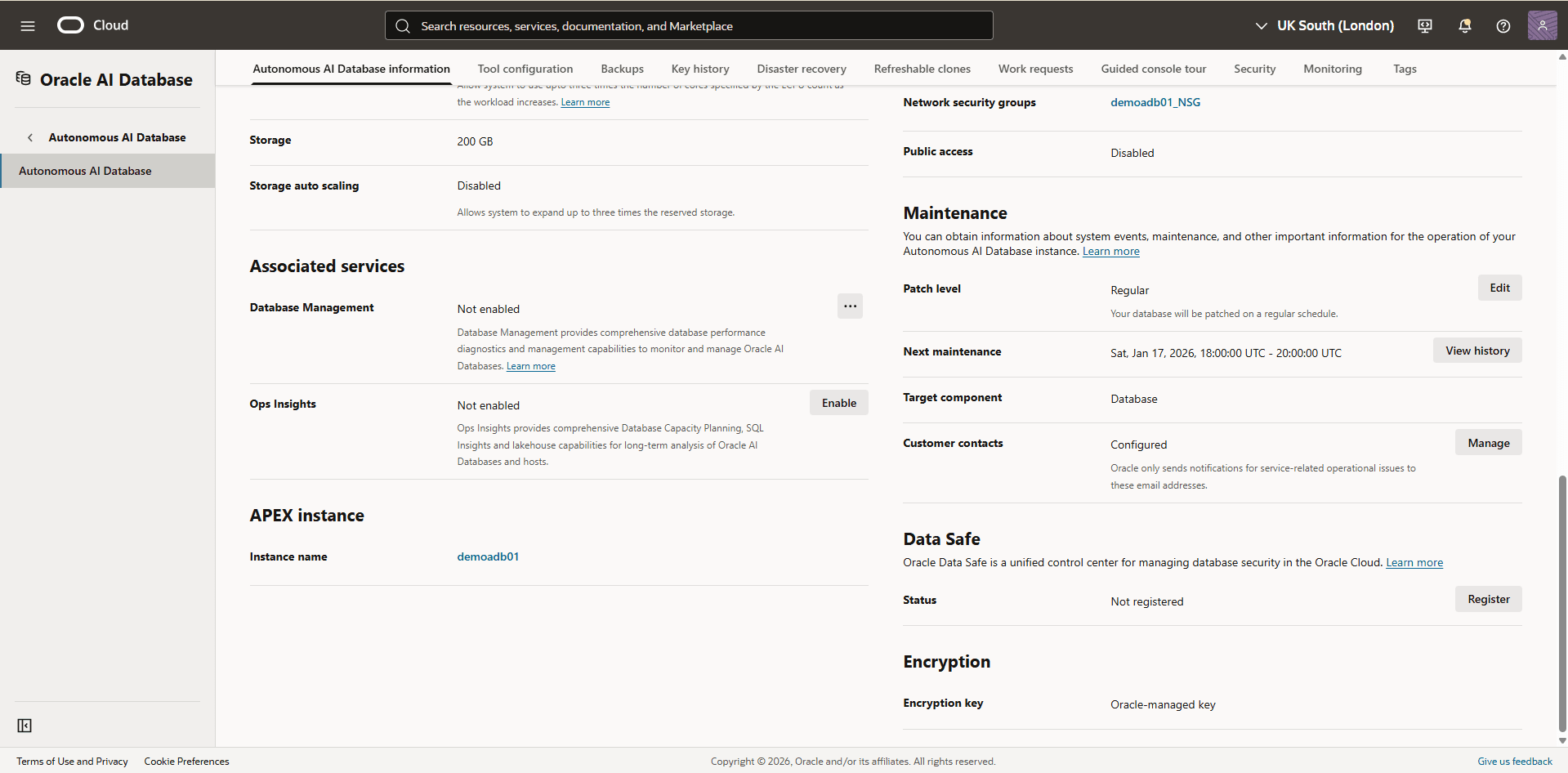
Select the Autonomous AI Database information tab, and then navigate to the Encryption section to view the Encryption key details. By default, it is set to Oracle-managed key.
-
There is currently no content for this page. Oracle AI Database@Azure team intends to add content here, and this placeholder text is provided until that text is added. The Oracle AI Database@Azure team is excited about future new features, enhancements, and fixes to this product and this accompanying documentation. We strongly recommend you watch this page for those updates.
By default, Oracle Autonomous AI Database Serverless uses an Oracle-managed encryption key. In the OCI API output, the encryption key configuration appears as follows:
-
`encryption-key.provider`: `ORACLE_MANAGED` -
`kms-key-id`: `ORACLE_MANAGED_KEY` -
`vault-id`: `null`
Prerequisites
-
Use one of the following options:
-
OCI Cloud Shell (Bash)
-
-
Set your environment:
- Set the variables and replace the example values with your values:
OCI_PROFILE="oci_profile" OCI_REGION="oci_region" ADB_OCID="ocid1.autonomousdatabase.oc1...."- For OCI Cloud Shell, use the default configured profile or set
OCI_PROFILEto match your Cloud Shell configuration.
Confirm the Encryption Key Provider
-
To confirm that the encryption key is Oracle-managed, run the following command:
oci --profile "$OCI_PROFILE" \ --region "$OCI_REGION" \ db autonomous-database get \ --autonomous-database-id "$ADB_OCID" \ --query 'data.{"display-name":"display-name","lifecycle-state":"lifecycle-state","kms-key-id":"kms-key-id","vault-id":"vault-id","encryption-key":"encryption-key"}' \ --output json -
The output confirms that the database uses an Oracle-managed encryption key when the values match the following example:
{
"display-name": "autonomous_database_name",
"encryption-key": {
"provider": "ORACLE_MANAGED"
},
"kms-key-id": "ORACLE_MANAGED_KEY",
"lifecycle-state": "AVAILABLE",
"vault-id": null
}
-
There is currently no content for this page. Oracle AI Database@Azure team intends to add content here, and this placeholder text is provided until that text is added. The Oracle AI Database@Azure team is excited about future new features, enhancements, and fixes to this product and this accompanying documentation. We strongly recommend you watch this page for those updates.