Autonomous AI Database (Serverless) - Automatic
Learn how to create a backup for your Autonomous AI Database (Serverless) using the Automatic Backup option.
Automatic Backups
You configure automatic backups when creating an Autonomous AI Database and set the retention period. Backups are managed by Oracle and are automatically created. Autonomous AI Database performs periodic backups including full, cumulative, and incremental backups, to ensure data reliability and recoverability. Each database instance is continuously backed up to achieve the Recovery Point Objective (RPO) of less than 10 seconds. See Recovery Time Objective and Recovery Point Objective for more information. Autonomous AI Database backups allow you to restore your Autonomous AI Database to available timestamps within your selected backup retention period. The retention period for automatic backups ranges from 1 day to 60 days.
Follow these steps to configure automatic backup:
-
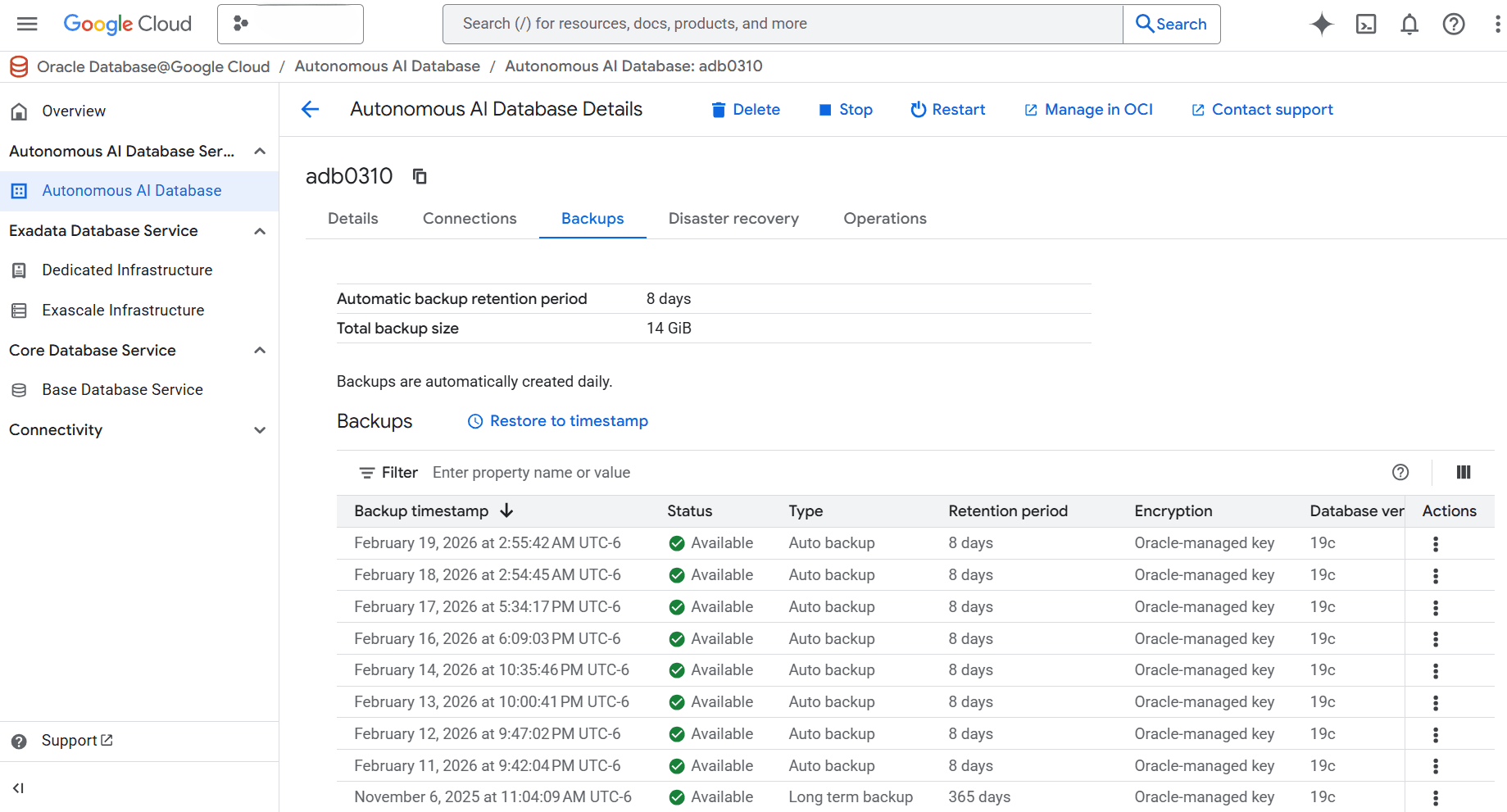
View your Autonomous AI Database backups in the Oracle AI Database@Google Cloud dashboard, select your Autonomous AI Database and then select the Backups tab. You can review your automatic backups and long-term backups with their retention periods.
-
Select the Manage in OCI button.
-
Subsequent steps are performed through the OCI Console.
-
Modify Backup Retention Periods of Automatic Backups
-
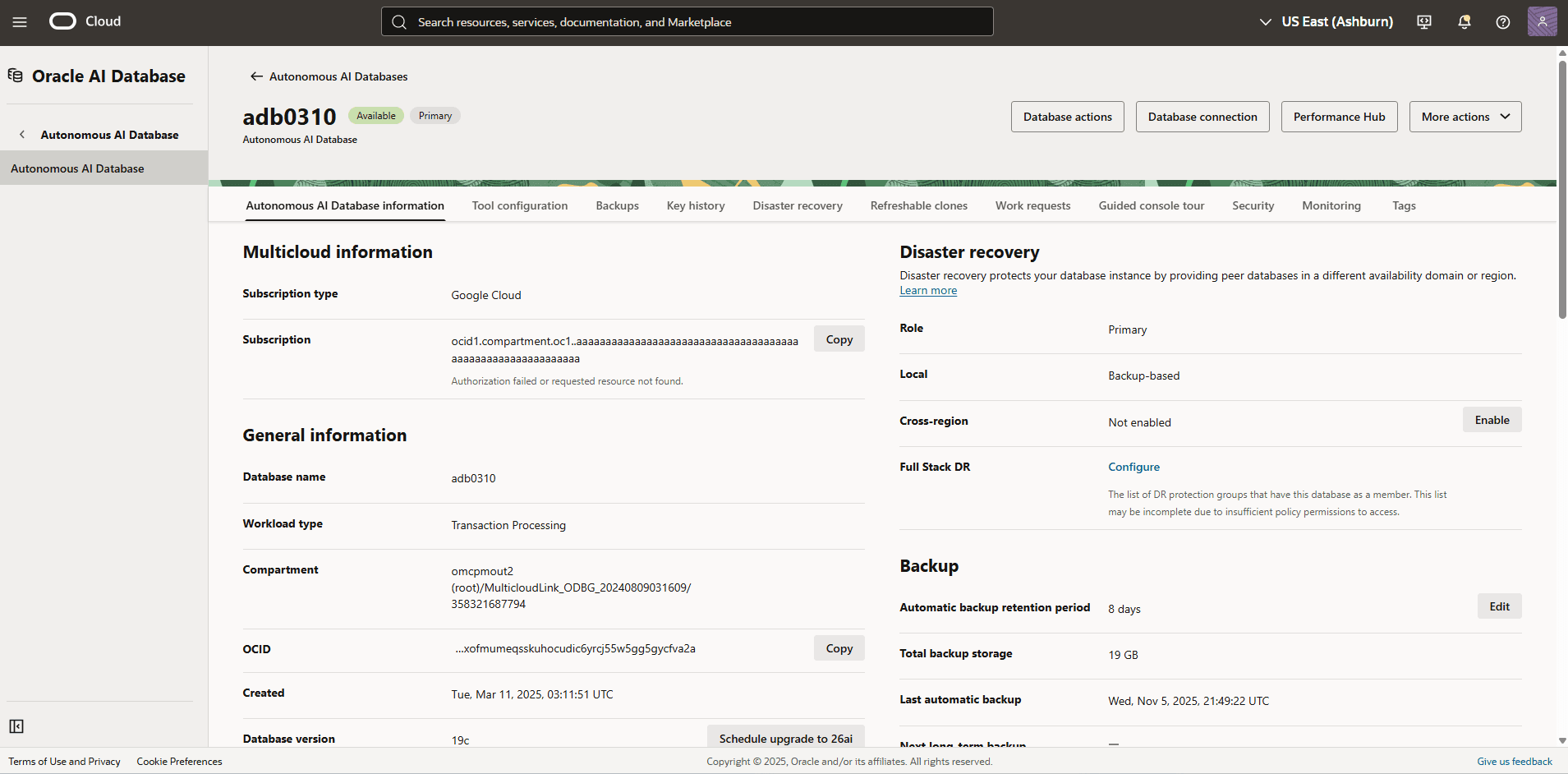
In the OCI console with your Autonomous AI Database, select the Backups tab and then select the Edit button in the Backup section.
-
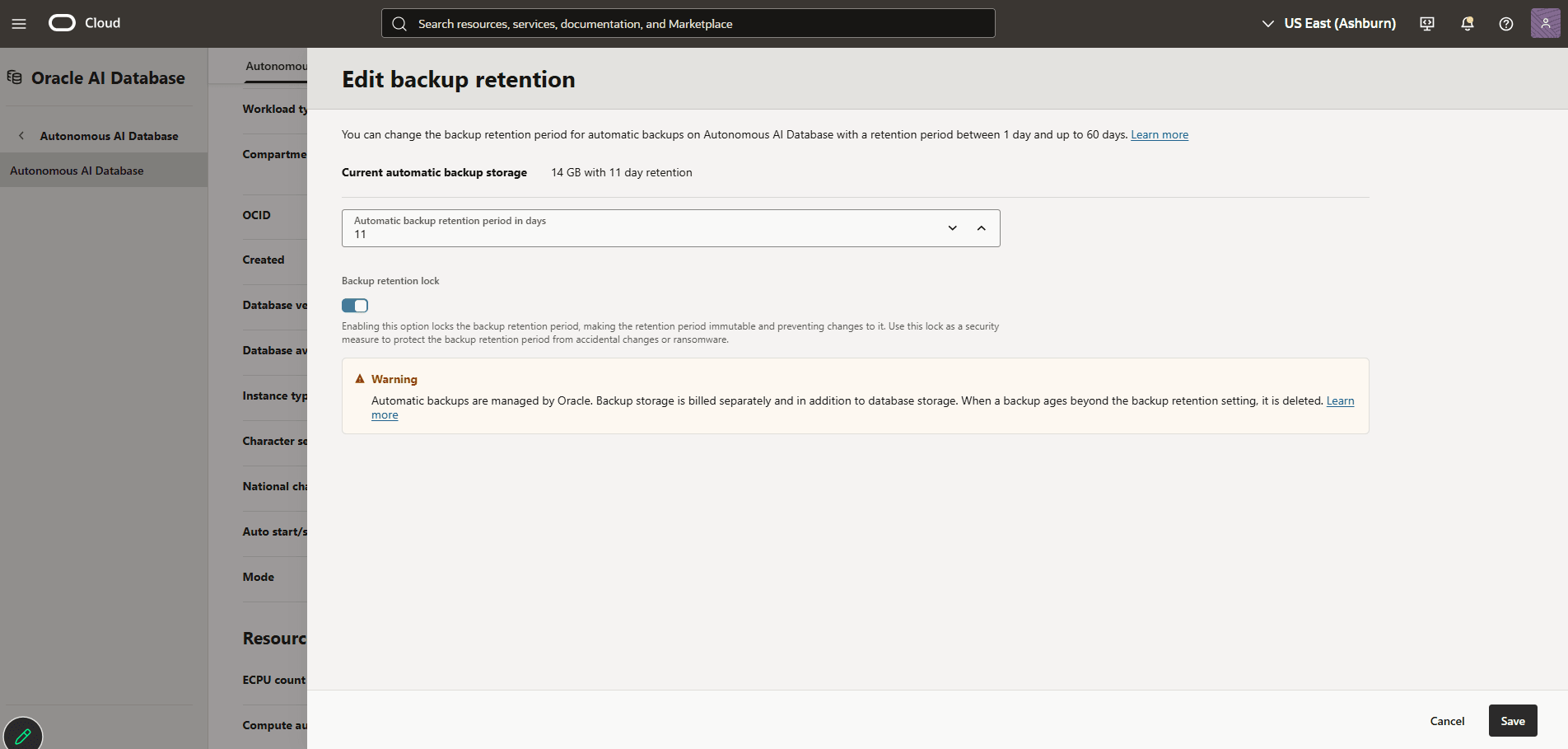
Set the retention period from 1 day to 60 days as needed.
-
Enable the Backup retention lock to lock the backup retention period, making the retention period immutable and preventing changes to it. Use this lock as a security measure to protect the backup retention period from accidental changes or ransomware.
-
Select the Save button.
-
There is currently no content for this page. Oracle AI Database@Google Cloud team intends to add content here, and this placeholder text is provided until that text is added. The Oracle AI Database@Google Cloud team is excited about future new features, enhancements, and fixes to this product and this accompanying documentation. We strongly recommend you watch this page for those updates.
There is currently no content for this page. Oracle AI Database@Google Cloud team intends to add content here, and this placeholder text is provided until that text is added. The Oracle AI Database@Google Cloud team is excited about future new features, enhancements, and fixes to this product and this accompanying documentation. We strongly recommend you watch this page for those updates.
There is currently no content for this page. Oracle AI Database@Google Cloud team intends to add content here, and this placeholder text is provided until that text is added. The Oracle AI Database@Google Cloud team is excited about future new features, enhancements, and fixes to this product and this accompanying documentation. We strongly recommend you watch this page for those updates.