Autonomous AI Database (Serverless) - LTR
Learn how to create a backup for your Autonomous AI Database (Serverless) using the long-term backup option.
There is currently no content for this page. Oracle AI Database@Google Cloud team intends to add content here, and this placeholder text is provided until that text is added. The Oracle AI Database@Google Cloud team is excited about future new features, enhancements, and fixes to this product and this accompanying documentation. We strongly recommend you watch this page for those updates.
Long-Term Backups
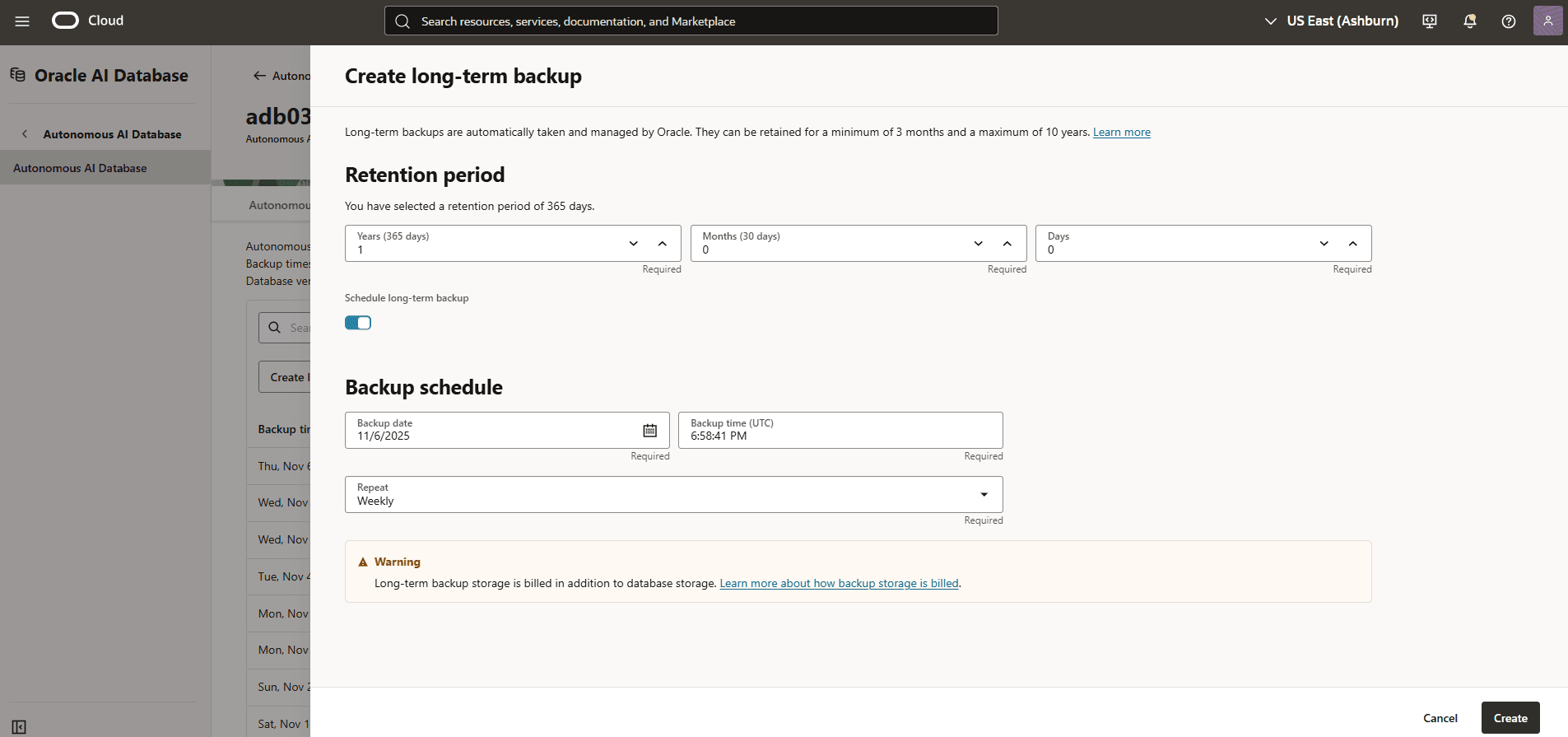
You configure the long-term backup feature either as a one-time backup or as a long-term backup schedule. The retention period for long-term backups ranges from a minimum of 3 months up to a maximum of 10 years. Autonomous AI Database takes scheduled long-term backups automatically according to the schedule you create: one-time, weekly, monthly, or yearly.
In the OCI console, you can do the following:
-
Create long-term backups.
-
Modify backup retention periods.
Create a long-term backup
-
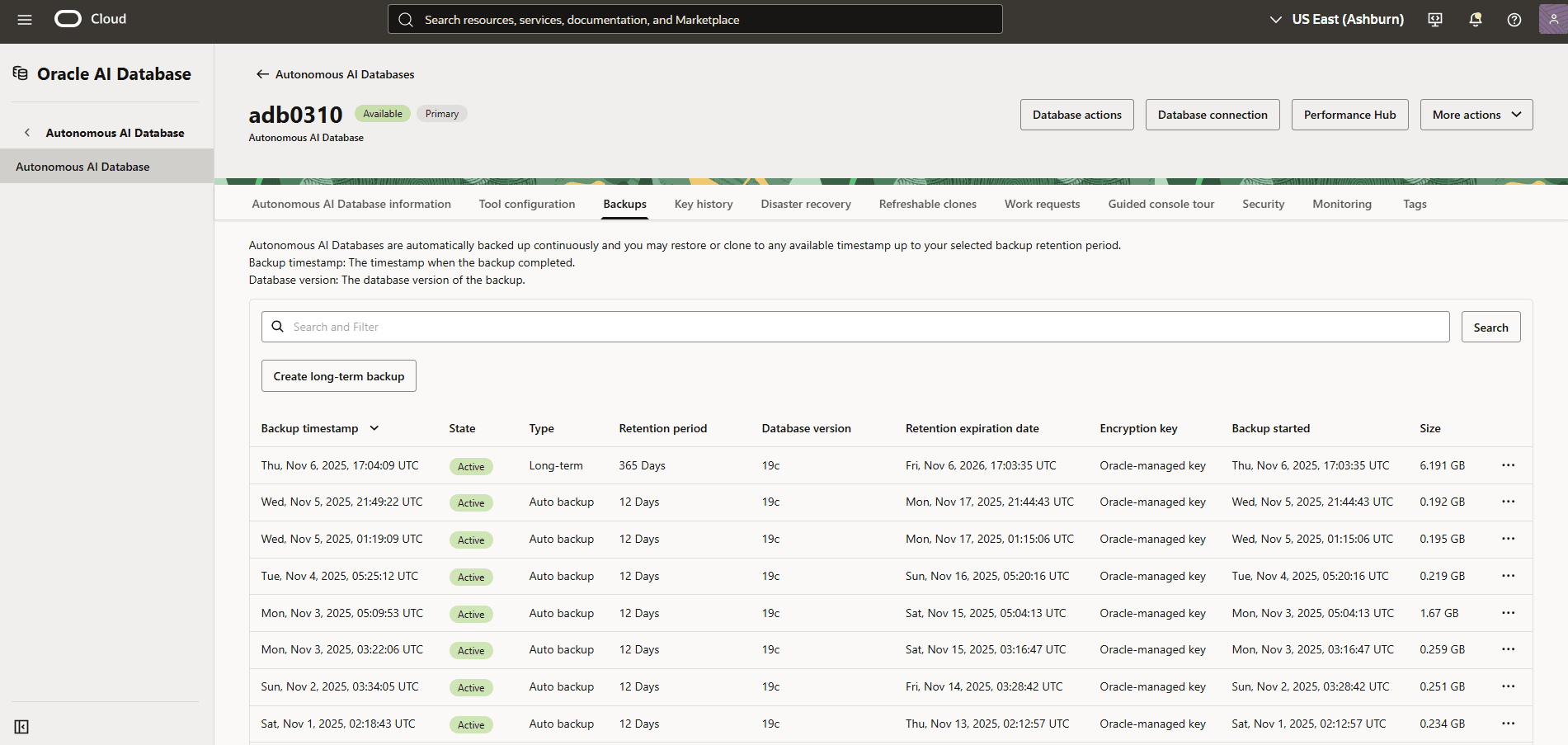
In the OCI console with your Autonomous AI Database, select the Backups tab and then select the Create long-term backup button.
-
Set the retention period from a minimum of 3 months to a maximum of 10 years. Toggle the Schedule long-term backup switch to selected. Set a weekly, monthly, yearly, or one-time backup schedule. Select the Create button to create your long-term backup and schedule.
Modify Backup Retention Periods of Long-Term Backups
-
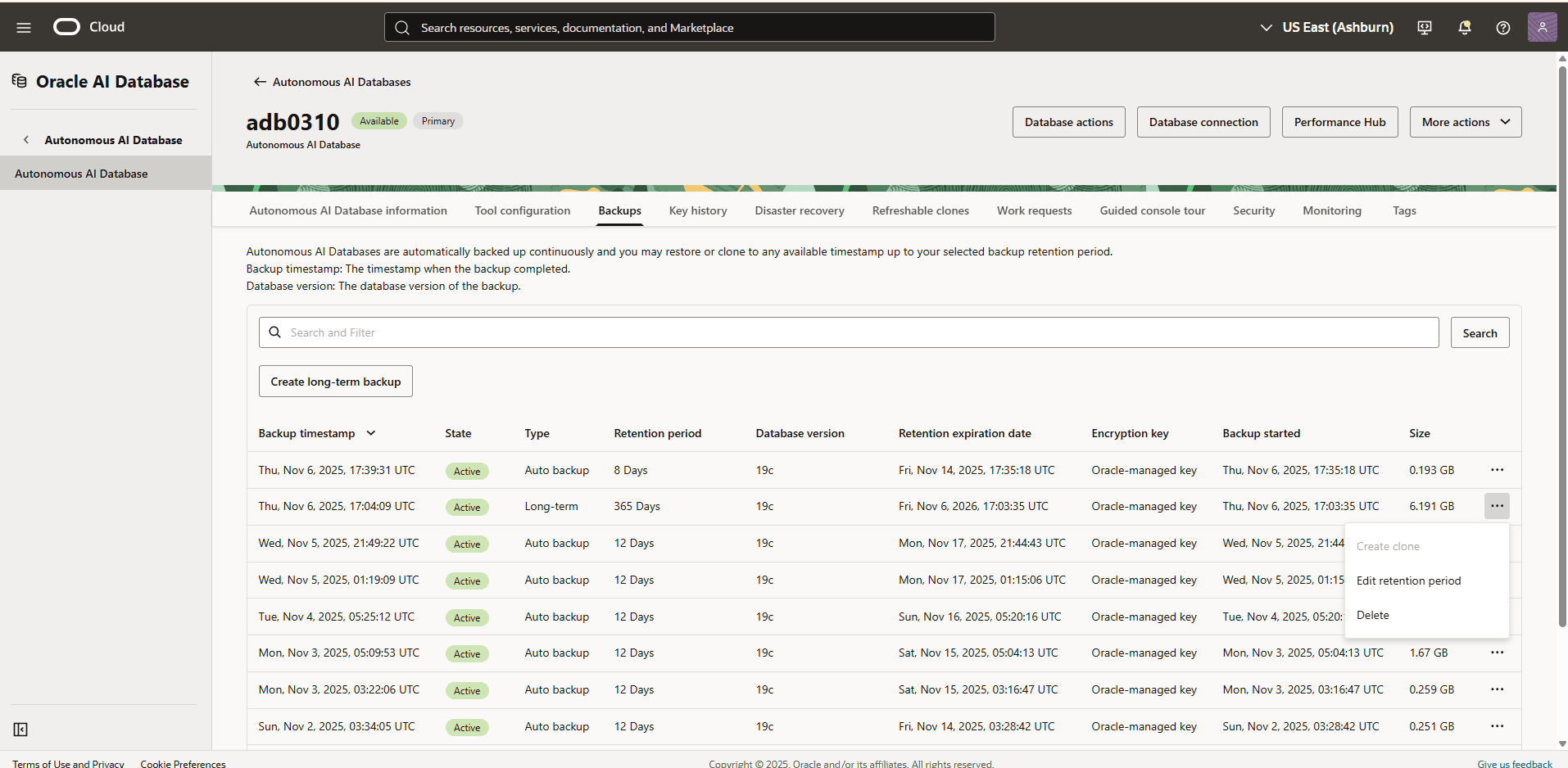
In the OCI console with your Autonomous AI Database, select the Backups tab, select the …, and select Edit retention period from the submenu.
-
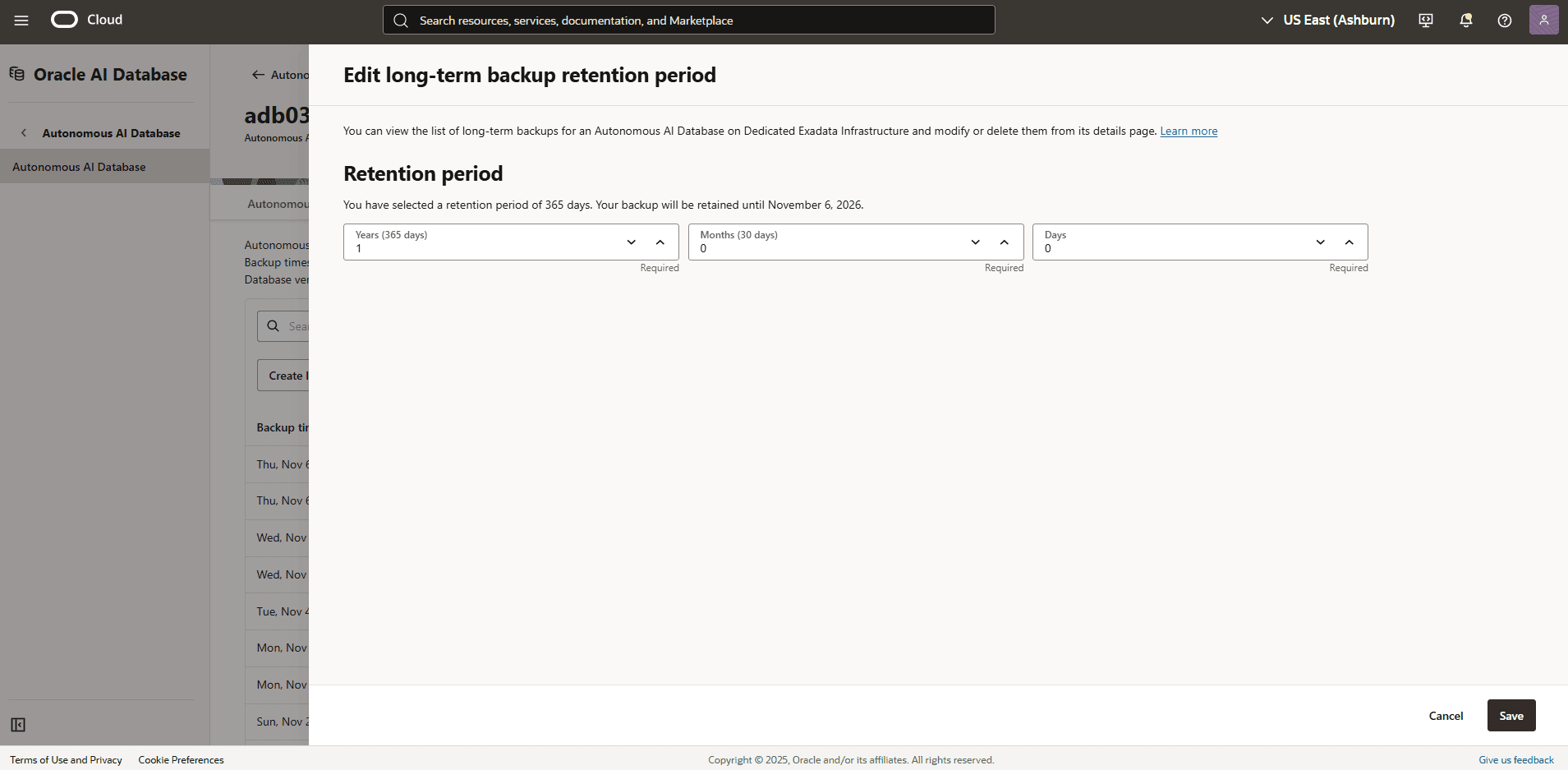
Set the retention period from 3 months to 10 years as needed, and then select the Save button.
-
There is currently no content for this page. Oracle AI Database@Google Cloud team intends to add content here, and this placeholder text is provided until that text is added. The Oracle AI Database@Google Cloud team is excited about future new features, enhancements, and fixes to this product and this accompanying documentation. We strongly recommend you watch this page for those updates.
There is currently no content for this page. Oracle AI Database@Google Cloud team intends to add content here, and this placeholder text is provided until that text is added. The Oracle AI Database@Google Cloud team is excited about future new features, enhancements, and fixes to this product and this accompanying documentation. We strongly recommend you watch this page for those updates.
There is currently no content for this page. Oracle AI Database@Google Cloud team intends to add content here, and this placeholder text is provided until that text is added. The Oracle AI Database@Google Cloud team is excited about future new features, enhancements, and fixes to this product and this accompanying documentation. We strongly recommend you watch this page for those updates.