Base Database - Manual
Learn how to back up a Base Database using the Manual Backup (Standalone Backup) option.
There is currently no content for this page. Oracle AI Database@Google Cloud team intends to add content here, and this placeholder text is provided until that text is added. The Oracle AI Database@Google Cloud team is excited about future new features, enhancements, and fixes to this product and this accompanying documentation. We strongly recommend you watch this page for those updates.
Manual Backup (Standalone backup)
Standalone backups are Oracle AI Database backups stored in the same backup destination as the automatic backup destination selected during the configure automatic backups step. Standalone backups are not subject to automatic backup retention policies if backup destination is object storage. They are kept in the selected backup destination until you decide to delete them. Standalone backups are subject to automatic retention policies if backup destination is Autonomous Recovery Service
-
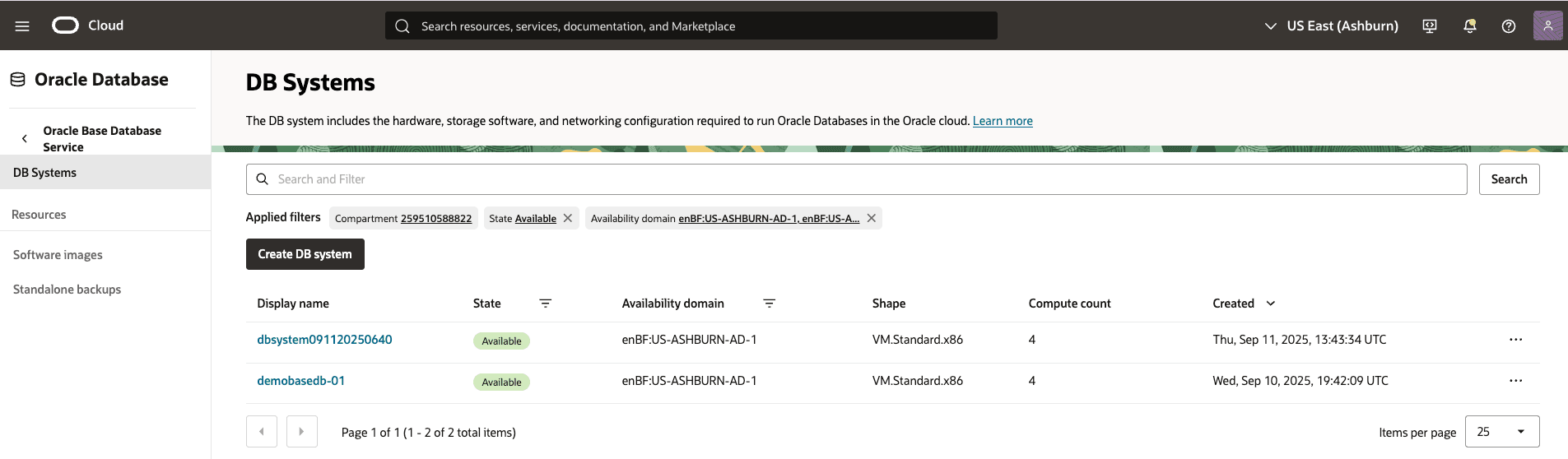
From the OCI console, select Oracle Base Database Service and then select the DB System that you are using, and then select the Databases tab. Optionally, select the compartment from applied filters.
-
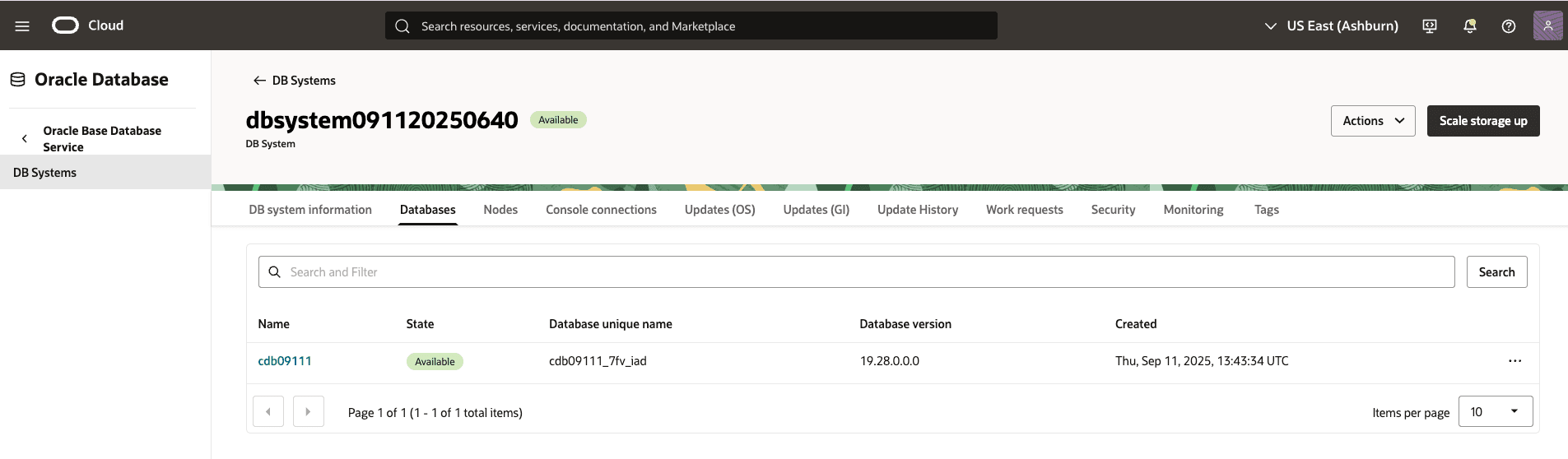
From the Databases tab, select the database that you are using.
-
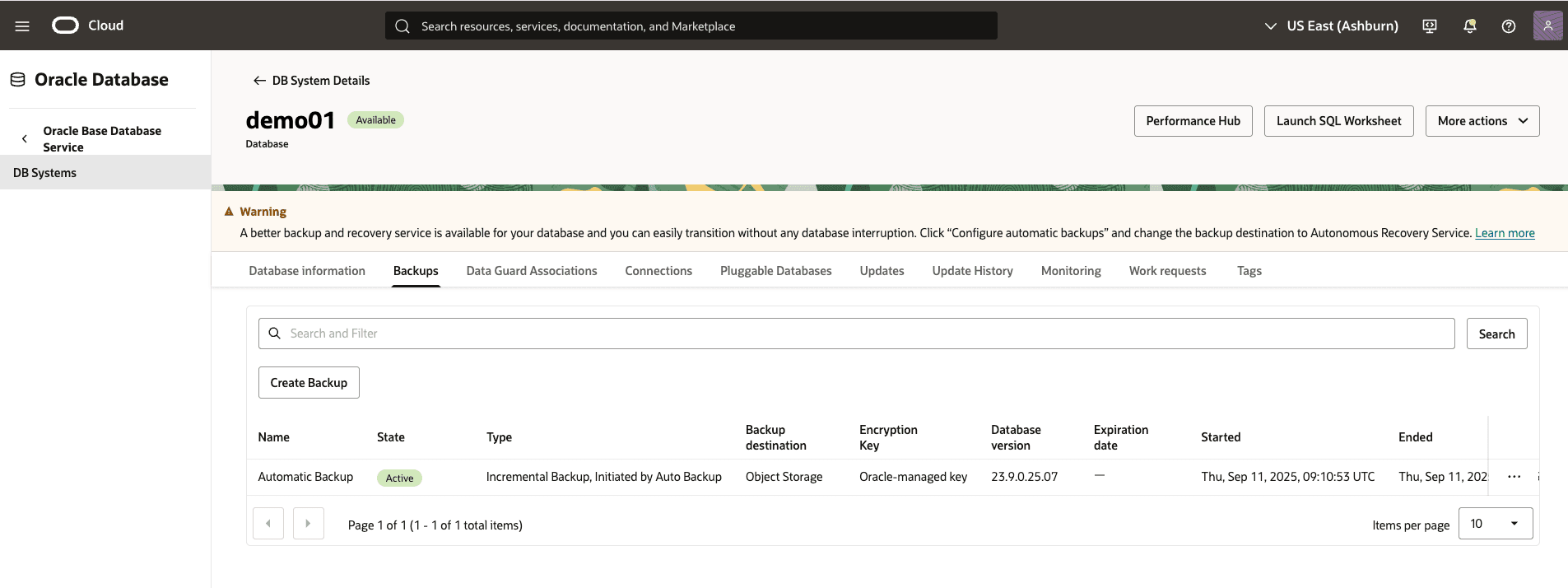
Select the Backups tab, and then select the Create Backup button.
-
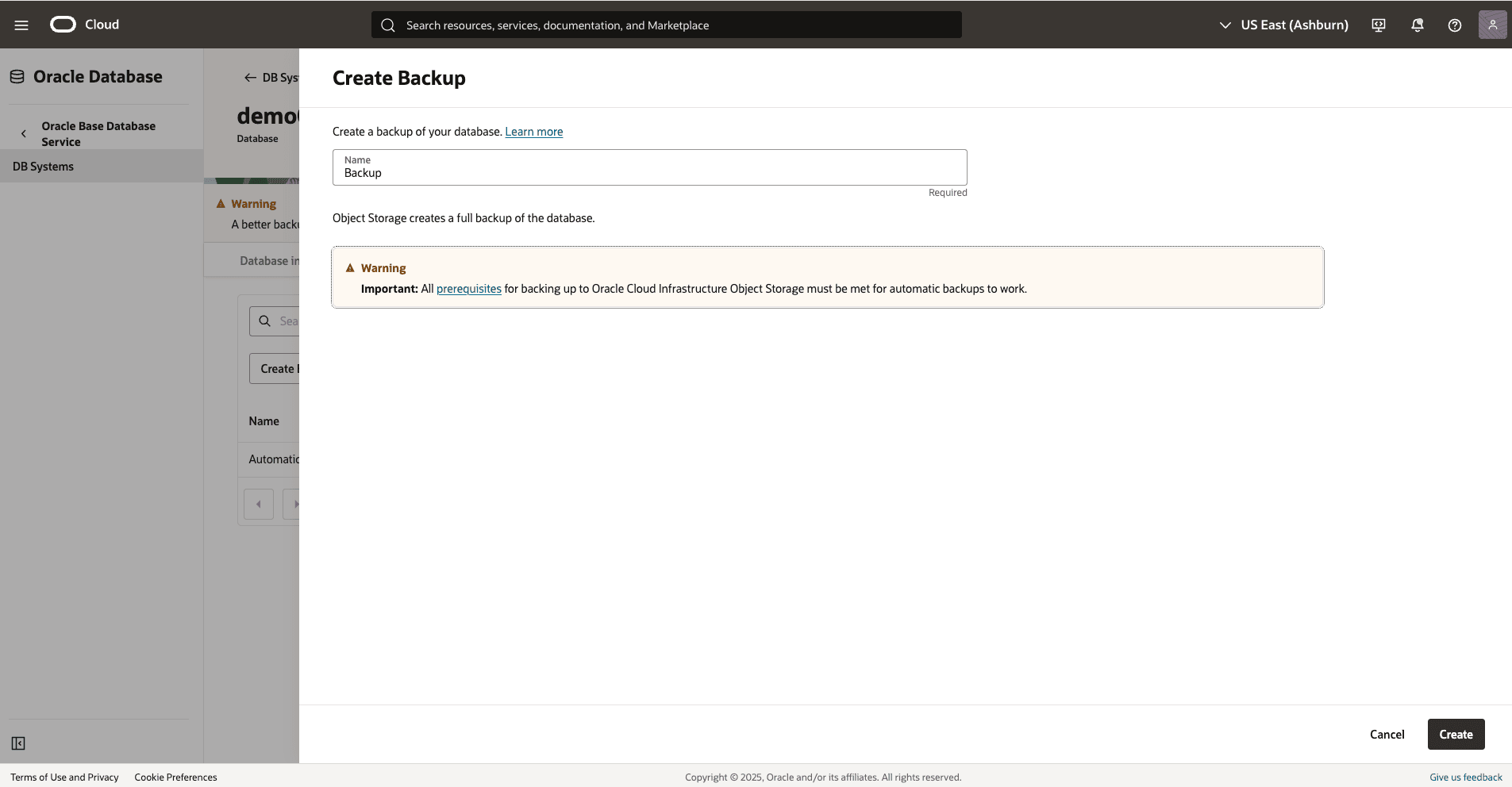
From the Create Backup page, complete the following substeps.
-
Enter a Name for your backup.
-
Select Backup retention Period between Retain backup per backup retention policy or Specify long-term backup retention period
-
Select the Create button to complete the creation step.
-
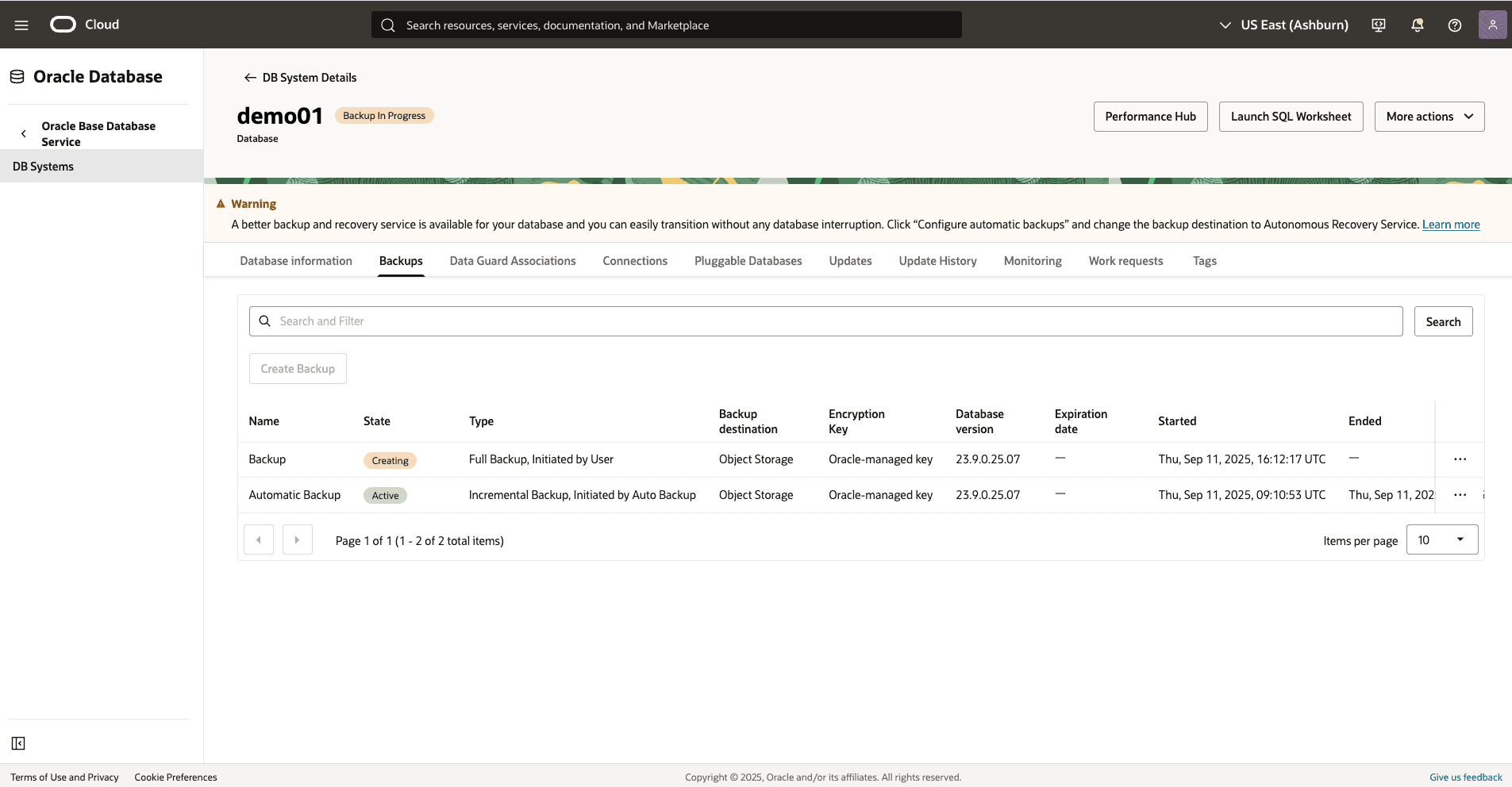
Return to the Backups tab within your Database system details to view the State of your backup. Once your backup is created, the state will change from Creating to Active.
-
-
There is currently no content for this page. Oracle AI Database@Google Cloud team intends to add content here, and this placeholder text is provided until that text is added. The Oracle AI Database@Google Cloud team is excited about future new features, enhancements, and fixes to this product and this accompanying documentation. We strongly recommend you watch this page for those updates.
There is currently no content for this page. Oracle AI Database@Google Cloud team intends to add content here, and this placeholder text is provided until that text is added. The Oracle AI Database@Google Cloud team is excited about future new features, enhancements, and fixes to this product and this accompanying documentation. We strongly recommend you watch this page for those updates.
There is currently no content for this page. Oracle AI Database@Google Cloud team intends to add content here, and this placeholder text is provided until that text is added. The Oracle AI Database@Google Cloud team is excited about future new features, enhancements, and fixes to this product and this accompanying documentation. We strongly recommend you watch this page for those updates.