Exadata Database - Automatic
Learn how to back up an Exadata Database using the Automatic Backup option.
There is currently no content for this page. Oracle AI Database@Google Cloud team intends to add content here, and this placeholder text is provided until that text is added. The Oracle AI Database@Google Cloud team is excited about future new features, enhancements, and fixes to this product and this accompanying documentation. We strongly recommend you watch this page for those updates.
Automatic Backup
We recommend to use Oracle-managed automatic backup for your databases.
Oracle AI Database@Google Cloud provides the following two (2) choices as the Backup destination for Exadata Database.
-
Autonomous Recovery Service (Recommended)
-
Object Storage
To use the automatic backup option, you need to select one of the choices described above after creating Based Database from OCI.
Note
Note: Your Exadata Database Backup retention period and Backup schedule will vary based on the selected Backup destination.Autonomous Recovery Service
-
From the OCI Exadata VM Cluster details page select on Databases tab.
-
In the list of databases, find the database for which you want to enable or disable automatic backups, and select its name to display database details. The details indicate whether automatic backups are enabled.
-
Select Enable automatic backups.
-
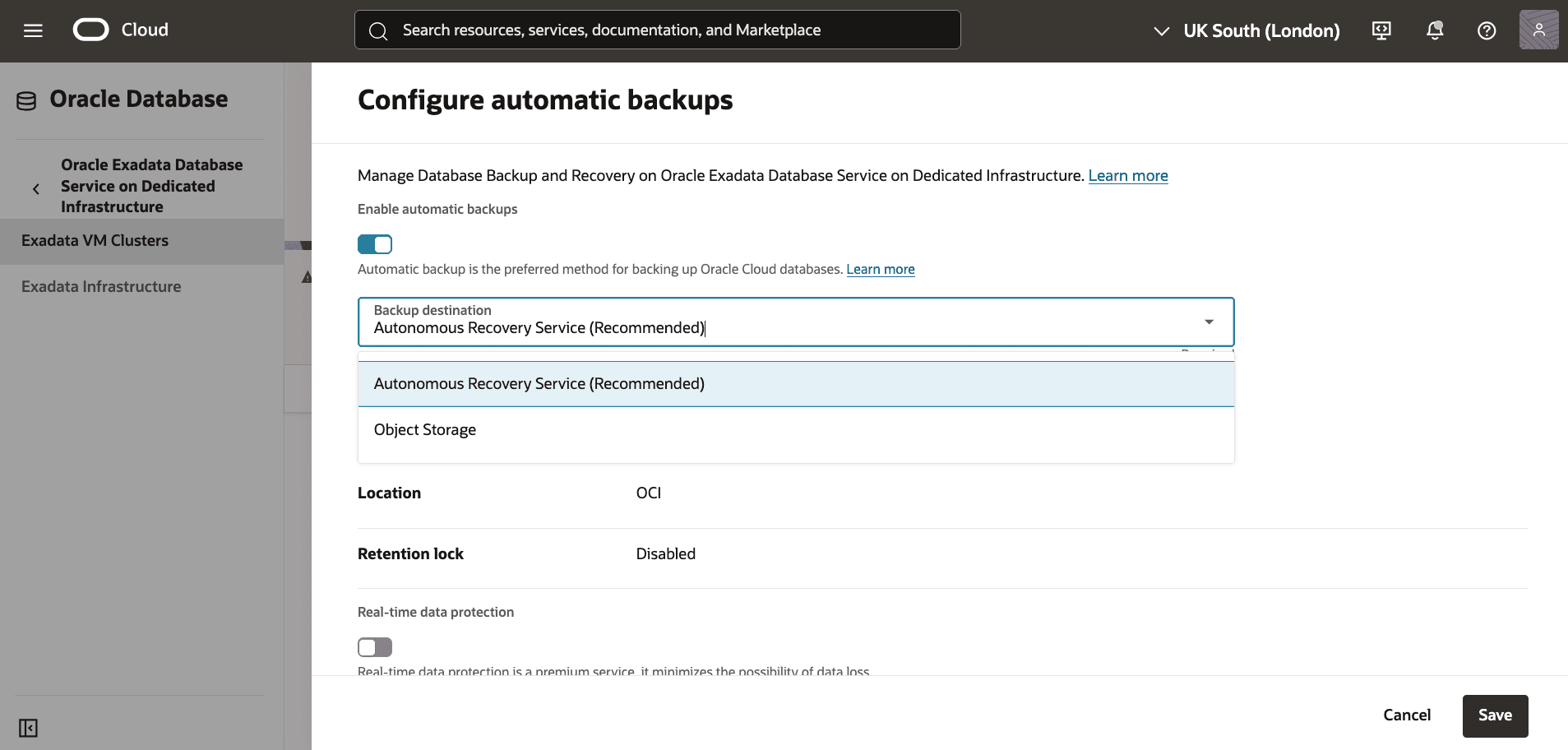
In the Configure Automatic Backups dialog, select Backup Destination as Autonomous Recovery Service.
-
Select Autonomous Recovery Service from the Backup destination list.
-
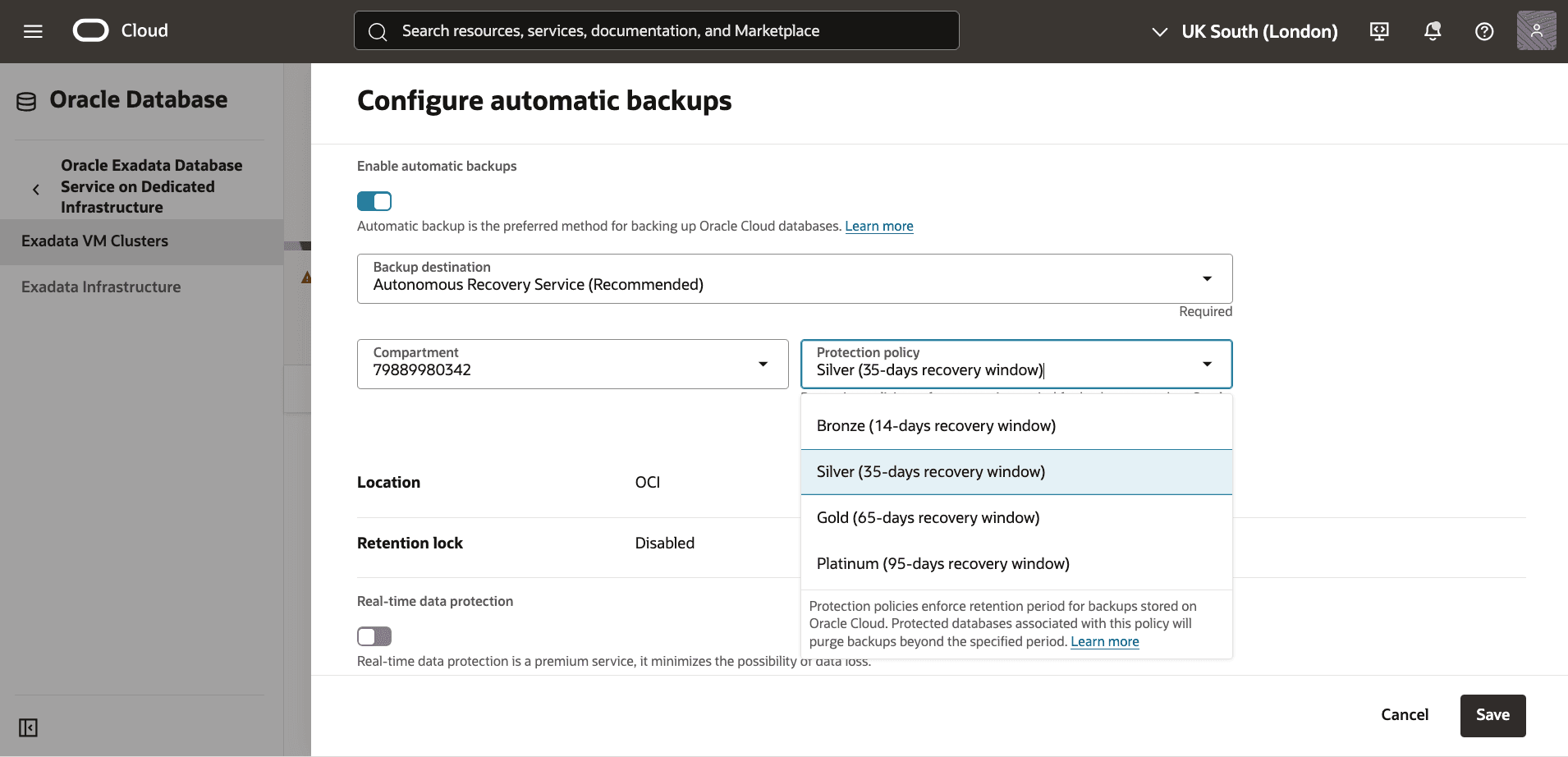
Select your Compartment and Protection policy. The Protection policy list provides different protection policies with Backup retention period ranging from 14 to 95 days.
-
You can modify the retention period after the database has been provisioned.
-
Select Real-time data protection to minimize the possibility of data loss.
Object Storage
-
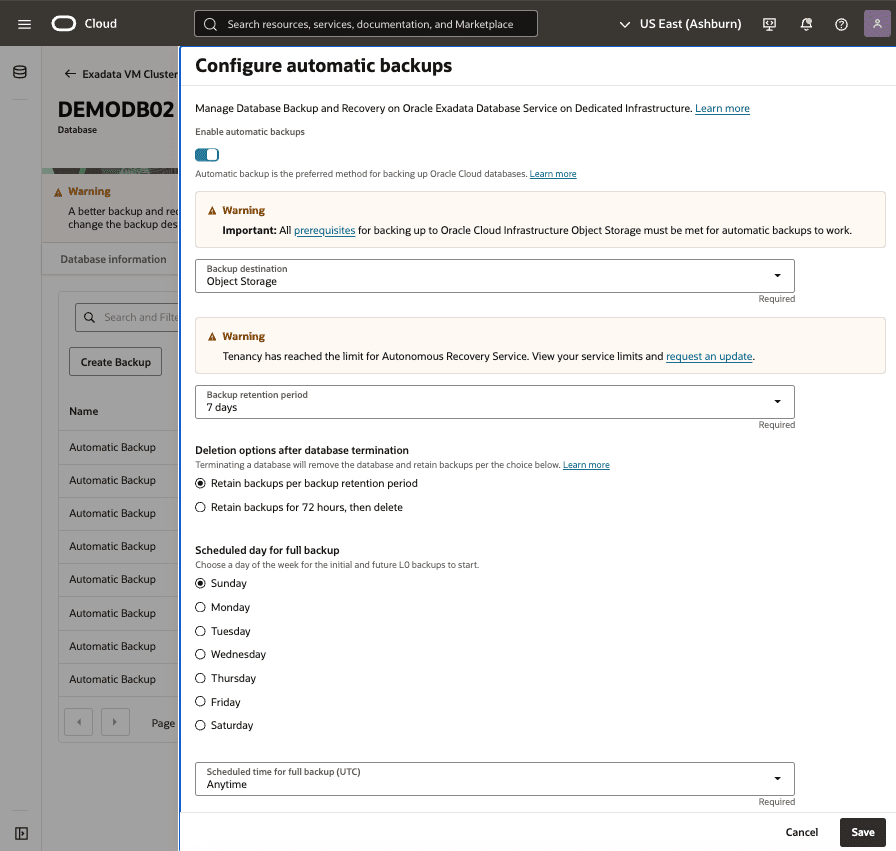
Select Object Storage from the Backup destination list.
-
Enter your Backup retention period between 7 and 60 days. You can modify the retention period after the database has been provisioned.
-
From the Scheduled time for daily backup (UTC) dropdown list, select the time window when the daily backup starts.
-
From the Scheduled time for incremental backup (UTC) dropdown list, select the time window when the incremental backups start.
View Automatic Backup from the OCI Console
-
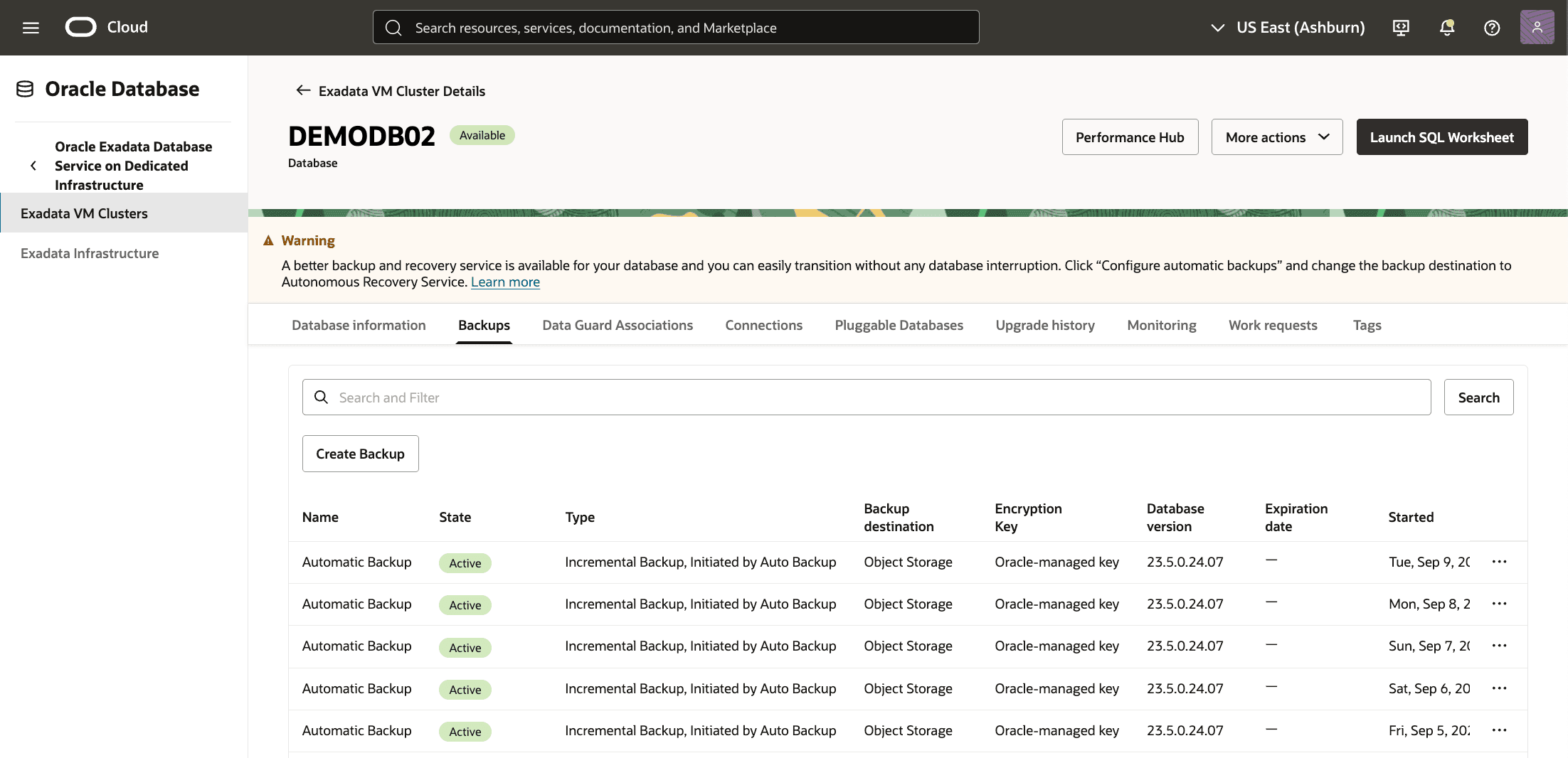
From the OCI console, you can navigate to Exadata VM Clusters, and then select databases.
-
From the Databases tab, Select the database for which you want to view the backups, From the Backups tab, you can view details of your backup such as State, Type, Backup destination, Encryption Key, Database version, Started and Ended.
-
There is currently no content for this page. Oracle AI Database@Google Cloud team intends to add content here, and this placeholder text is provided until that text is added. The Oracle AI Database@Google Cloud team is excited about future new features, enhancements, and fixes to this product and this accompanying documentation. We strongly recommend you watch this page for those updates.
There is currently no content for this page. Oracle AI Database@Google Cloud team intends to add content here, and this placeholder text is provided until that text is added. The Oracle AI Database@Google Cloud team is excited about future new features, enhancements, and fixes to this product and this accompanying documentation. We strongly recommend you watch this page for those updates.
There is currently no content for this page. Oracle AI Database@Google Cloud team intends to add content here, and this placeholder text is provided until that text is added. The Oracle AI Database@Google Cloud team is excited about future new features, enhancements, and fixes to this product and this accompanying documentation. We strongly recommend you watch this page for those updates.