Exadata Database - LTR
-
From the Oracle AI Database@Google Cloud dashboard, select Exadata Database Service, and then select Dedicated infrastructure from the left menu.
-
Select the Exadata VM Clusters tab from the list and then select the Exadata VM Cluster that you are using.
-
Select the Manage in OCI link.
-
Subsequent steps are performed through the OCI Console.
-
-
From the OCI console, select Oracle AI Database, and then select Oracle Exadata Database Service on Dedicated Infrastructure.
-
From the left menu, select Exadata VM Clusters and then select the Display name link of your Exadata VM Cluster that you are using.
-
Then, select the Databases tab and then select the database that you are using.
-
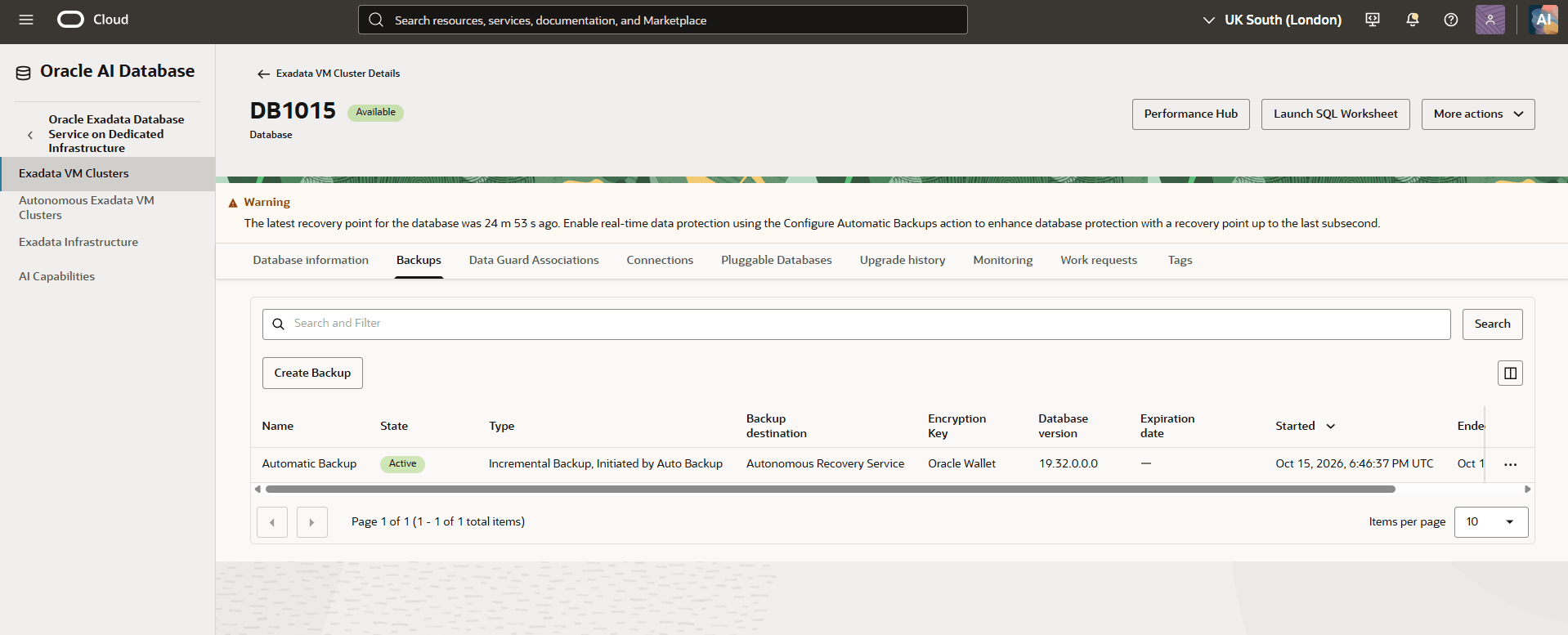
Select the Backups tab and then select the Create Backup button.
-
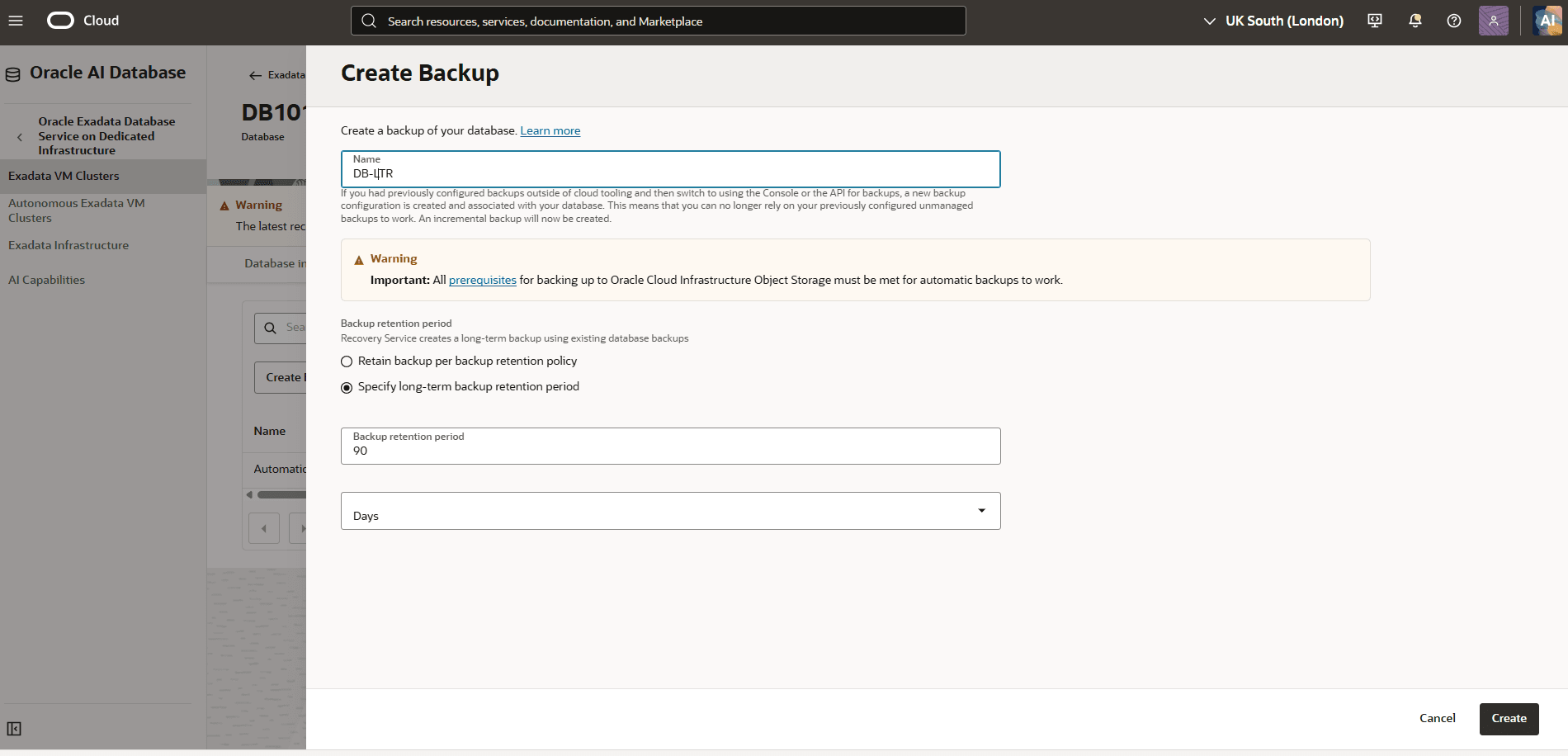
From the Create Backup page, complete the following steps:
-
Enter a descriptive Name for your backup.
Note
Note: All prerequisites for backing up to Oracle Cloud Infrastructure Object Storage must be met for automatic backups to work. -
From the Backup retention period , select one of the following options:
Note
Note: Recovery Service creates a long-term backup using existing database backups-
Retain backup per backup retention policy: Review the Protection policy and Backup retention period fields.
-
Specify long-term backup retention period:
-
Enter a value in the Backup retention period field. The retention period must be between 90 and 3650 days.
-
From the dropdown list, select either Years or Days. If you select the Years option, the retention period must be between 1 and 10 year(s). If you select the Days option, The retention period must be between 90 and 3650 days.
-
Review your information and then select the Save button.
-
-
-
-
You can configure the long-term backup by using the OCI Console.
You can configure the long-term backup by using the OCI Console.
There is currently no content for this page. Oracle AI Database@Google Cloud team intends to add content here, and this placeholder text is provided until that text is added. The Oracle AI Database@Google Cloud team is excited about future new features, enhancements, and fixes to this product and this accompanying documentation. We strongly recommend you watch this page for those updates.