Autonomous AI Database
To delete an existing Autonomous AI Database, follow these steps.
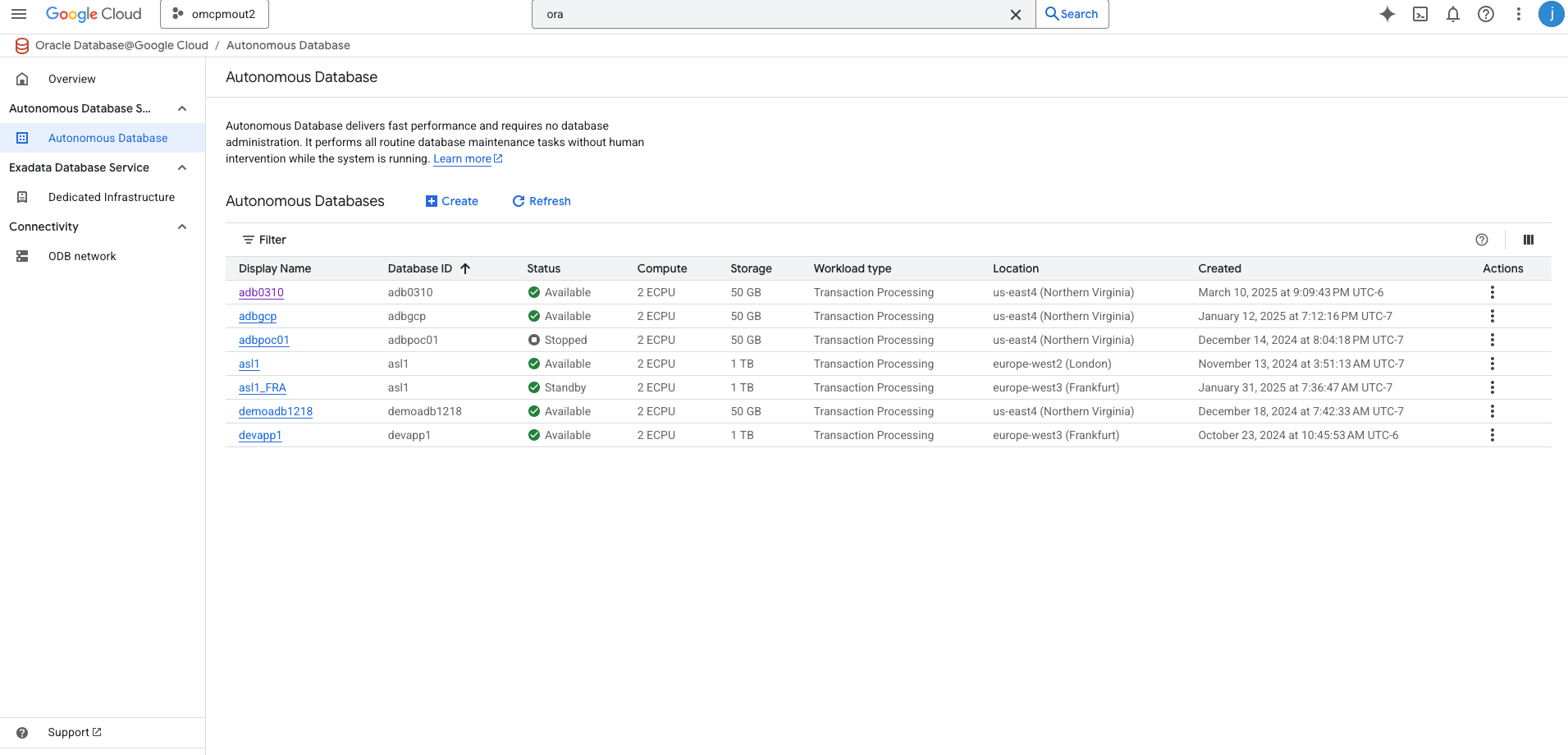
- From the Oracle Database@Google cloud dashboard, select Oracle Autonomous AI Database Service.
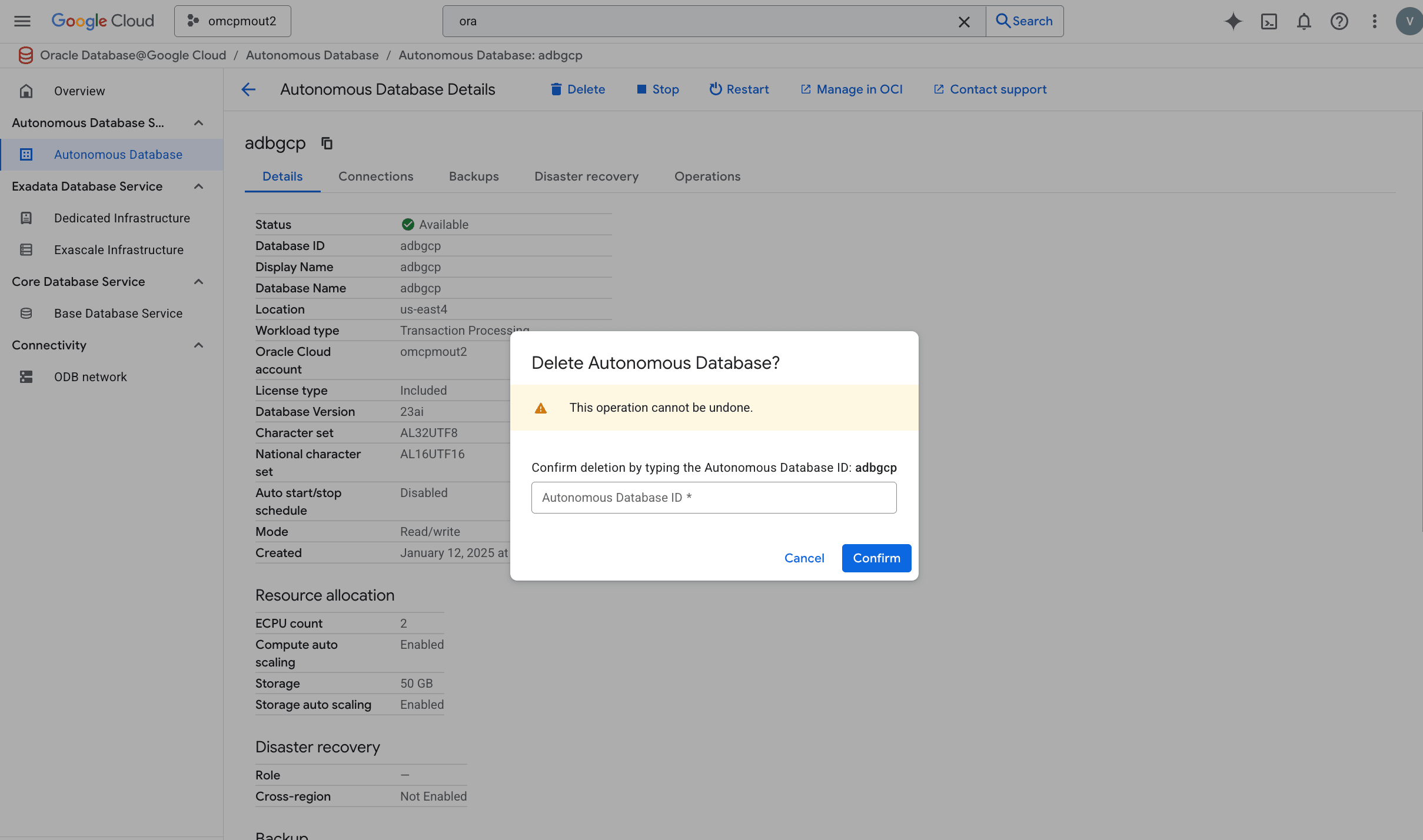
- Select your database that you want to delete, and then select the delete button.
- To confirm your action, you must enter Autonomous AI Database ID in the field, and then select the Confirm button.
There is currently no content for this page. Oracle AI Database@Google Cloud team intends to add content here, and this placeholder text is provided until that text is added. The Oracle AI Database@Google Cloud team is excited about future new features, enhancements, and fixes to this product and this accompanying documentation. We strongly recommend you watch this page for those updates.
There is currently no content for this page. Oracle AI Database@Google Cloud team intends to add content here, and this placeholder text is provided until that text is added. The Oracle AI Database@Google Cloud team is excited about future new features, enhancements, and fixes to this product and this accompanying documentation. We strongly recommend you watch this page for those updates.
There is currently no content for this page. Oracle AI Database@Google Cloud team intends to add content here, and this placeholder text is provided until that text is added. The Oracle AI Database@Google Cloud team is excited about future new features, enhancements, and fixes to this product and this accompanying documentation. We strongly recommend you watch this page for those updates.
You can delete an Autonomous AI Database in Google Cloud using Google Cloud Terraform provider in two ways.
Prerequisites- Terraform or OpenTofu installed
- Google Cloud credentials configured
- HashiCorp Google Cloud provider version >= 7.0
Option 1: Remove the Autonomous AI Database resource block from the Terraform configuration file and run the following commands in the Terminal window. Make sure no other resources are dependent on your Autonomous AI Database.terraform planterraform applyOption 2: To delete all the resources created using the Terraform configuration file, run the following command in the Terminal window.terraform destroy