Exadata Database - Clone
You can clone a Pluggable Database by using the OCI Console.
Clone a Pluggable Database (PDB)
-
From the OCI console, select Oracle AI Database, and then select Oracle Exadata Database Service on Dedicated Infrastructure.
-
From the left menu, select Exadata VM Clusters, and then select the Display name link of your Exadata VM Cluster that you are using.
-
Select the Databases tab and then select the database that you are using.
-
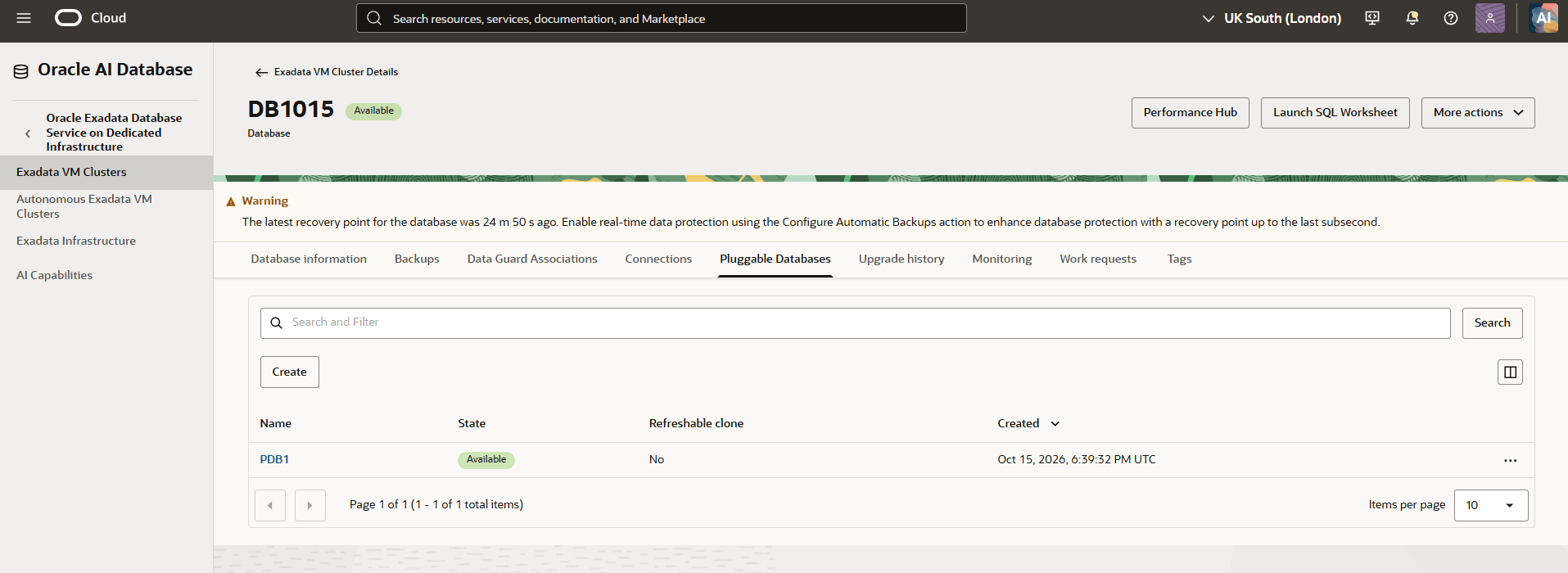
In the Pluggable Databases tab, locate the pluggable database (PDB) you want to clone.
-
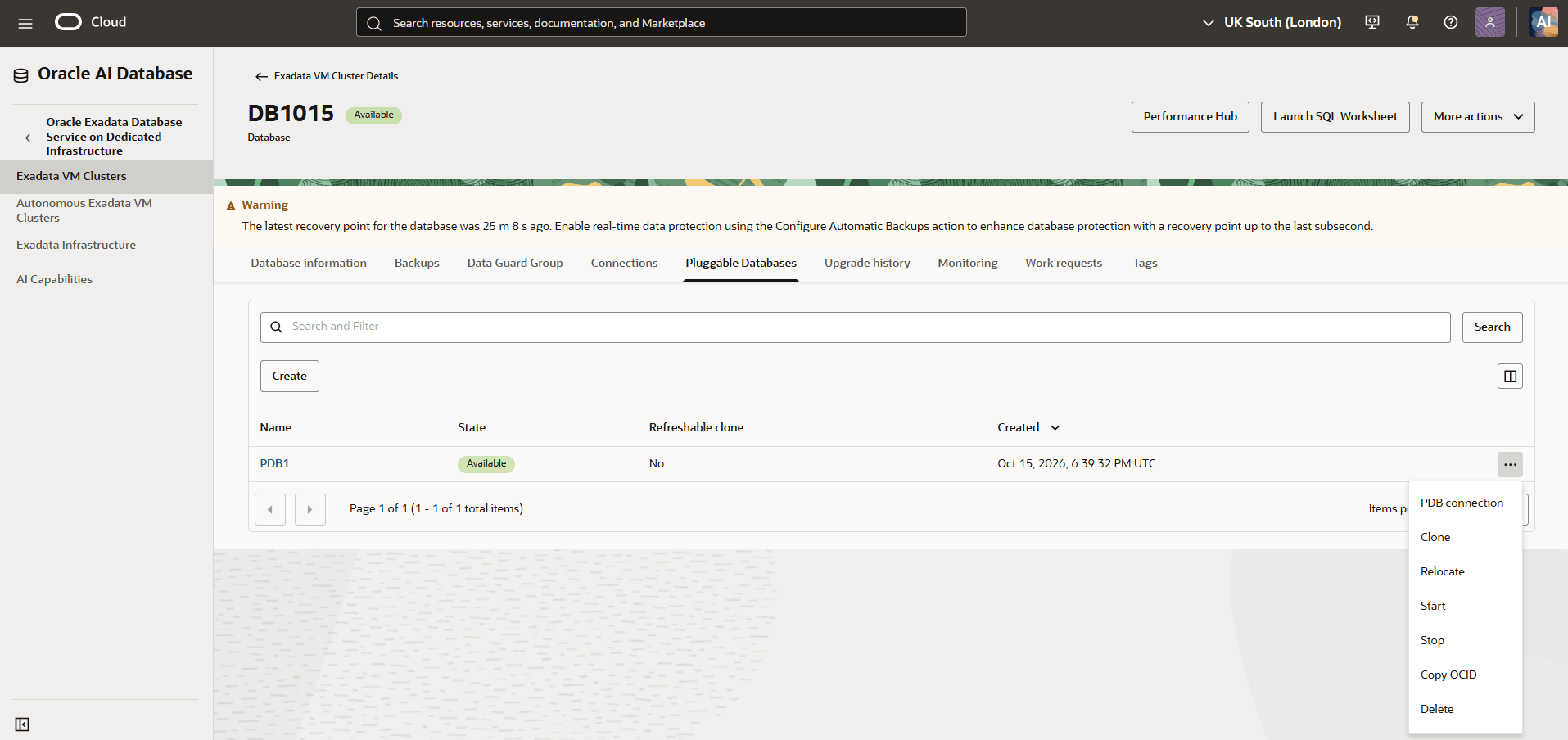
Select the actions menu (…) next to it, and select Clone from the list.
-
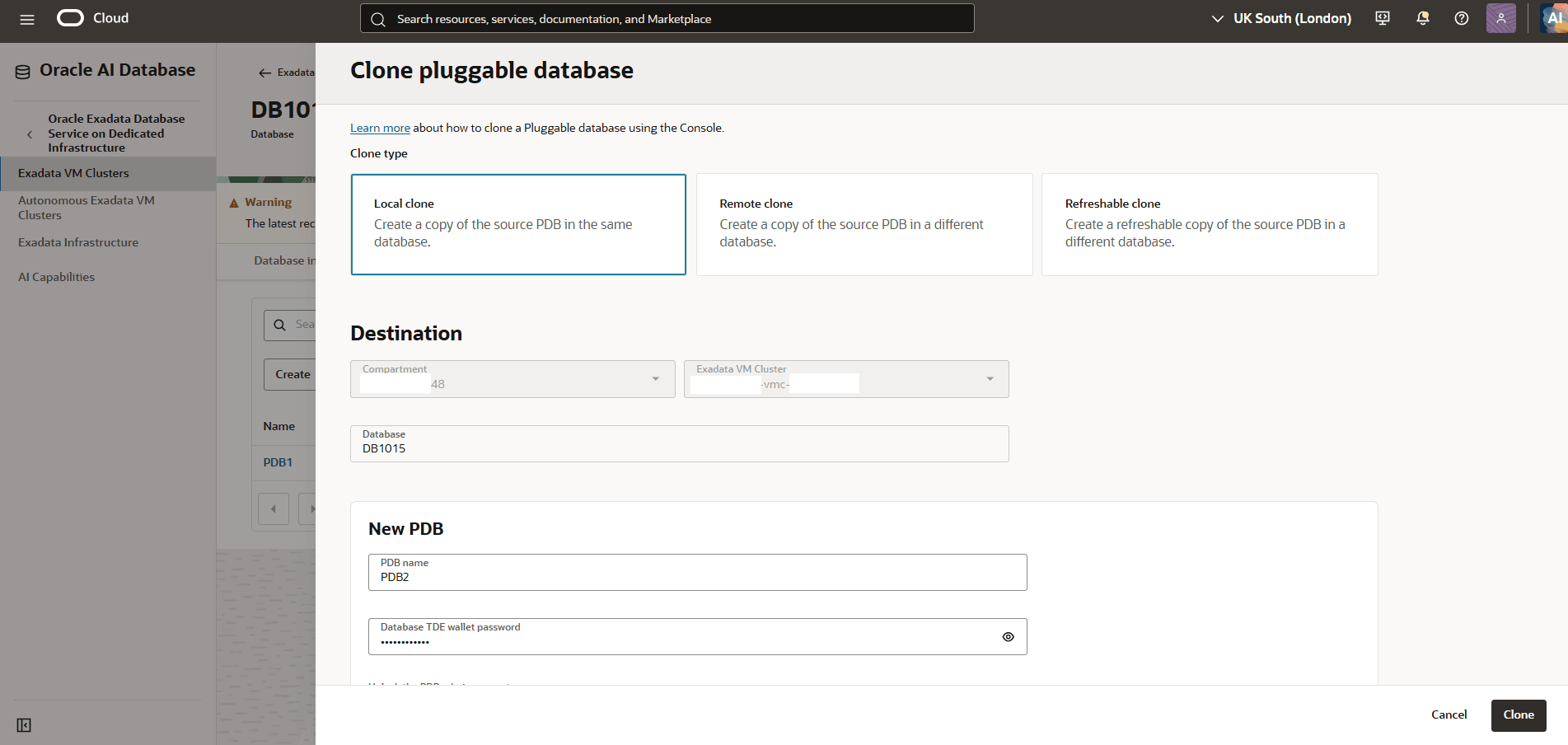
In the Clone pluggable database page, configure the settings to create a clone of the selected pluggable database (PDB).
- Clone type: Based on your requirements, select one of the following:
- Local clone: It creates a copy of the source PDB in the same database.
- Remote clone: It creates a copy of the source PDB in a different database.
- Refreshable clone: It creates a refreshable copy of the source PDB in a different database.
-
In the Destination section, review the destination details for the cloned PDB.
-
Compartment: Review the compartment displayed for the destination.
-
Exadata VM Cluster: Review the Exadata VM cluster displayed for the destination.
-
Database: Review the database in which the cloned PDB will be created.
-
-
In the New PDB section, configure the details for the cloned pluggable database.
-
PDB name: Enter a name for the new pluggable database.
-
Database TDE wallet password: Enter the database Transparent Data Encryption (TDE) wallet password.
-
Unlock the PDB admin account: If you enable the toggle, you must provide a PDB admin password to unlock the PDB admin account.
-
-
The Take a backup of the PDB immediately after creating it toggle is enabled by default.This options ensures recoverability of the PDB for the database that has an existing cloud-managed backup.
-
Expand the Advanced options section to manage Tags. This section is optional. Select Add tags to organize your resources.
- Select Clone to initiate the PDB cloning operation.
-
-
You can clone a Pluggable Database by using the OCI Console.
There is currently no content for this page. Oracle AI Database@Google Cloud team intends to add content here, and this placeholder text is provided until that text is added. The Oracle AI Database@Google Cloud team is excited about future new features, enhancements, and fixes to this product and this accompanying documentation. We strongly recommend you watch this page for those updates.
There is currently no content for this page. Oracle AI Database@Google Cloud team intends to add content here, and this placeholder text is provided until that text is added. The Oracle AI Database@Google Cloud team is excited about future new features, enhancements, and fixes to this product and this accompanying documentation. We strongly recommend you watch this page for those updates.