Exascale Database - Restore
Learn how to restore an Exascale Database.
There is currently no content for this page. Oracle AI Database@Google Cloud team intends to add content here, and this placeholder text is provided until that text is added. The Oracle AI Database@Google Cloud team is excited about future new features, enhancements, and fixes to this product and this accompanying documentation. We strongly recommend you watch this page for those updates.
Restore from Automatic or Standalone Backup
- From the OCI console, select VM Clusters.
- Select the Container Database (CDB) tab, and select the CDB that you are using.
- Select the Backups tab.
- From the backup list, select your backup that you are using, and then click the three-dot navigation menu.
- Select the Create database.
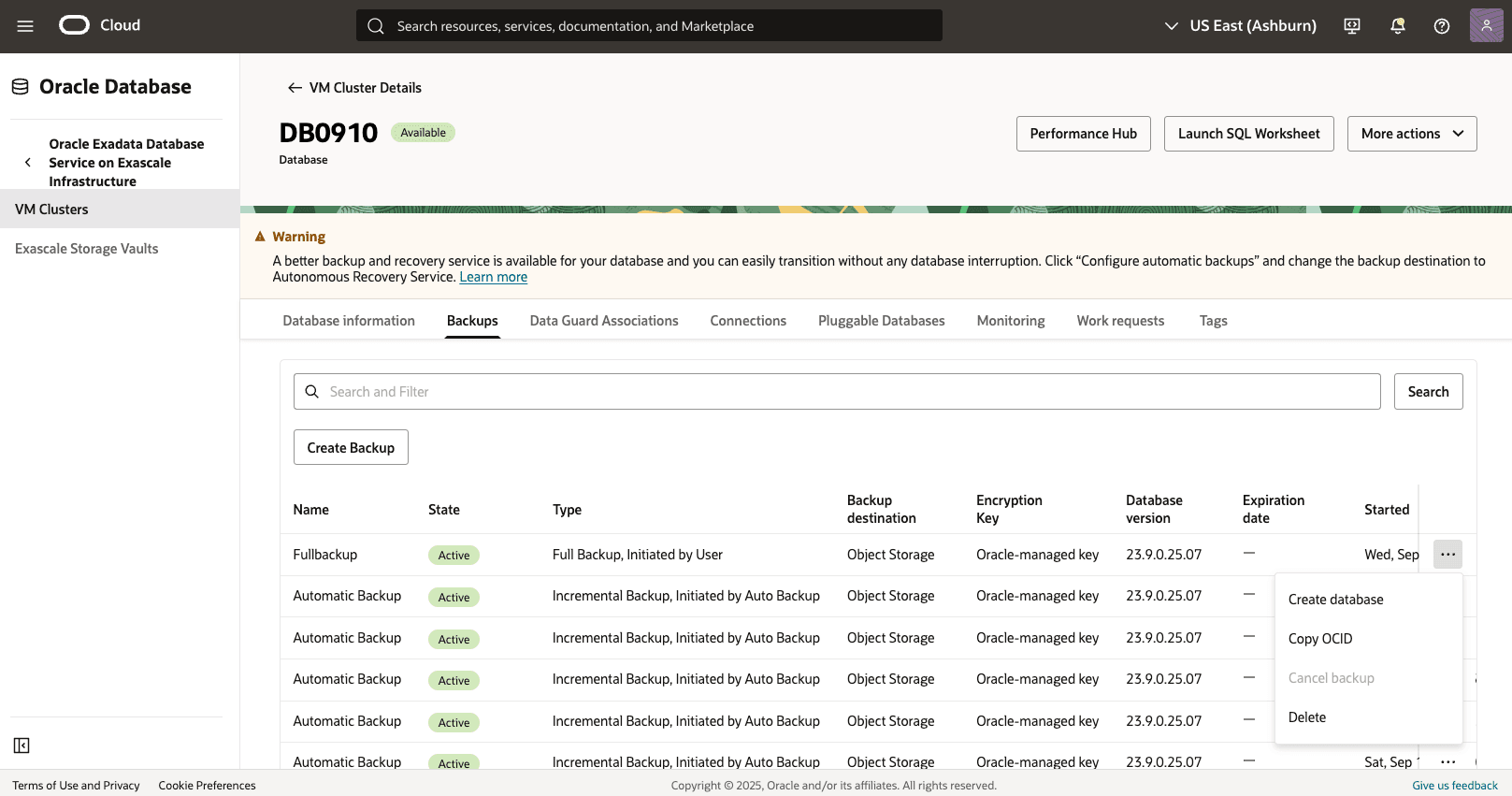
- From the Create Database from Backup page, complete the following substeps.
- Select the All PDBs option from PDB drop-down.

- Select your Compartment and VM Cluster from the drop-downs.
- Navigate to the Database Home section, and then select the Select an existing Database Home option from the Create Database Home drop-down and then select your Database Home.
- Specify a Database name that helps you easily identify the resource.
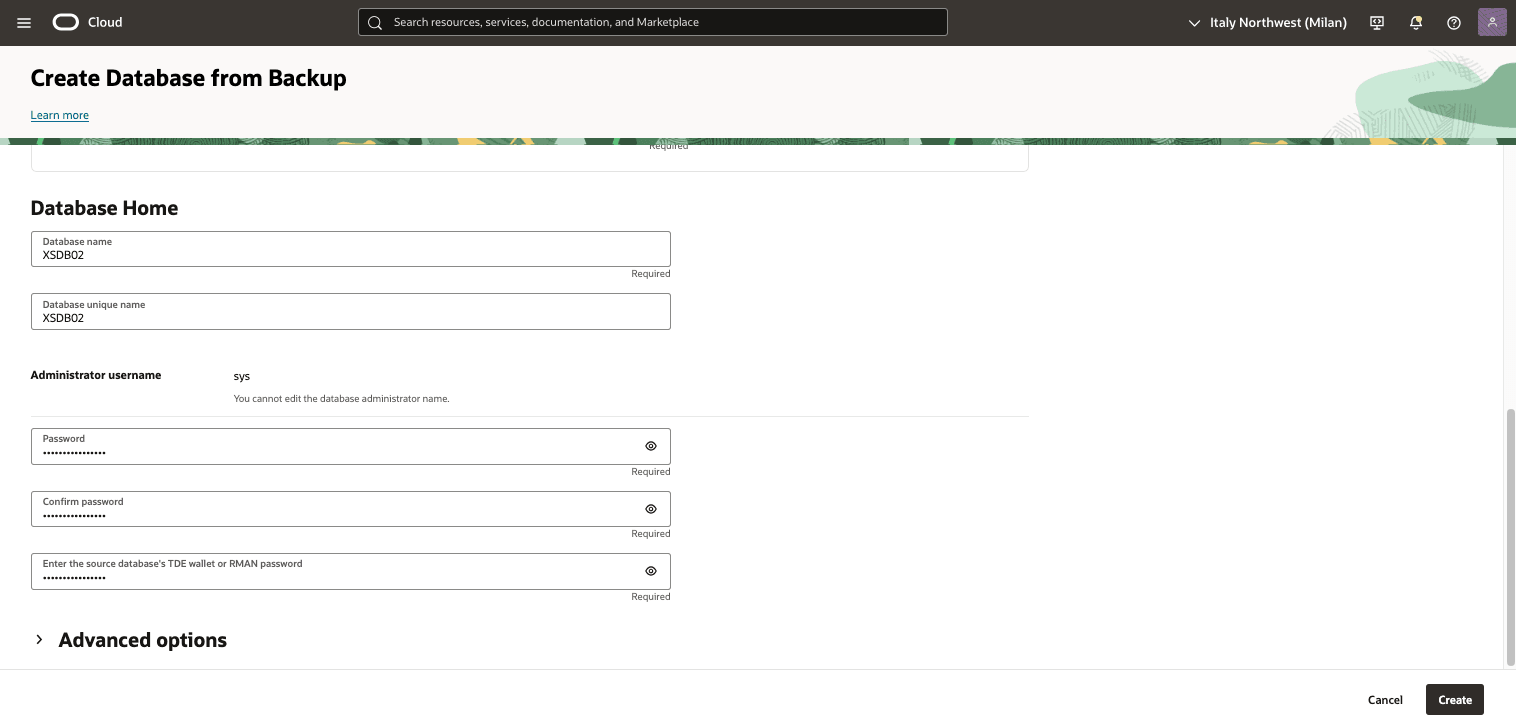
- Specify a Database unique name that helps you easily identify the resource.
- Enter your Password, Confirm password and TDE's wallet or RMAN password.
- Select the Create button.
- Select the All PDBs option from PDB drop-down.
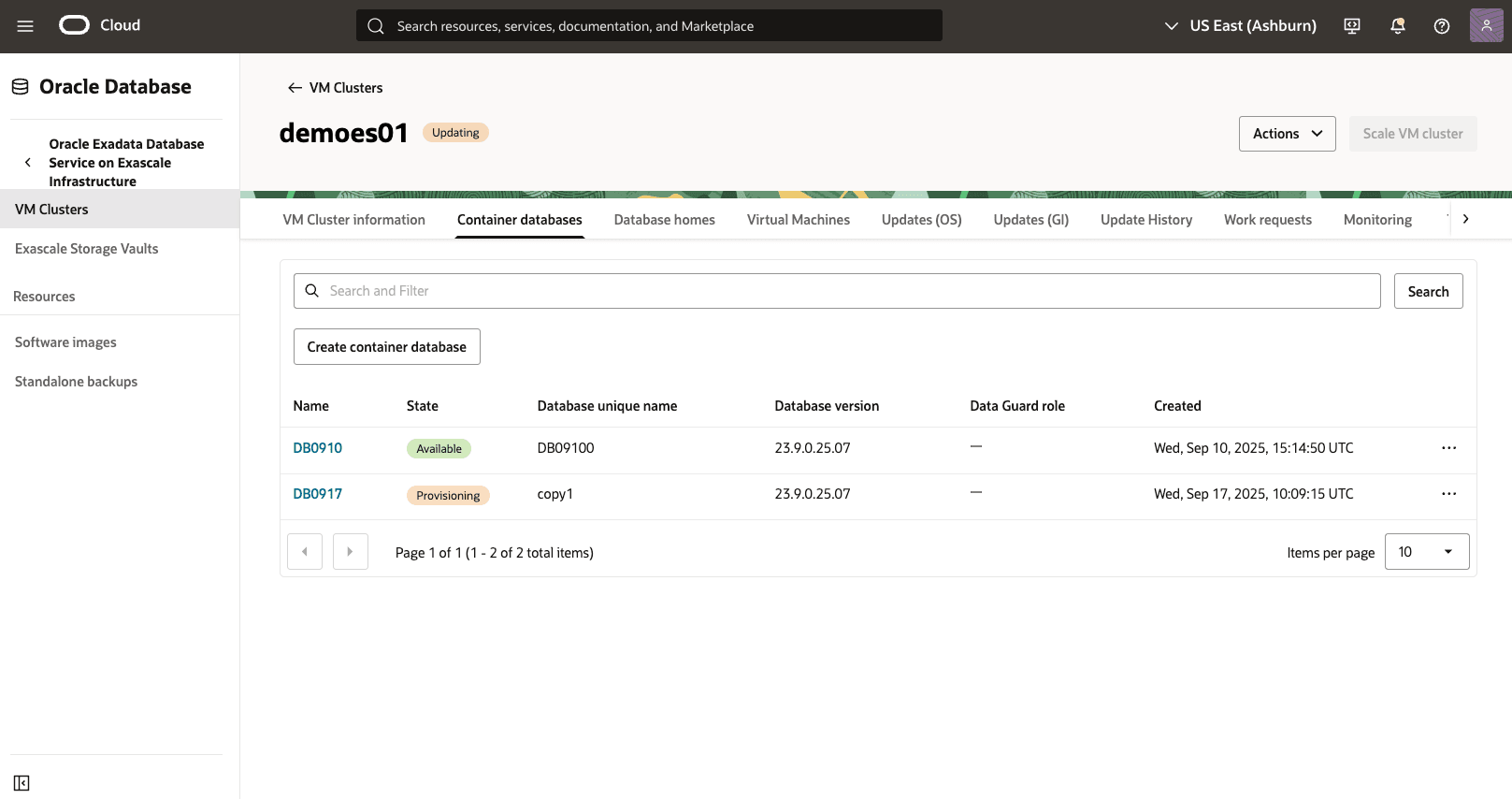
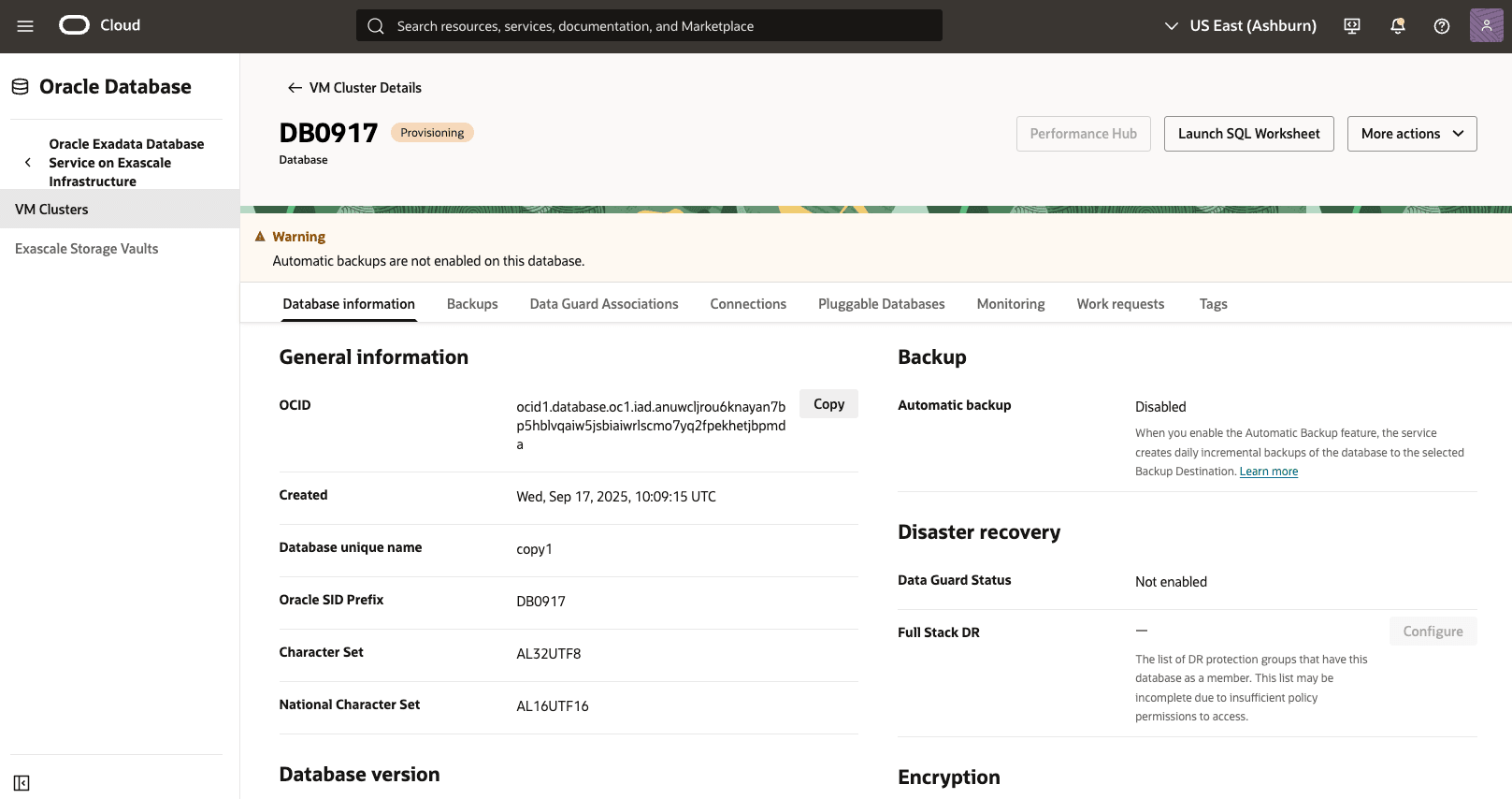
- Return to the VM Clusters page to view the State of your restore process.
There is currently no content for this page. Oracle AI Database@Google Cloud team intends to add content here, and this placeholder text is provided until that text is added. The Oracle AI Database@Google Cloud team is excited about future new features, enhancements, and fixes to this product and this accompanying documentation. We strongly recommend you watch this page for those updates.
There is currently no content for this page. Oracle AI Database@Google Cloud team intends to add content here, and this placeholder text is provided until that text is added. The Oracle AI Database@Google Cloud team is excited about future new features, enhancements, and fixes to this product and this accompanying documentation. We strongly recommend you watch this page for those updates.
There is currently no content for this page. Oracle AI Database@Google Cloud team intends to add content here, and this placeholder text is provided until that text is added. The Oracle AI Database@Google Cloud team is excited about future new features, enhancements, and fixes to this product and this accompanying documentation. We strongly recommend you watch this page for those updates.