Listing Resource Anchors
View resource anchors in the specified Multicloud subscription, using Oracle Multicloud Hub. Details listed for each resource anchor include name, state, and the related Multicloud compartment. While resource anchors are relevant to all supported cloud providers, they're visible in Microsoft Azure only.
The API operation for this task is ListResourceAnchors.
-
Open the navigation menu and select Hybrid & Multicloud. Under Multicloud Hub, select Resource anchors.
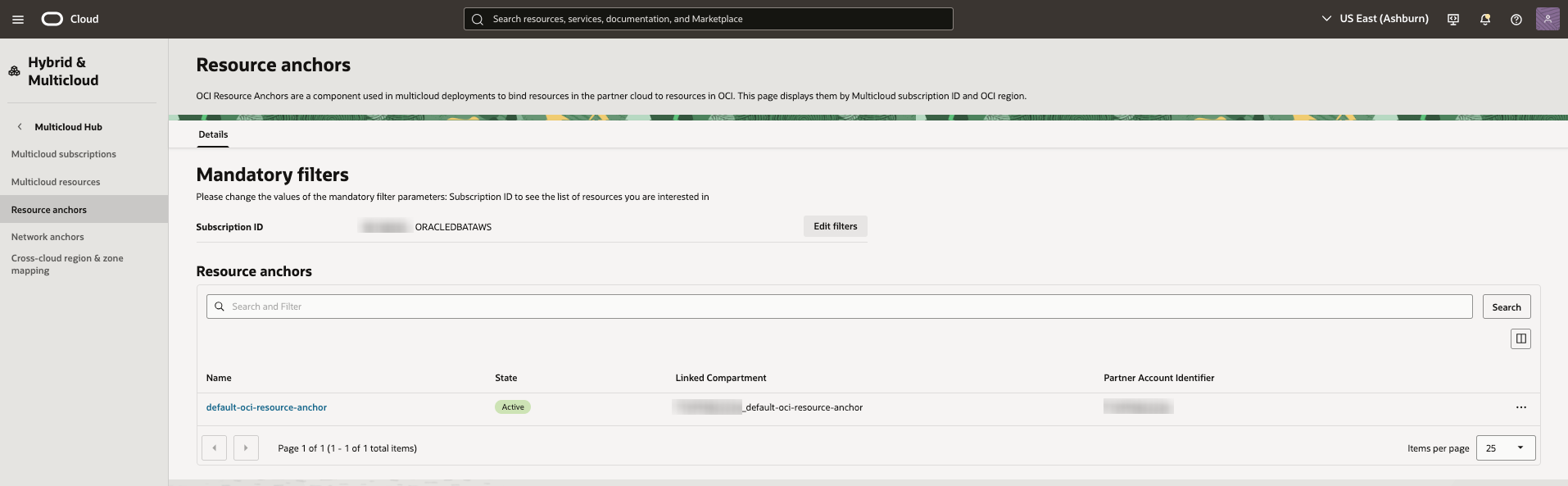
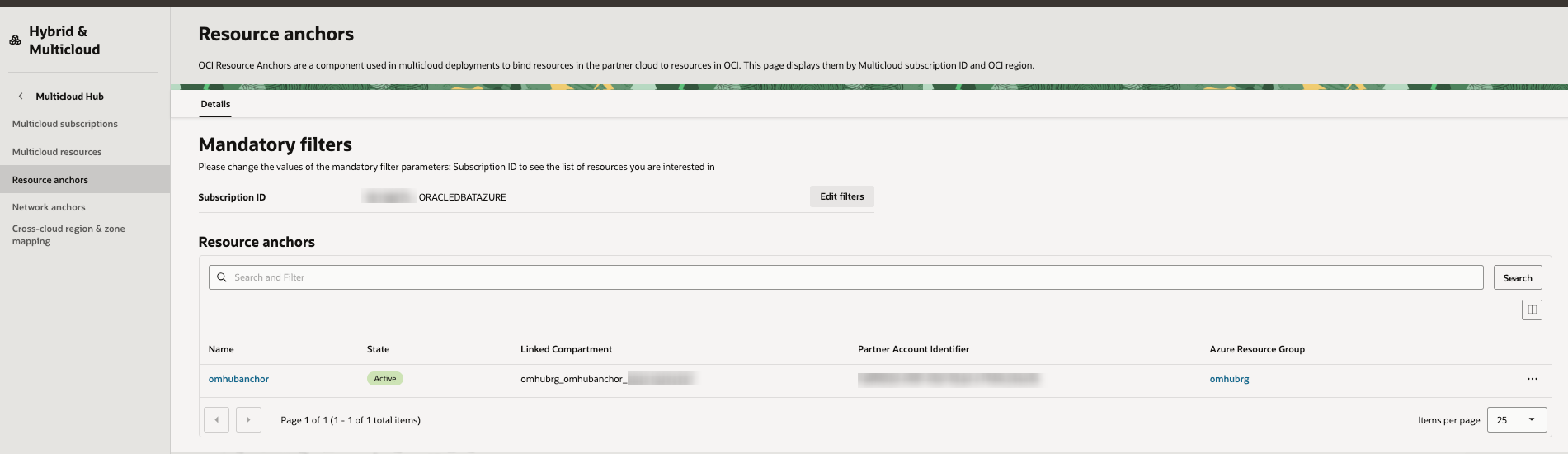
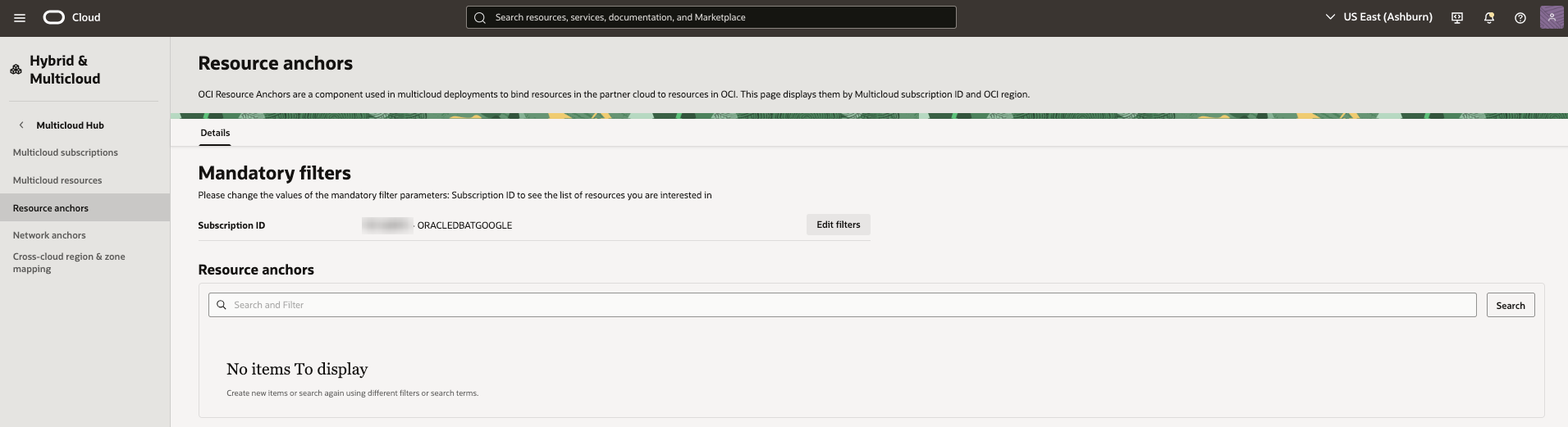
The Resource anchors list page opens, with the mandatory filters set to the first identified Multicloud subscription ID (ordered alphabetically). All resource anchors in the specified Multicloud subscription are displayed in a table.
AWS example:
Azure example:
GCP example:
Filtering List Results
Use filters to limit the resource anchors in the list.
From the Search and Filter box above the list table, select one or more filters and specify the values that you want to use to narrow the list. The filters correspond to the columns shown in the list table.
Change the order of the items in the list table by using the sort icons next to the column names.
For information about searching for resources and managing the columns in the list table, see Listing Resources.
Actions
In the list table, select the name of a resource anchor to open its details page, where you can view its status and perform other tasks.
To perform an action on a resource anchor directly from the list table, select an available option from the in the row for that resource anchor:
- View details: Open the OCI details page for the resource anchor.
- View resource anchor in partner cloud: Open the partner cloud's details page for the resource anchor.
This option is available for some partner clouds.
-
Open the navigation menu and select Hybrid & Multicloud. Under Multicloud Hub, select Resource anchors.
Use the oci multicloud omhub-resource-anchor resource-anchor-collection list-resource-anchors command and required parameters to list resource anchors:
oci multicloud omhub-resource-anchor resource-anchor-collection list-resource-anchors ... [OPTIONS]Example request for Microsoft Azure:
oci multicloud omhub-resource-anchor resource-anchor-collection list-resource-anchors \
  --subscription-id <subscription_ocid> \
  --subscription-service-name ORACLEDBATAZURE \
  --lifecycle-state ACTIVE \
  --limit 3
Example response:
{
  "data": {
    "items": [
      {
        "compartment-id": "<compartment_ocid>",
        "defined-tags": {},
        "display-name": "example-display-name",
        "freeform-tags": {},
        "id": "<resource_anchor_ocid>",
        "lifecycle-details": "Successfully created.",
        "lifecycle-state": "ACTIVE",
        "subscription-id": "<subscription_ocid>",
        "system-tags": {
          "orcl-OracleDatabase@Azure": {
            "AuthorizationContextId": "<context_ocid>"
          }
        },
        "time-created": "2025-11-03T07:08:19.380000+00:00",
        "time-updated": "2025-11-03T07:08:34.702000+00:00"
      },
      {
        "compartment-id": "<compartment_ocid>",
        "defined-tags": {},
        "display-name": "example-display-name-2",
        "freeform-tags": {},
        "id": "<resource_anchor_ocid>",
        "lifecycle-details": "Successfully created.",
        "lifecycle-state": "ACTIVE",
        "subscription-id": "<subscription_ocid>",
        "system-tags": {
          "orcl-OracleDatabase@Azure": {
            "AuthorizationContextId": "<context_ocid>"
          }
        },
        "time-created": "2025-10-31T17:52:33.082000+00:00",
        "time-updated": "2025-10-31T17:52:50.033000+00:00"
      },
      {
        "compartment-id": "<compartment_ocid>",
        "defined-tags": {},
        "display-name": "example-display-name-3",
        "freeform-tags": {},
        "id": "<resource_anchor_ocid>",
        "lifecycle-details": "Successfully created.",
        "lifecycle-state": "ACTIVE",
        "subscription-id": "<subscription_ocid>",
        "system-tags": {
          "orcl-OracleDatabase@Azure": {
            "AuthorizationContextId": "<context_ocid>"
          }
        },
        "time-created": "2025-10-30T18:48:21.041000+00:00",
        "time-updated": "2025-10-30T18:48:34.265000+00:00"
      }
    ]
  },
  "opc-next-page": "<token>"
}
For a complete list of parameters and values for CLI commands, see the CLI Command Reference.