Quotas and Service Limits
Learn how to view and increase your Multicloud service limits.
Your tenancy has limits on the maximum number of resources you're allowed to use. Your ability to deploy Oracle Database resources in AWS (and OCI) is affected by the service limits set in your OCI cloud account. When creating a new OCI tenancy, or connecting to an existing OCI tenancy, the linking process automatically sets limits for Oracle AI Database@AWS resources in the OCI cloud tenancy used for Oracle AI Database@AWS.
Before you begin provisioning Oracle AI Database@AWS resources in AWS, assess how many Oracle AI Database@AWS resources (such as ODB Network, Exadata Infrastructure, Autonomous Recovery Service) you plan to deploy in your AWS environment. Then review the current service limits in your OCI tenancy and determine if your existing limits are adequate to deploy the number of Oracle AI Database@AWS resources you need.
If you need to request a service limits increase, see Requesting a Limit Increase for Multicloud. See also Cross-Cloud Region and Zone Mapping and Prerequisites.
To view your Oracle AI Database@AWS service limits in Oracle Cloud Console (OCI), follow these steps:-
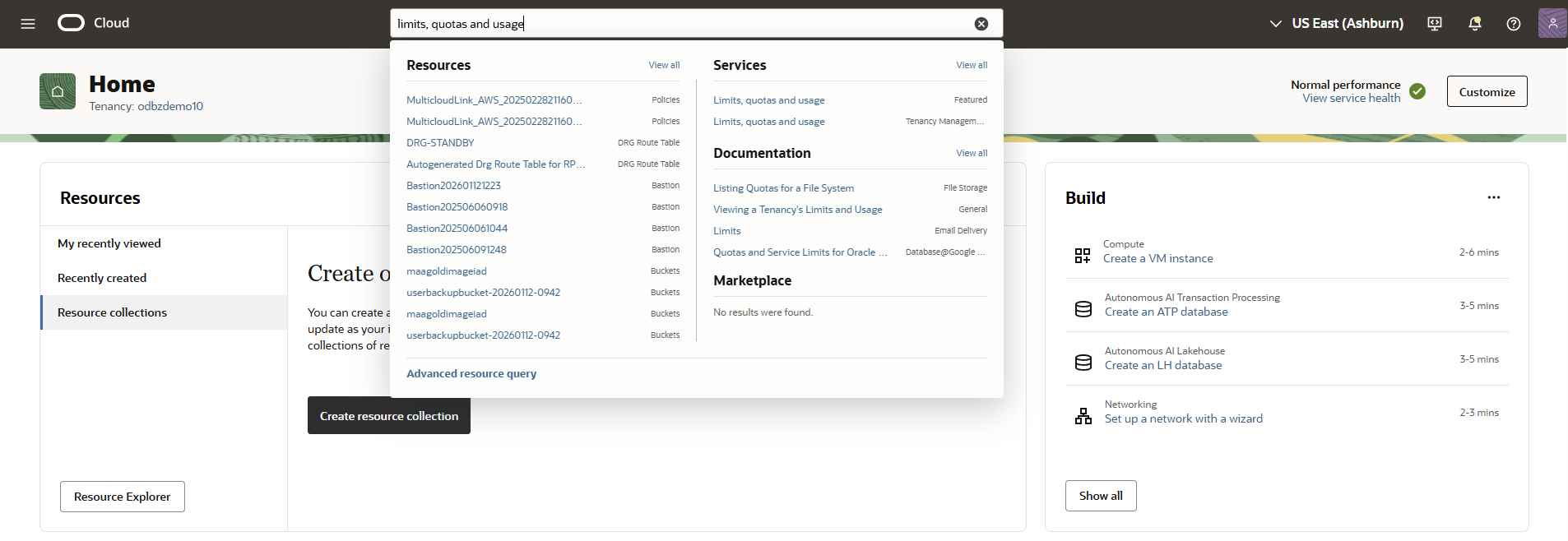
Search for Limits, quotas and usage in the Oracle Cloud Console, then select Limits, quotas and usage .
-
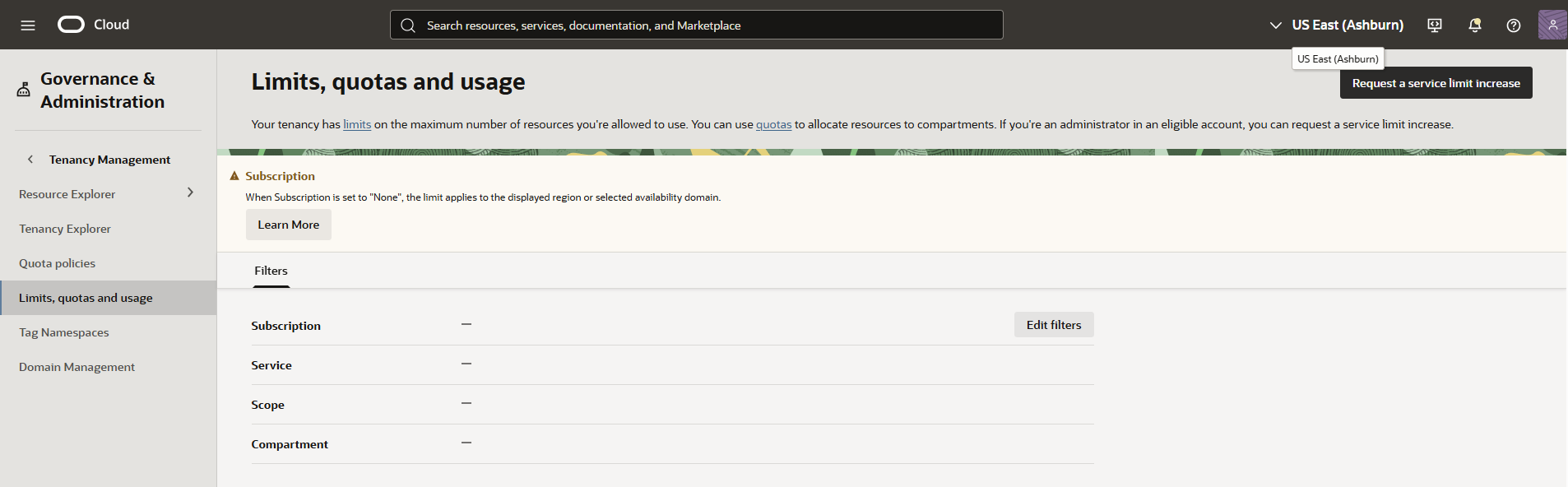
Select Edit filters.
-
Select Update.
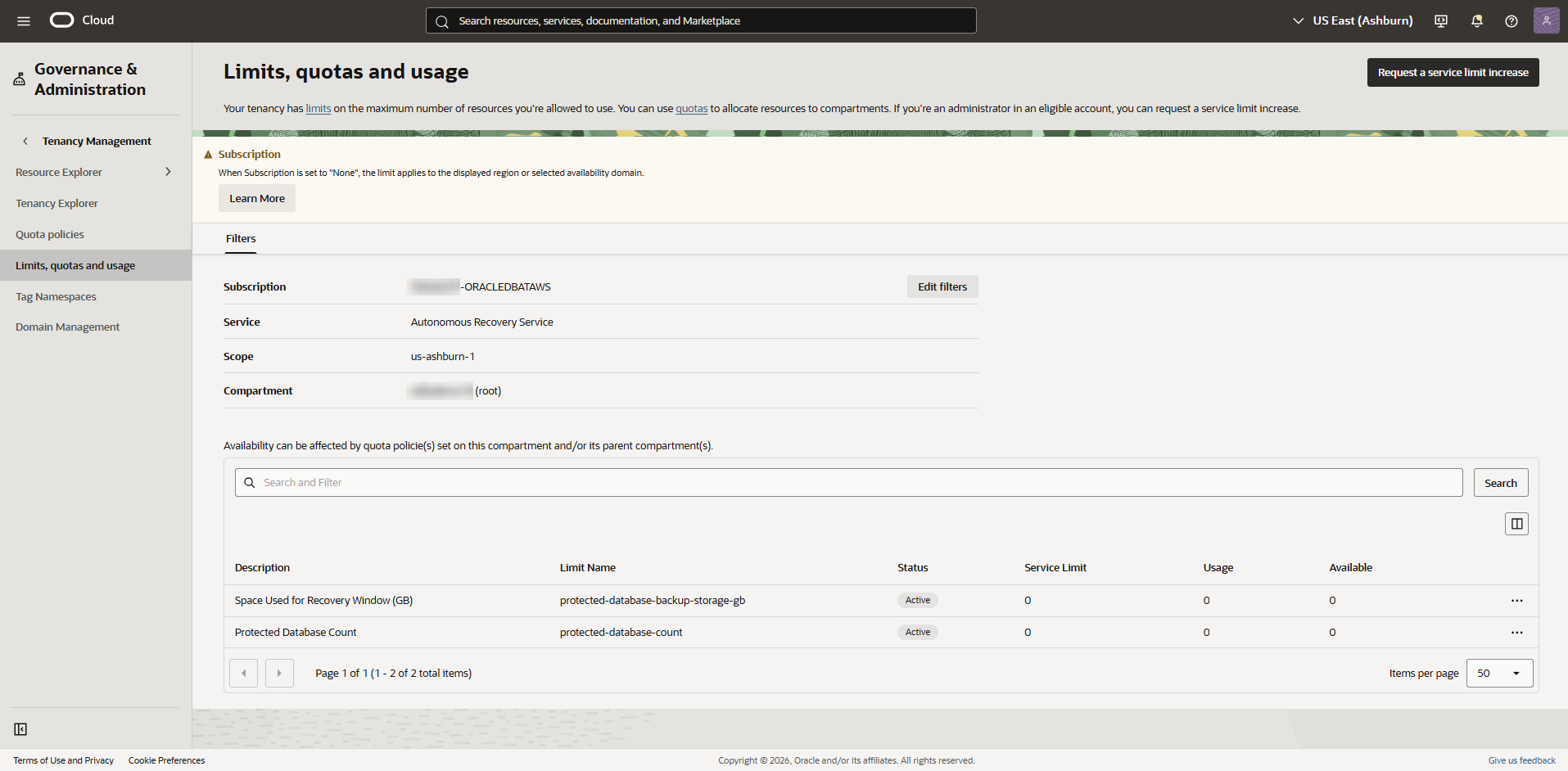
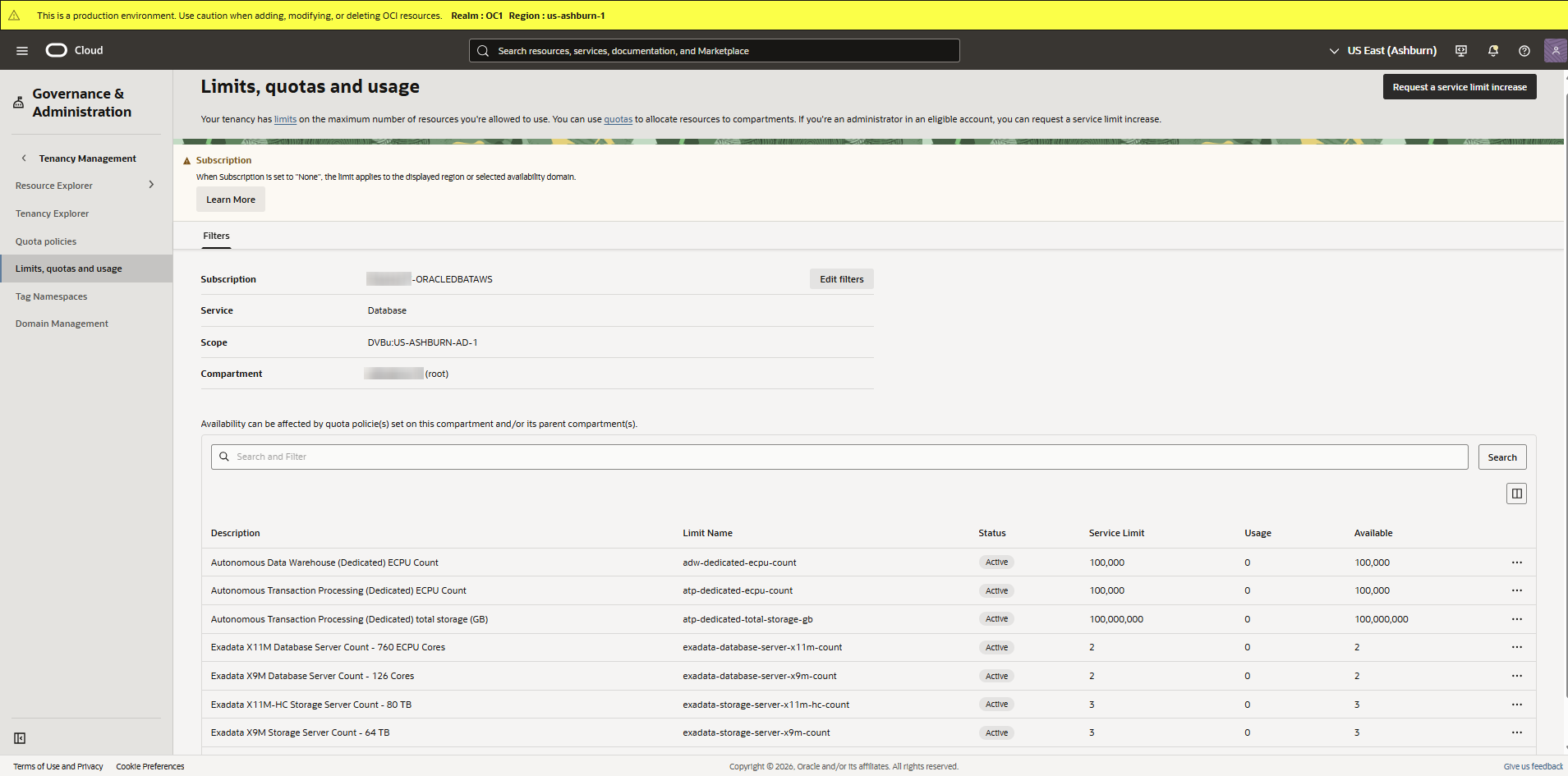
The Limits, quotas and usage page shows the counts for Service Limit, Usage, and Available.
Autonomous Recovery Service example:
Database example:
Multicloud example:
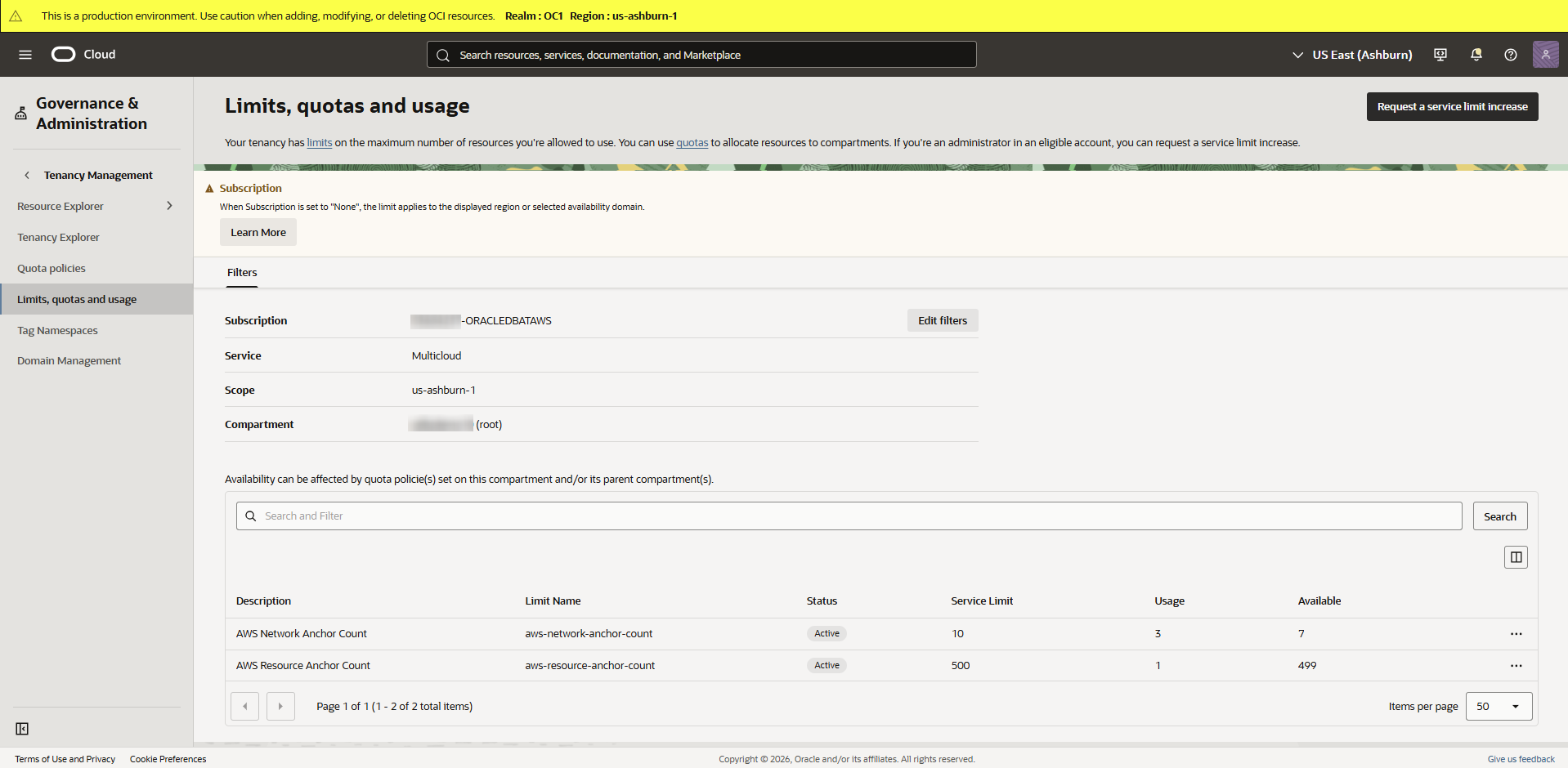
To increase your Oracle AI Database@AWS service limits in Oracle Cloud Console (OCI), see Requesting a Limit Increase for Multicloud.
-
Search for Limits, quotas and usage in the Oracle Cloud Console, then select Limits, quotas and usage .
Your tenancy has limits on the maximum number of resources you're allowed to use. Your ability to deploy Oracle Database resources in Azure (and OCI) is affected by the service limits set in your OCI cloud account. When creating a new OCI tenancy, or connecting to an existing OCI tenancy, the linking process automatically sets limits for Oracle AI Database@Azure resources in the OCI cloud tenancy used for Oracle AI Database@Azure.
Before you begin provisioning Oracle AI Database@Azure resources in Azure, assess how many Oracle AI Database@Azure resources (such as Network Anchor, Exadata Infrastructure, Autonomous AI Database, Base Database, GoldenGate) you plan to deploy in your Azure environment. Then review the current service limits in your OCI tenancy and determine if your existing limits are adequate to deploy the number of Oracle AI Database@Azure resources you need.
If you need to request a service limits increase, see Requesting a Limit Increase for Multicloud. See also Cross-Cloud Region and Zone Mapping and Prerequisites.
To view your Oracle AI Database@Azure service limits in Oracle Cloud Console (OCI), follow these steps:-
Search for Limits, quotas and usage in the Oracle Cloud Console, then select Limits, quotas and usage .
-
Select Edit filters.
-
Select Update.
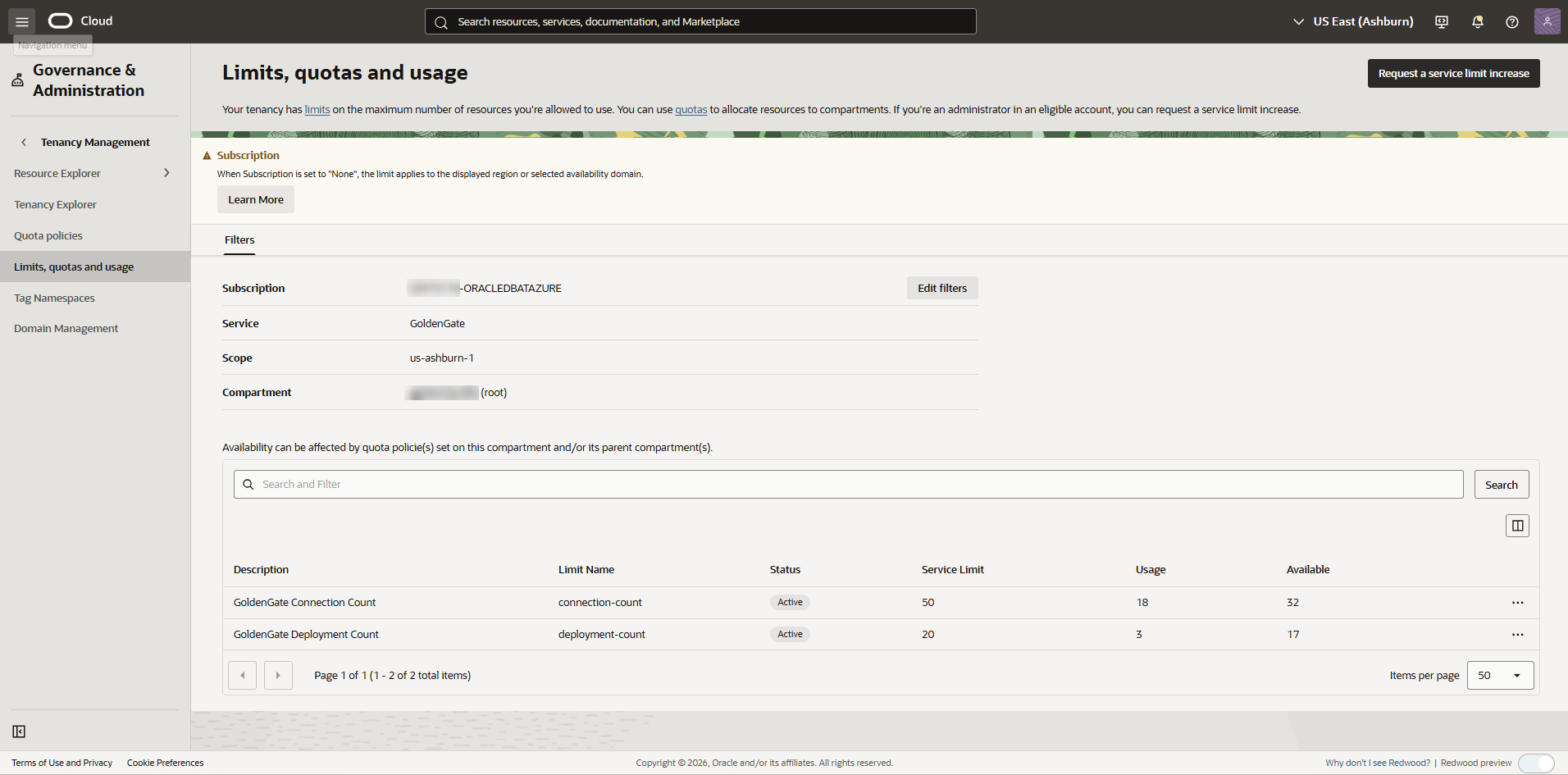
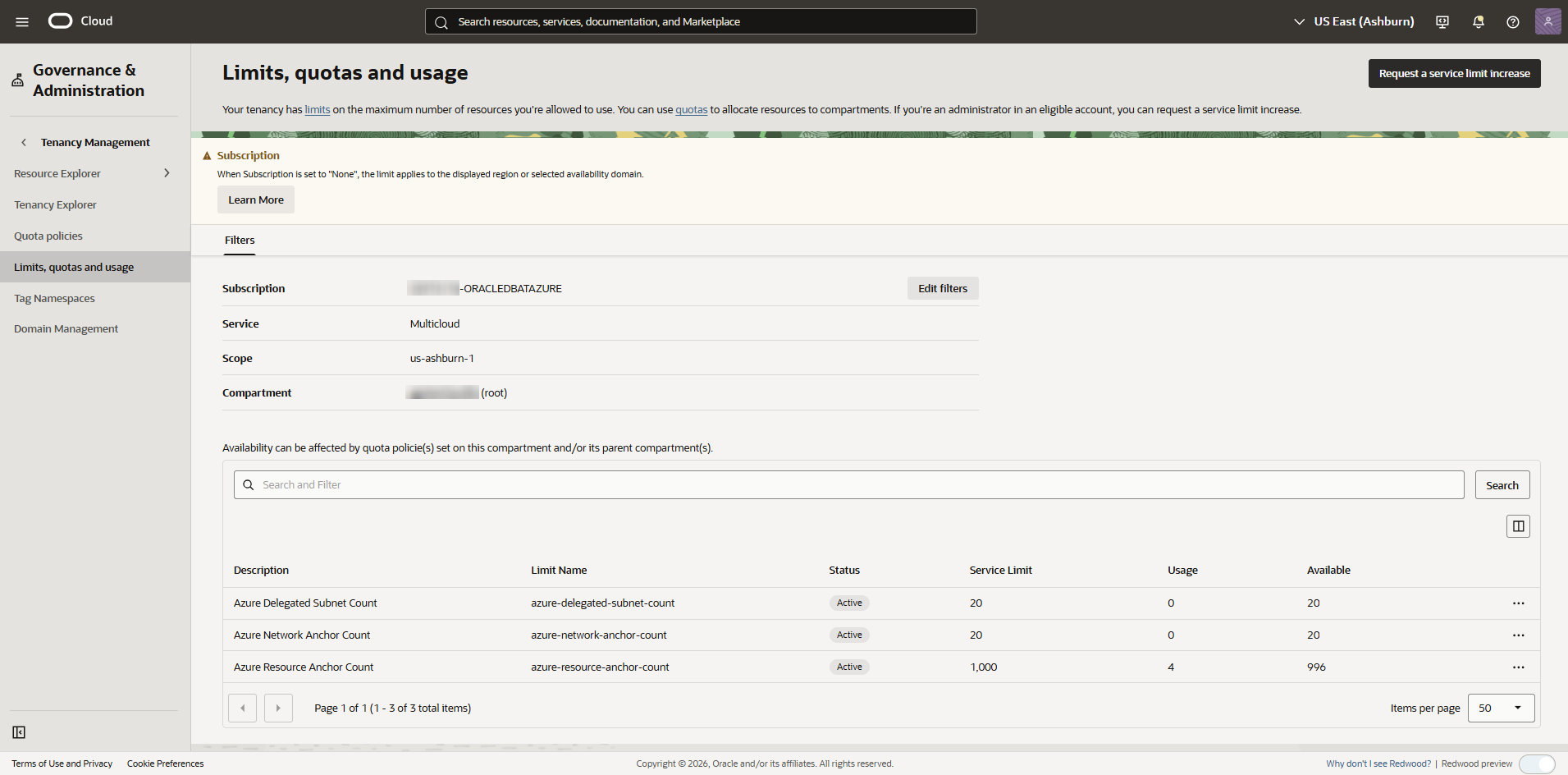
The Limits, quotas and usage page shows the counts for Service Limit, Usage, and Available.
Autonomous Recovery Service example:
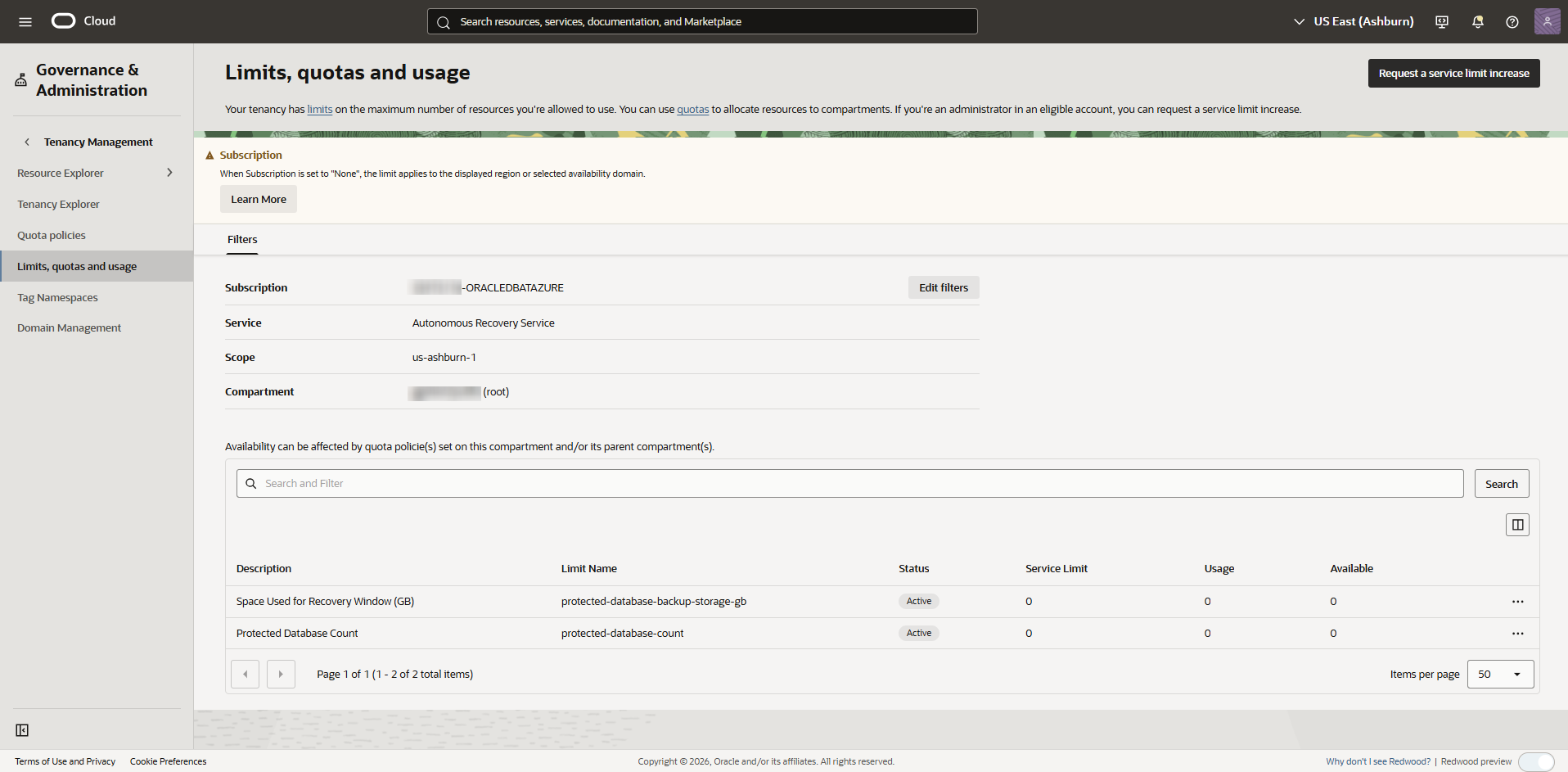
Database example:
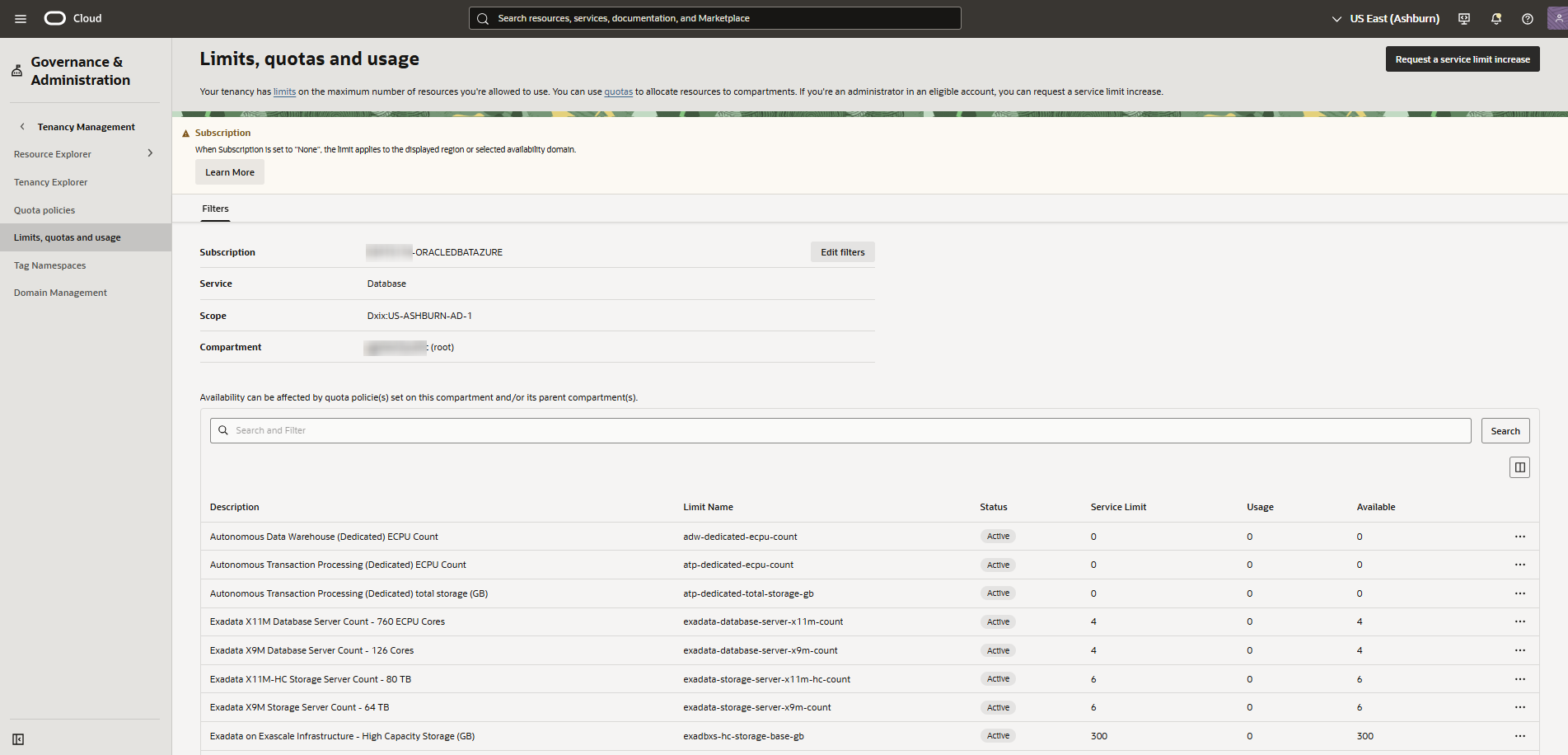
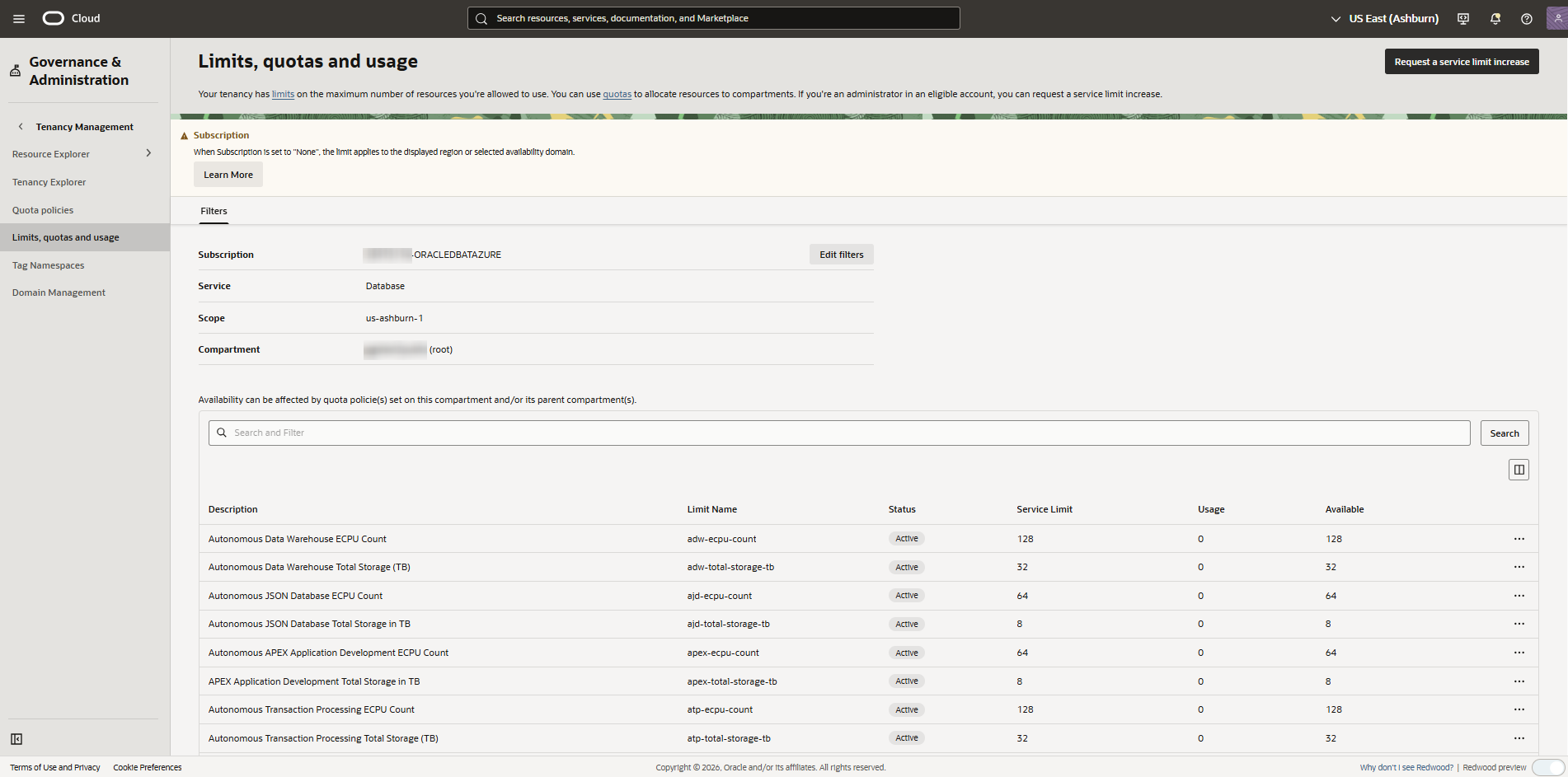
GoldenGate example:
Multicloud example:
To increase your Oracle AI Database@Azure service limits in Oracle Cloud Console (OCI), see Requesting a Limit Increase for Multicloud.
-
Search for Limits, quotas and usage in the Oracle Cloud Console, then select Limits, quotas and usage .
Your tenancy has limits on the maximum number of resources you're allowed to use. Your ability to deploy Oracle Database resources in Google Cloud (and OCI) is affected by the service limits set in your OCI cloud account. When creating a new OCI tenancy, or connecting to an existing OCI tenancy, the linking process automatically sets limits for Oracle AI Database@Google Cloud resources in the OCI cloud tenancy used for Oracle AI Database@Google Cloud.
Before you begin provisioning Oracle AI Database@Google Cloud resources in Google Cloud, assess how many Oracle AI Database@Google Cloud resources (such as Network Anchor, Exadata Infrastructure, Autonomous AI Database, Base Database) you plan to deploy in your Google Cloud environment. Then review the current service limits in your OCI tenancy and determine if your existing limits are adequate to deploy the number of Oracle AI Database@Google Cloud resources you need.
If you need to request a service limits increase, see Requesting a Limit Increase for Multicloud. See also Cross-Cloud Region and Zone Mapping and Prerequisites.
To view your Oracle AI Database@Google Cloud service limits in Oracle Cloud Console (OCI), follow these steps:-
Search for Limits, quotas and usage in the Oracle Cloud Console, then select Limits, quotas and usage .
-
Select Edit filters.
-
Select Update.
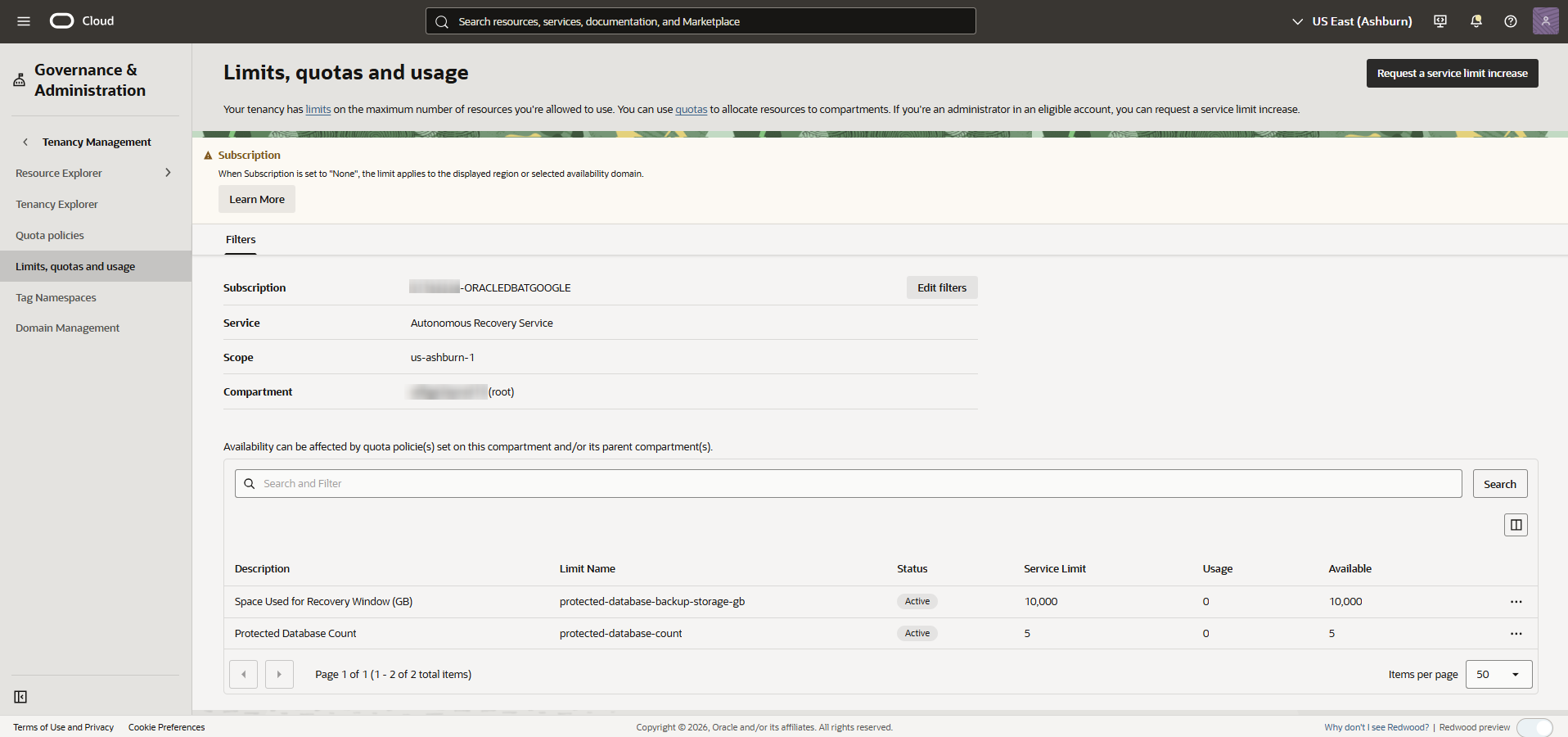
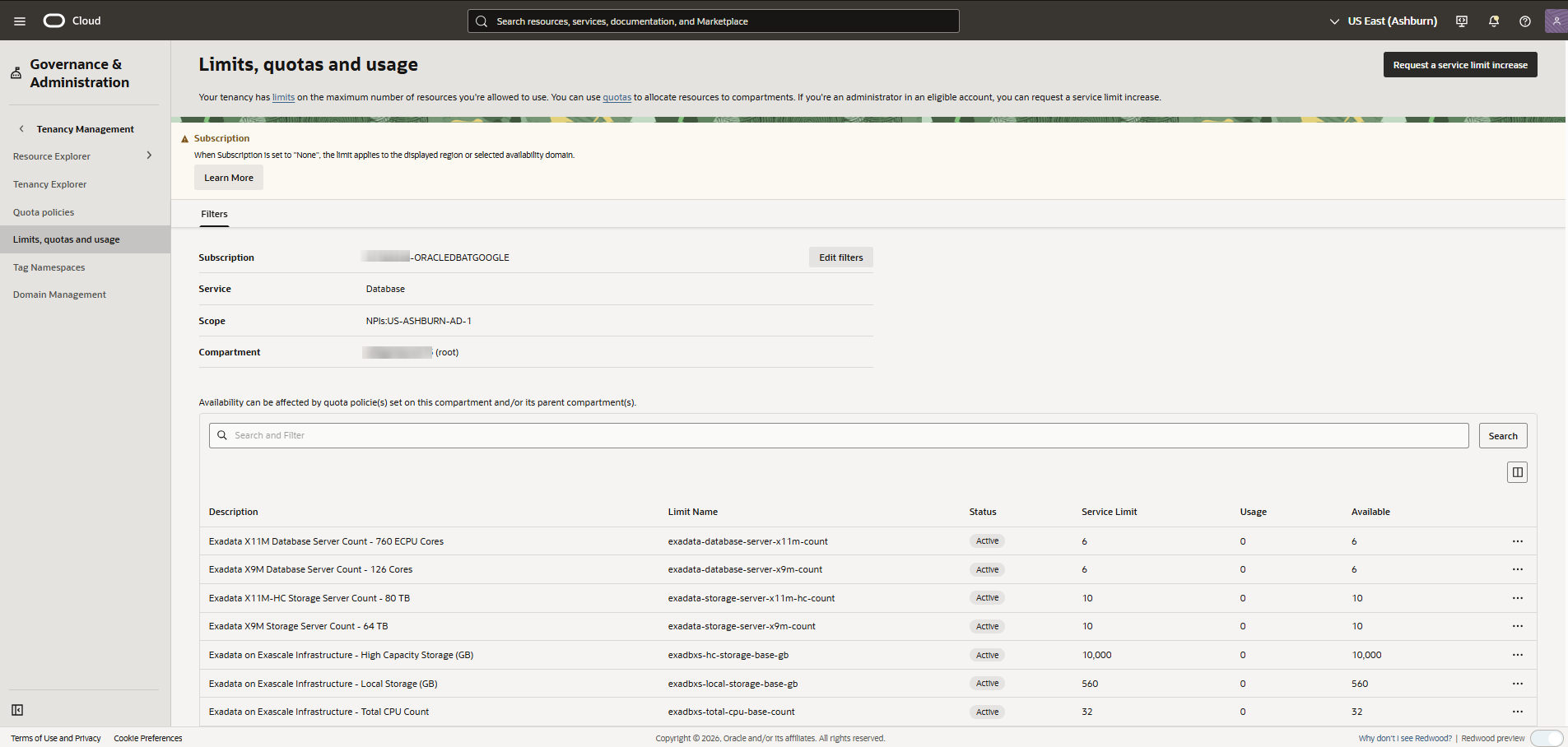
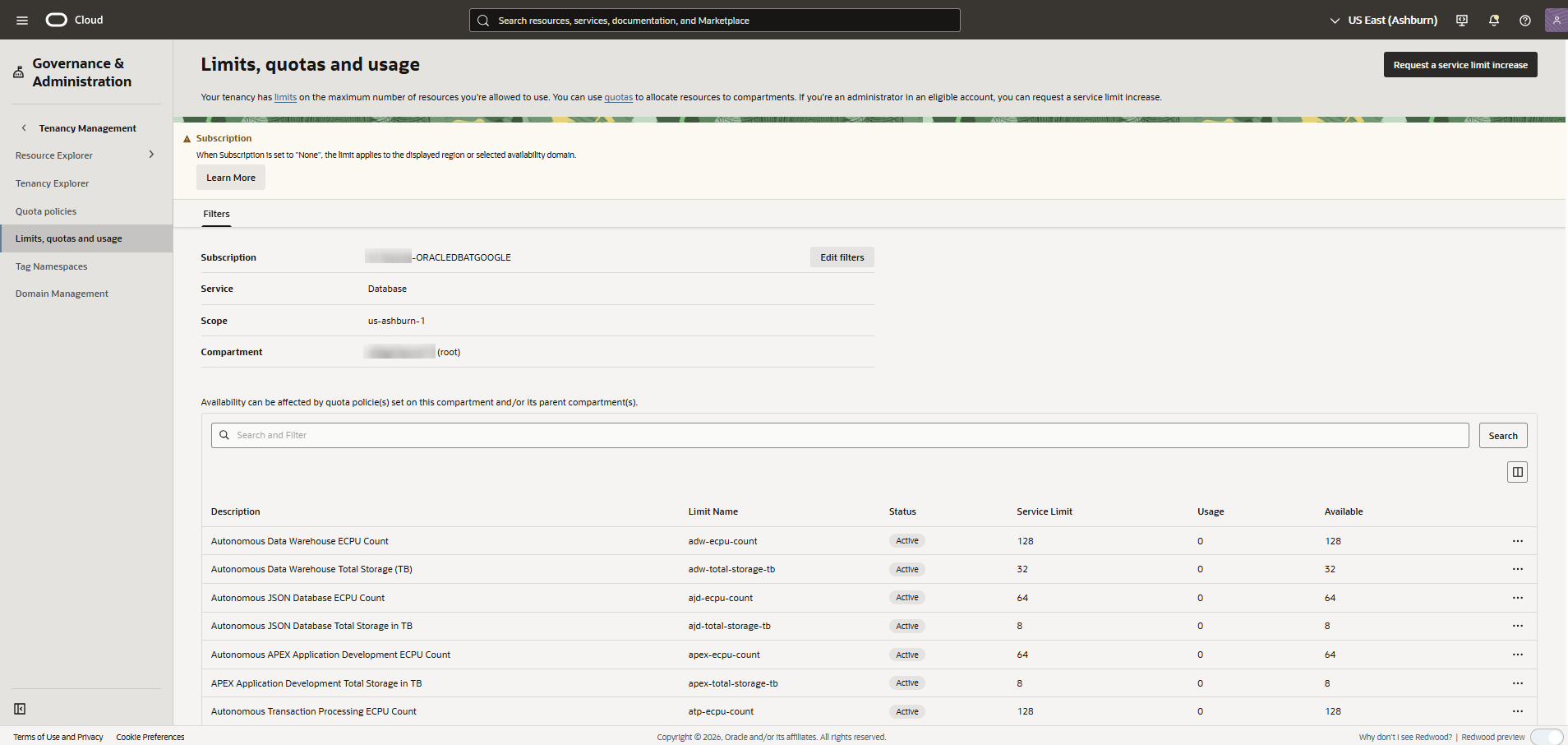
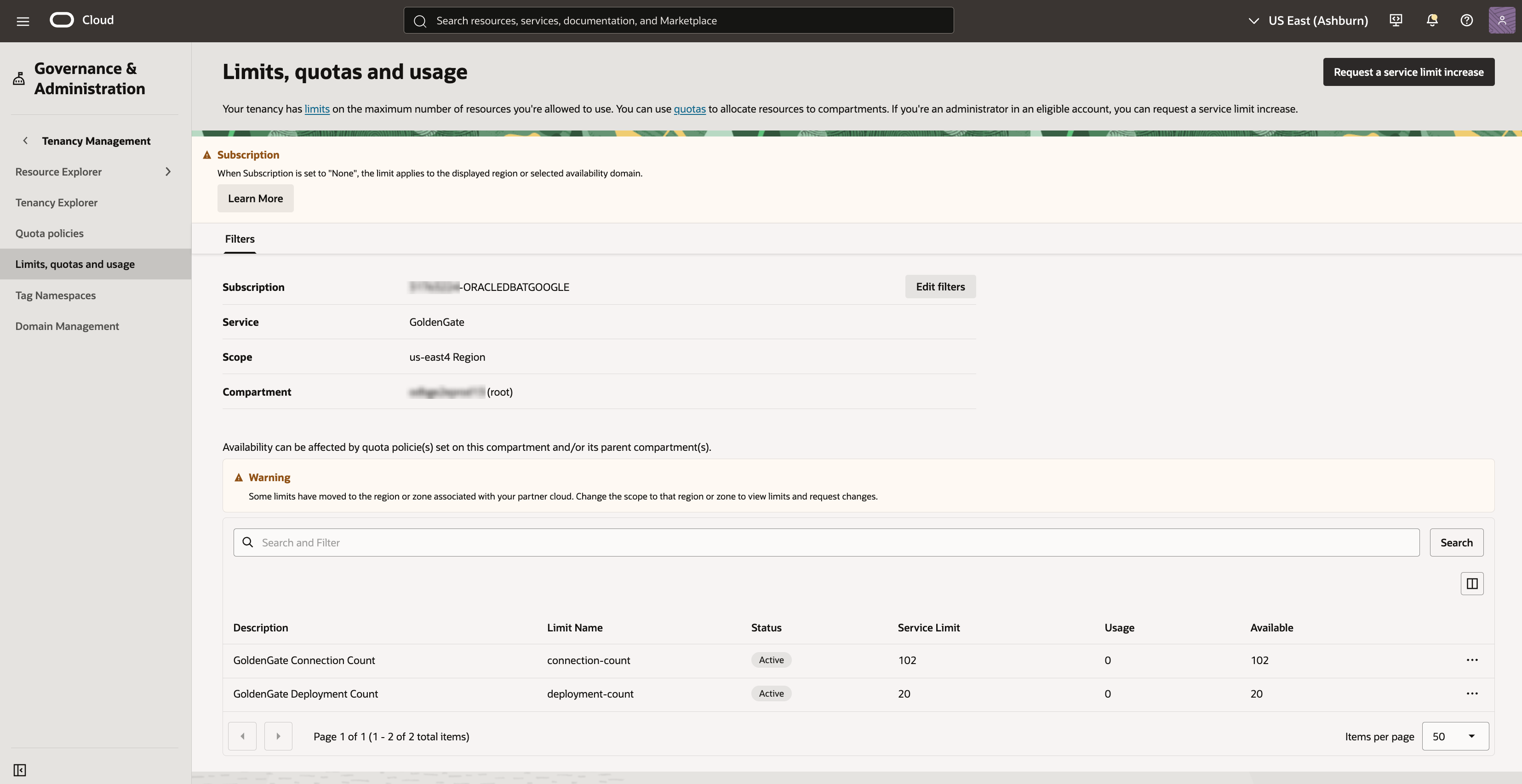
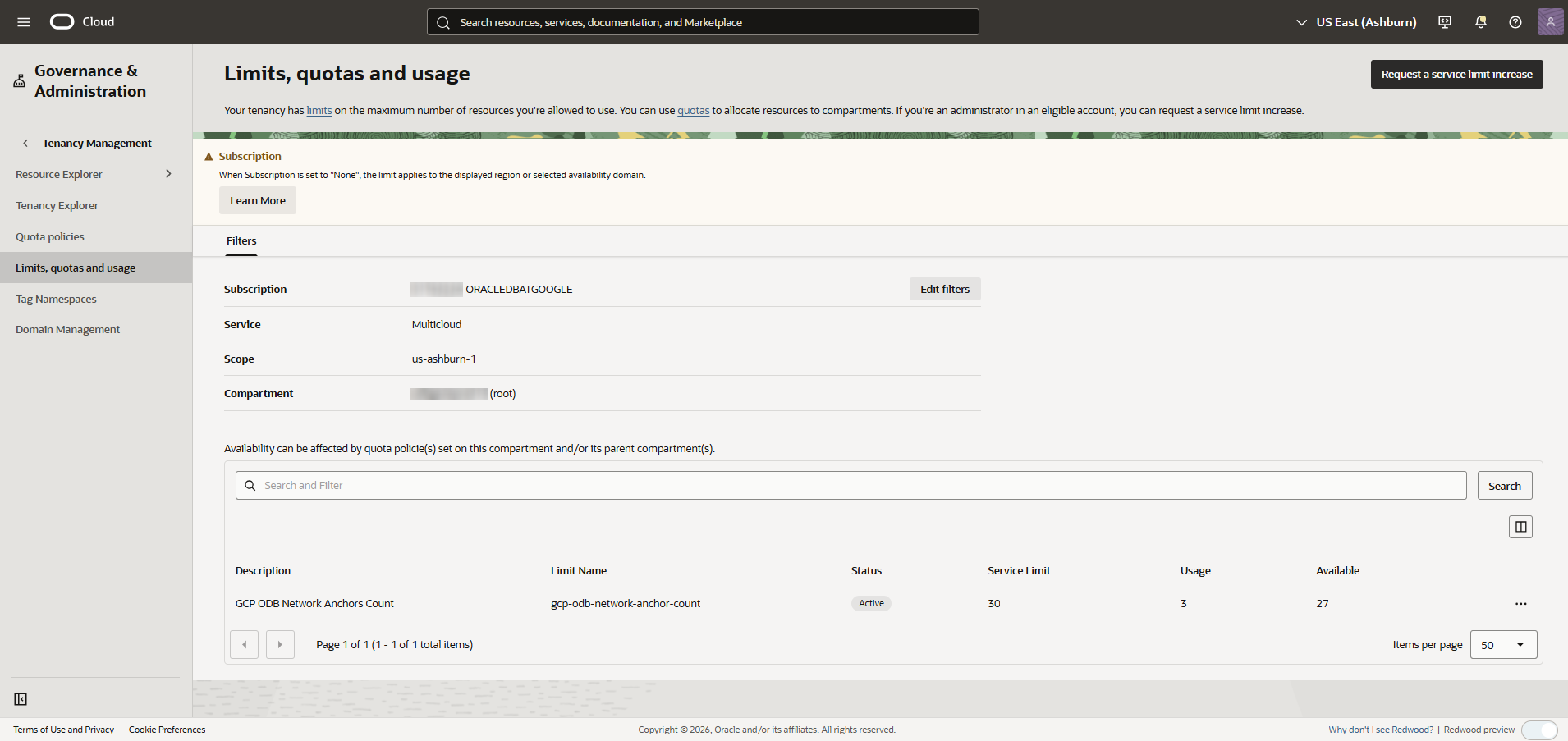
The Limits, quotas and usage page shows the counts for Service Limit, Usage, and Available.
Autonomous Recovery Service example:
Database example:
GoldenGate example:
Multicloud example:
To increase your Oracle AI Database@Google Cloud service limits in Oracle Cloud Console (OCI), see Requesting a Limit Increase for Multicloud.
-
Search for Limits, quotas and usage in the Oracle Cloud Console, then select Limits, quotas and usage .