Create a Confidential Application to Generate Access Tokens
Create a confidential application that enables you to generate the access token required to create an Analytics instance using CLI or REST API.
- Click the name of the identity domain where you plan to create an Analytics
instance, and click Integrated applications.
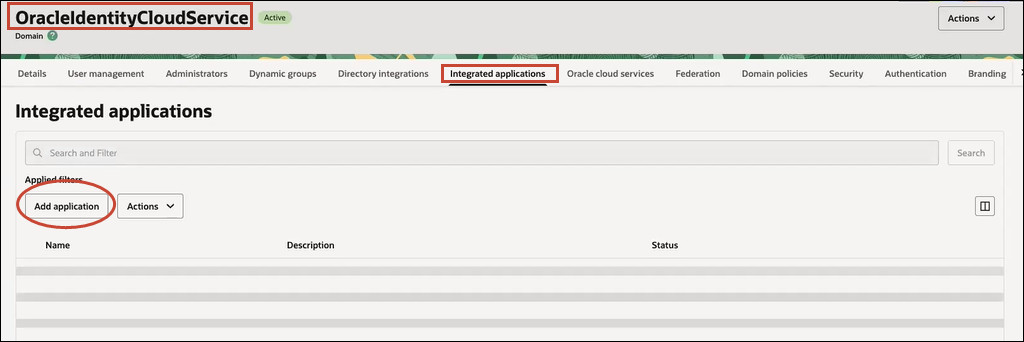
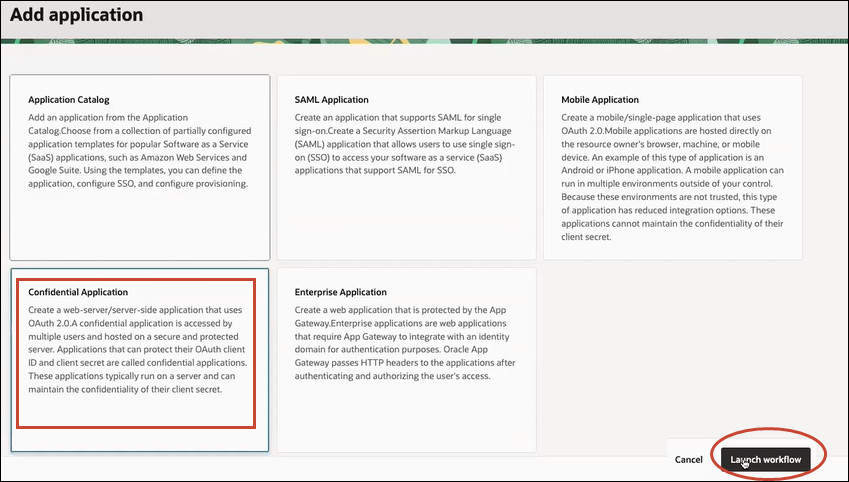
- Click Add application, select Confidential
Application, and then click Launch
workflow.
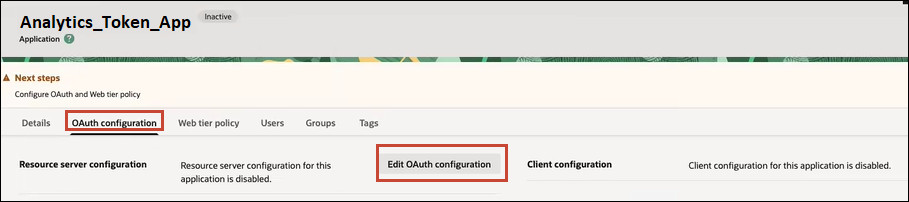
- Click the OAuth configuration tab for the application,
and then click Edit OAuth configuration.
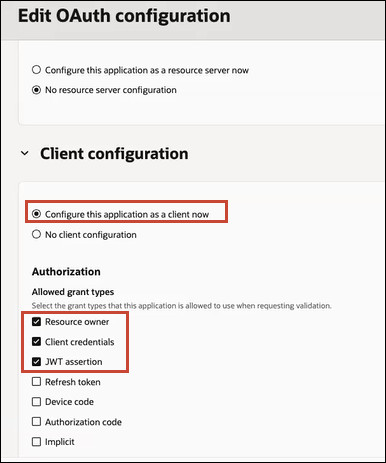
- Under Authorization, select the allowed grant types:
Resource owner, Client
credentials, and JWT assertion.
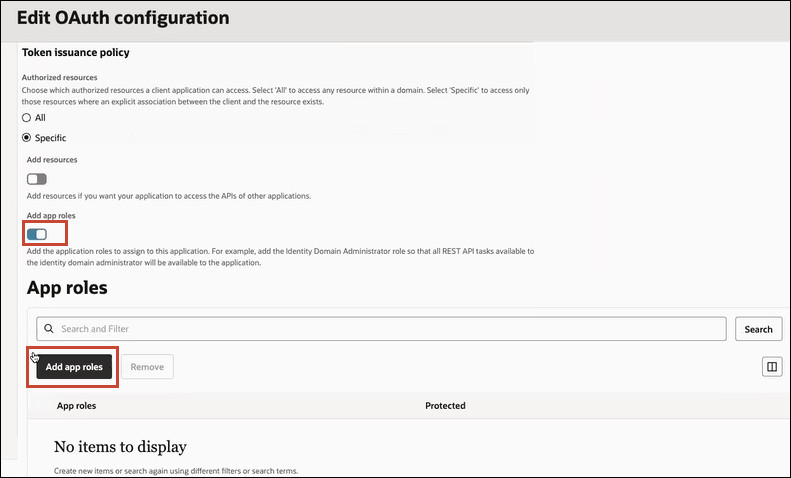
- Under the Token issuance policy section, select
Add app roles, and click Add
roles
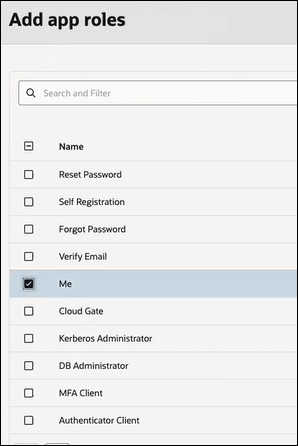
- Select Me.
Now you can use the confidential application to generate access tokens that you can include in REST API and CLI payloads. See Generate and Use Access Tokens in REST API and CLI Payloads.