Configure the Access Control List
Access control lists ensure that unauthorized external entities can't access Oracle Fusion Data Intelligence resources. As a service administrator, you can configure Access Control Lists (ACLs) for Oracle Analytics Cloud (OAC) and Oracle Autonomous AI Lakehouse instances associated with Oracle Fusion Data Intelligence instances, directly from Oracle Fusion Data Intelligence enabling you to define, enforce, and manage network access policies from a centralized location instead of configuring them separately.
You can configure the access control list for public Oracle Fusion Data Intelligence instances only.
To manage requests to access the Oracle Fusion Data Intelligence resources directly from the internet, configure the access control lists to allow only trusted IP addresses, virtual cloud networks, or CIDR blocks. The Oracle Analytics Cloud and Oracle Autonomous AI Lakehouse instances associated with the Oracle Fusion Data Intelligence instance adhere to the access control list that you define for Oracle Fusion Data Intelligence.
You can also define different access control rules for the associated Oracle Analytics Cloud and Oracle Autonomous AI Lakehouse. While configuring the access control list for the Oracle Fusion Data Intelligence instance, you can add a maximum of 19 rows of access control rules. The system has one access control rule by default.
As an existing user of Oracle Fusion Data Intelligence, if you’ve configured the access control list for Oracle Analytics Cloud and Oracle Autonomous AI Lakehouse separately, you can continue to use them. However, if you enable and configure new access controls from the Oracle Fusion Data Intelligence instance details page, the system displays a message alerting you that your existing access controls will be updated with the new access controls.
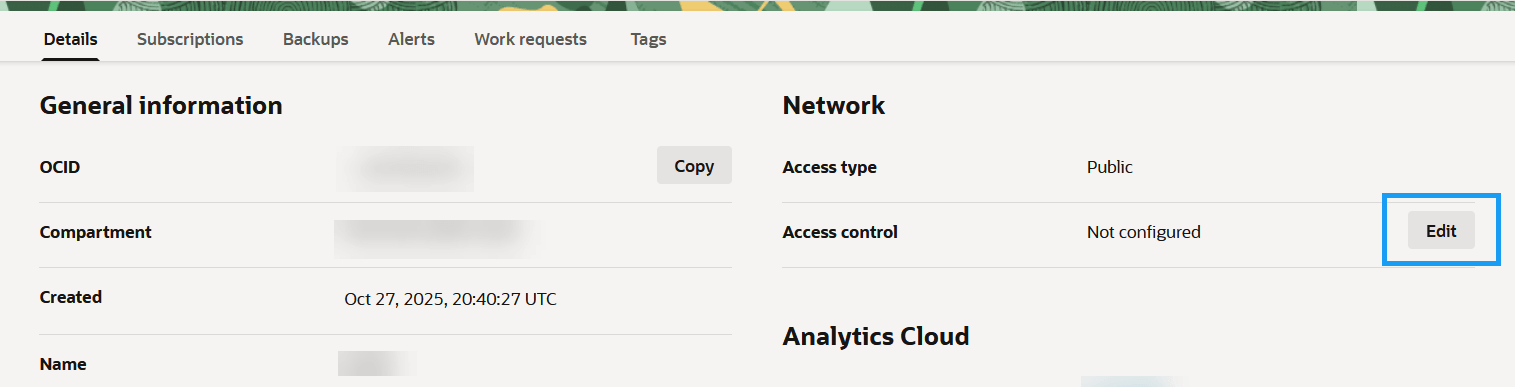
- On the instance details page, under Network, for Access control, click Edit to configure the access controls.
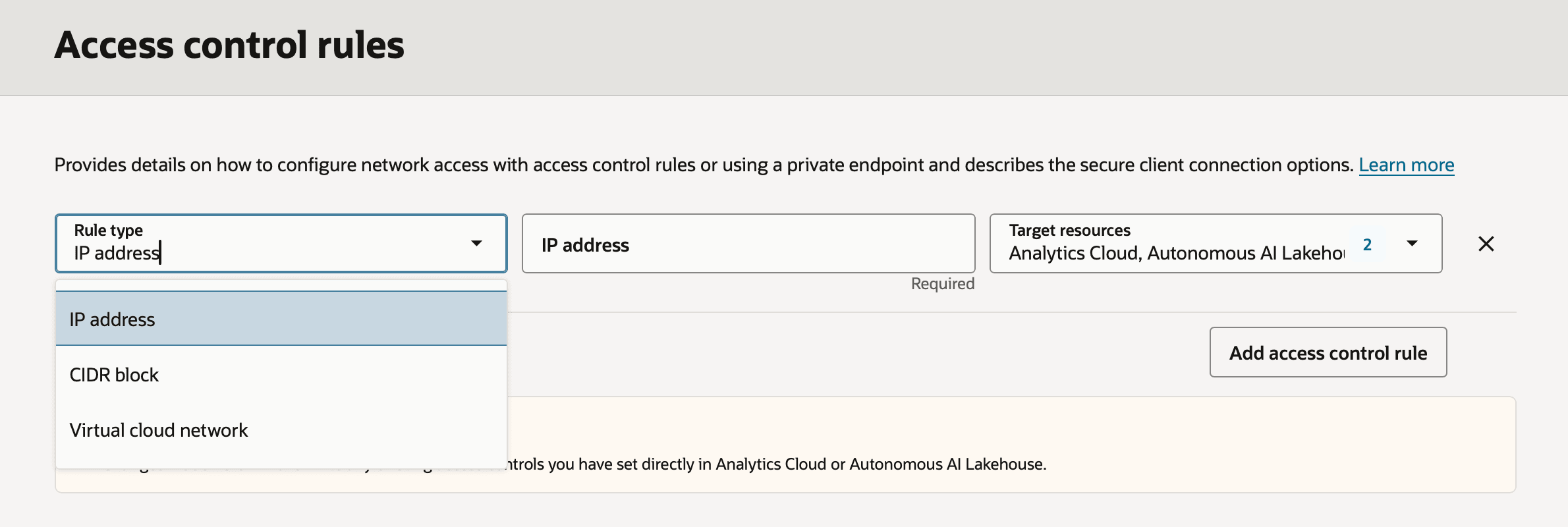
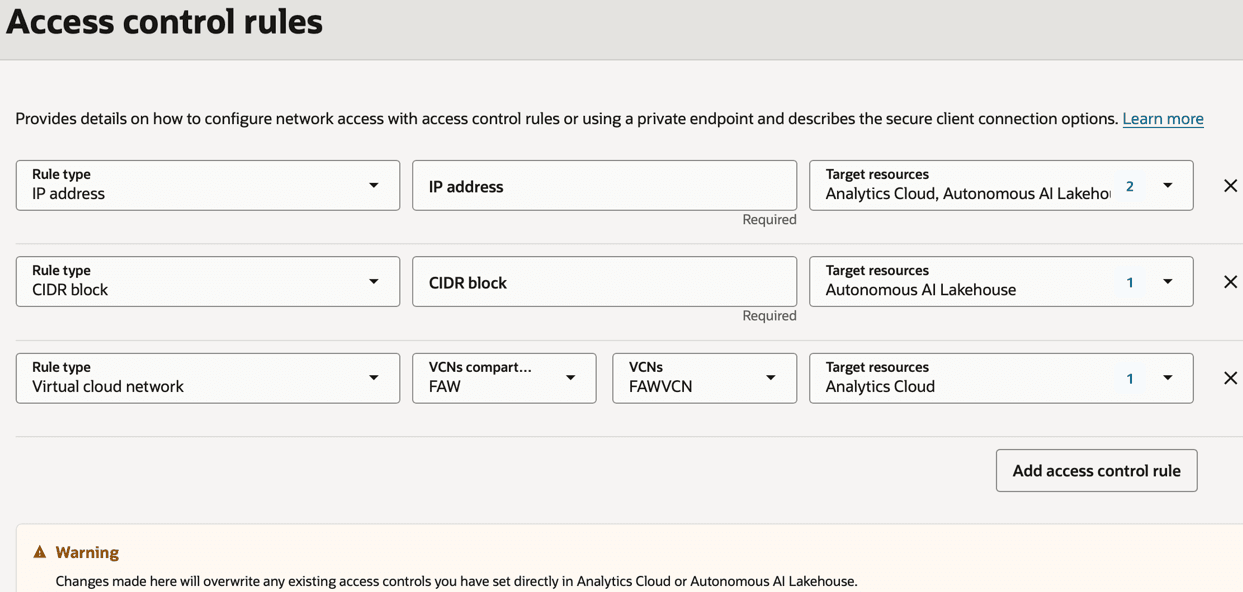
- In Access control rules, click Add access control rule, specify the Rule type and the applicable Target resources for each rule type. Select and configure a rule type from the following options:
- IP address
- CIDR block
- Virtual Cloud Network
Note
Fusion Data Intelligence isn't available as a target resource when you select Virtual Cloud Network as a Rule type. - To add additional rules, click Add access control rule again.Configure access control rules for your target resources.