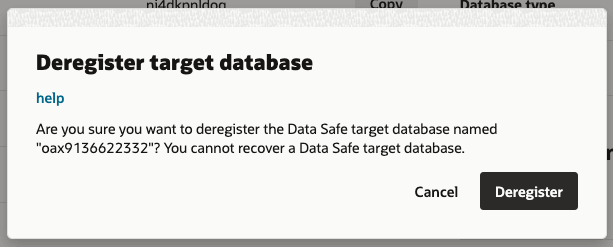
You can disable the Data Safe capability by deregistering the Oracle Autonomous AI Lakehouse associated with Oracle Fusion Data Intelligence. After deregistering a Data Safe target database, you can’t recover the Data Safe target database.
- Sign in to the Oracle Cloud
Infrastructure Console.
- In Oracle Cloud
Infrastructure Console, click the Navigation menu icon in the top left corner.
- Click Analytics & AI and then under AI Data Platform, click Data Intelligence.
- On the Instances page, click the Oracle Fusion Data Intelligence instance for which you want to disable the Data Safe capability.
- On the instance details page, under Autonomous AI Lakehouse, for Data Safe, click View.
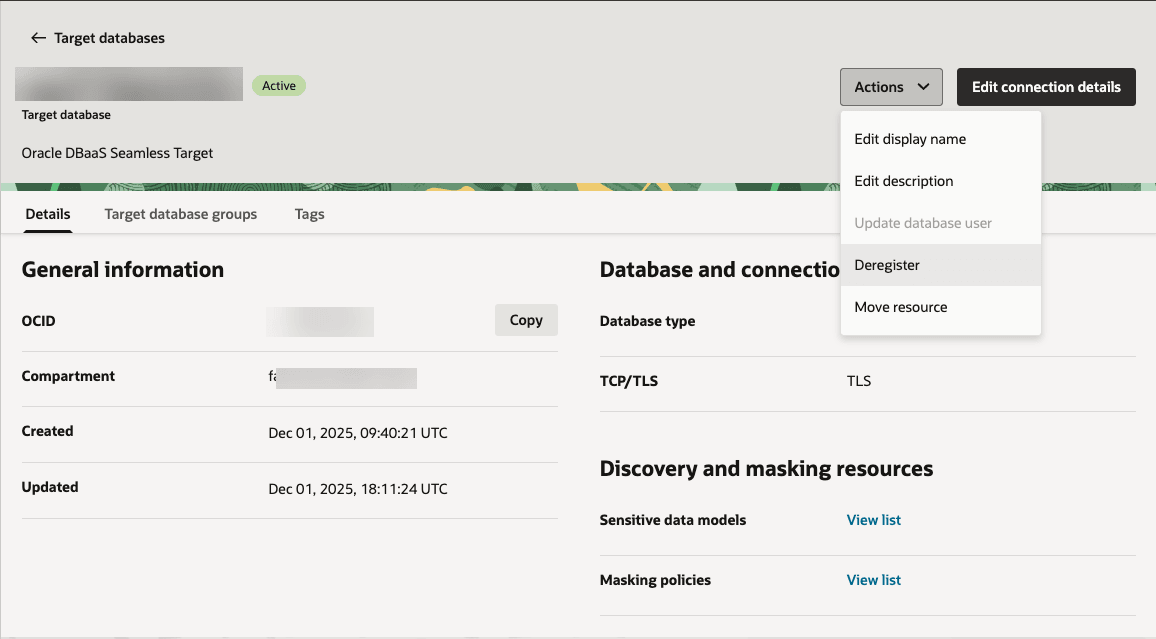
- On the Data Safe details page, click Actions, and then click Deregister.
- In Deregister target database, click Deregister.