Electronic Kanban HTML UIs Built with OAF and ECC
Oracle Electronic Kanban now uses the Oracle Applications Framework (OAF), providing a more modern, intuitive, and consistent user experience. By moving to the OAF platform, the application no longer depends on WebLogic Server and aligns with the look and feel of other Oracle Applications pages.
All existing Electronic Kanban functionality is available in the new interface. In addition, enhanced dashboard and analytics capabilities are provided through the Oracle Enterprise Command Center (ECC) Framework, helping users monitor operations and make faster, data-driven decisions. You can now use the following enhanced interfaces:
Kanban Dashboard - You can use this dashboard for a visual overview of Kanban operations and insights into Inventory Health, Replenishment Lead Time, Kanban Demand, and Unmoved Cards. You can use interactive metrics, charts, and result tables that help planners to quickly identify issues, drill down into specific Kanban cards or pull sequences, and take corrective actions. You can also use available refinements to refine your search.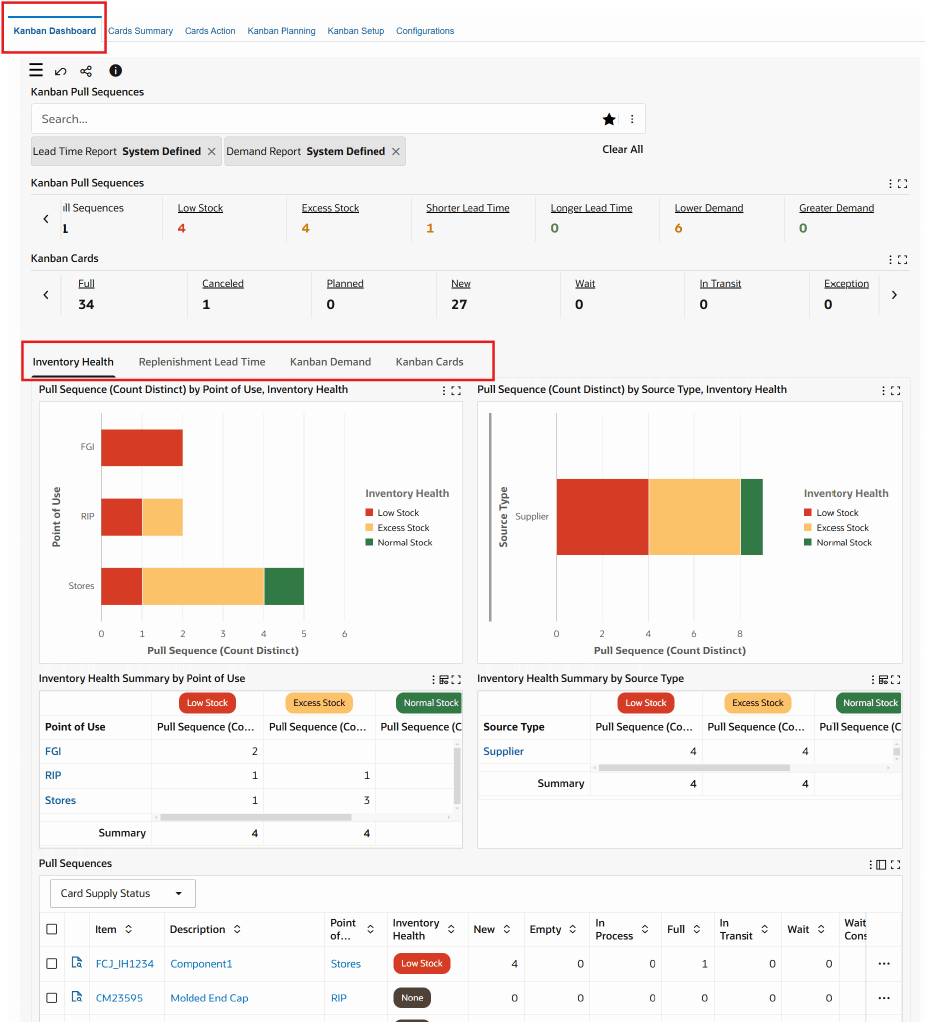
Cards Summary - Use this interface to search for and view Kanban cards for specific items. You can easily access card details and related transactions.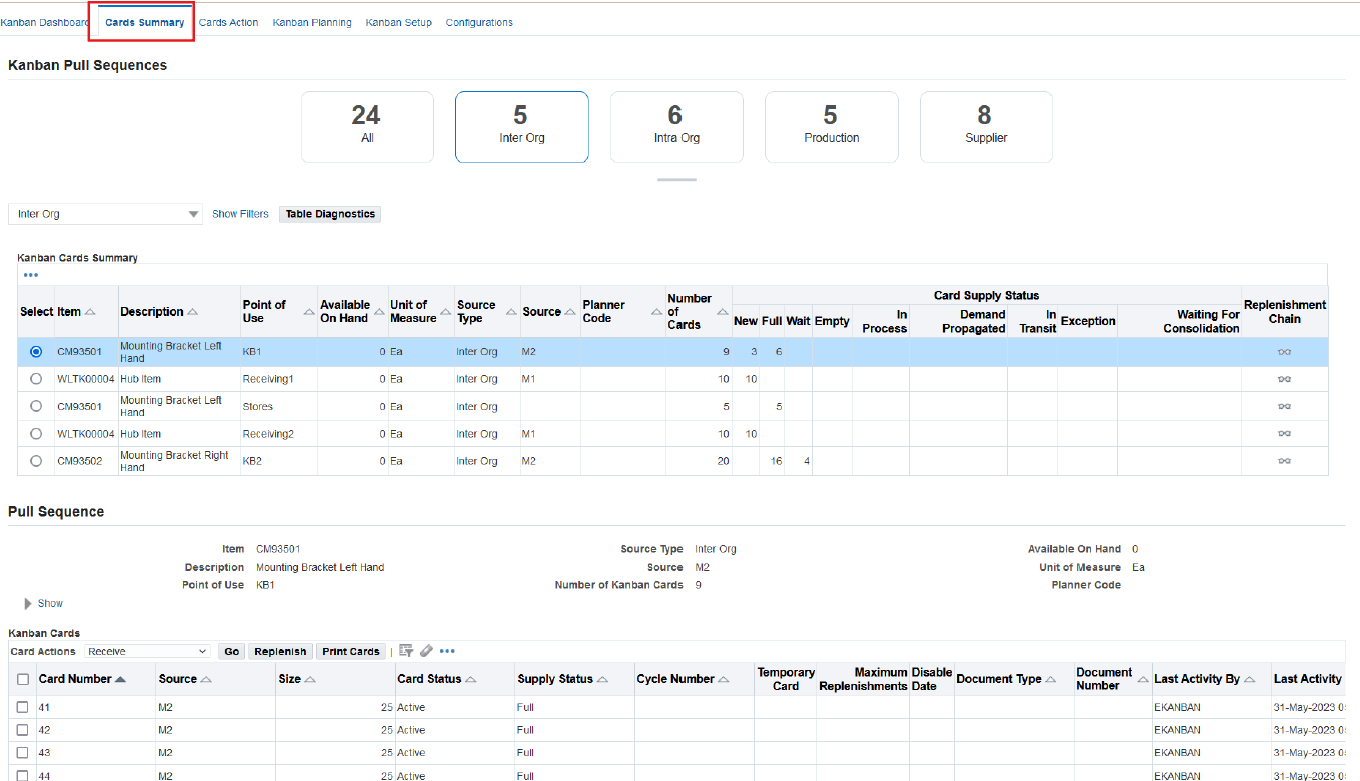
Cards Action - Use this interface to perform Kanban transactions, including replenishing cards, receiving cards, transferring cards, and updating card status.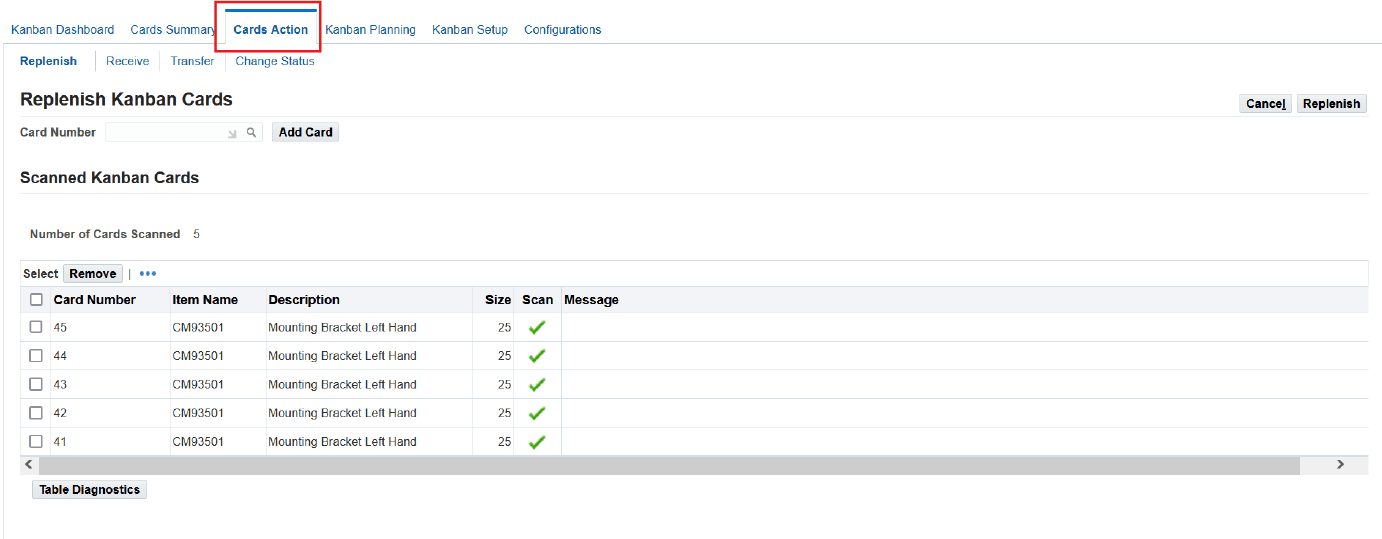
Kanban Planning - As a planner, use this interface to determine the optimal number and size of Kanban cards. You can also review planning results, make adjustments, recalculate plans, and replan as needed. Kanban Planning page provides visibility into and maintenance of horizontal plans.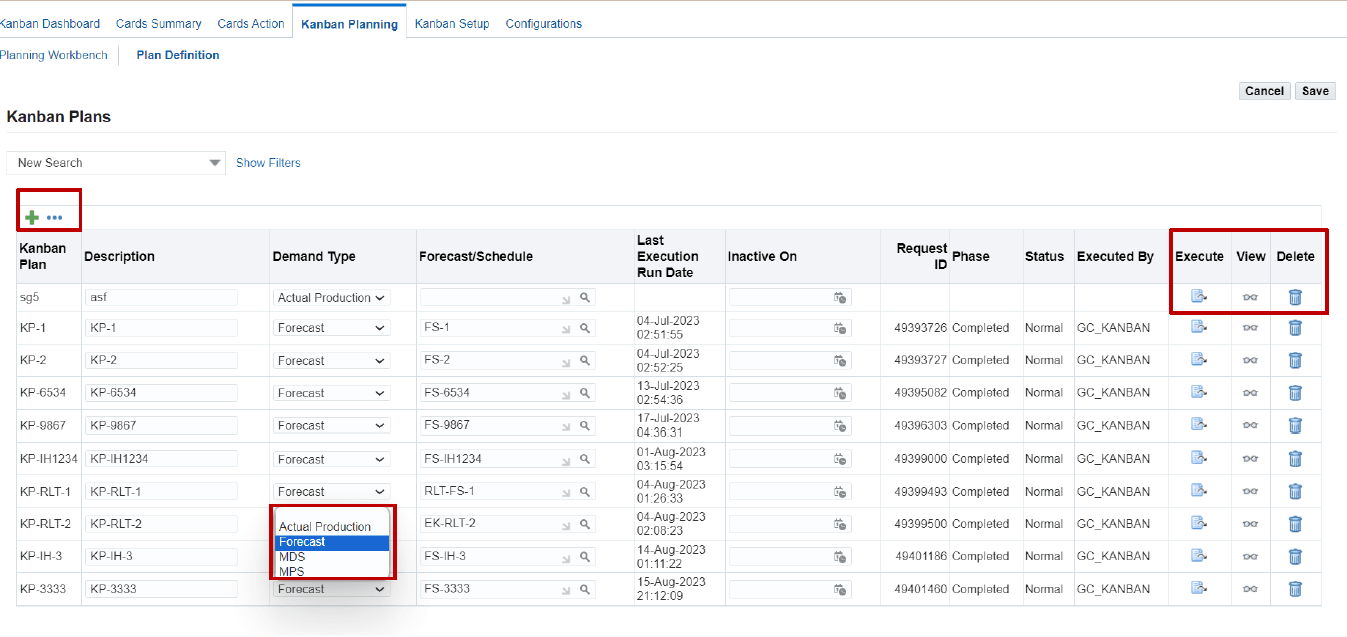
Kanban Setup - Use the Kanban Setup page to create, view, update, and delete pull sequences and Kanban cards.
Select Create and then in the Pull Sequence Details tab, enter information to create a pull sequence: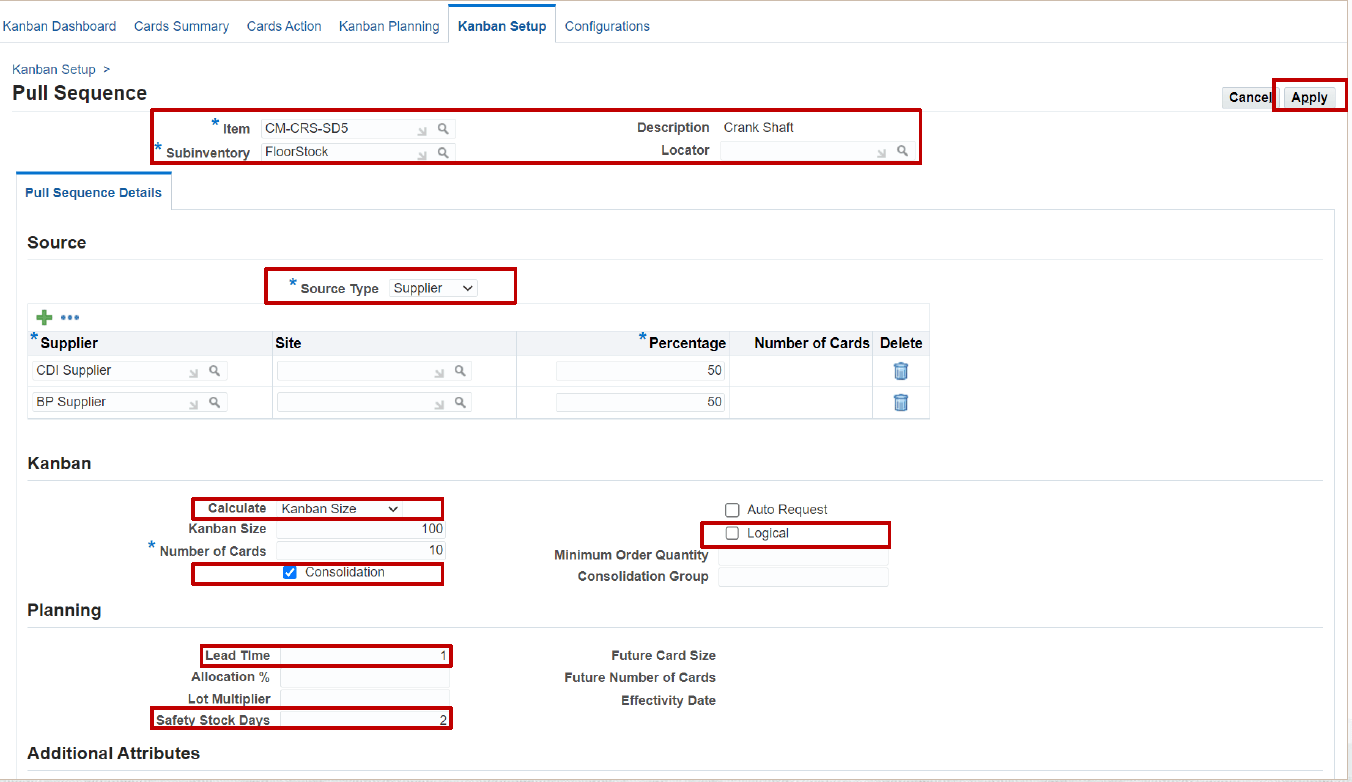
In the Kanban Setup page, you can generate cards and view the replenishment chain.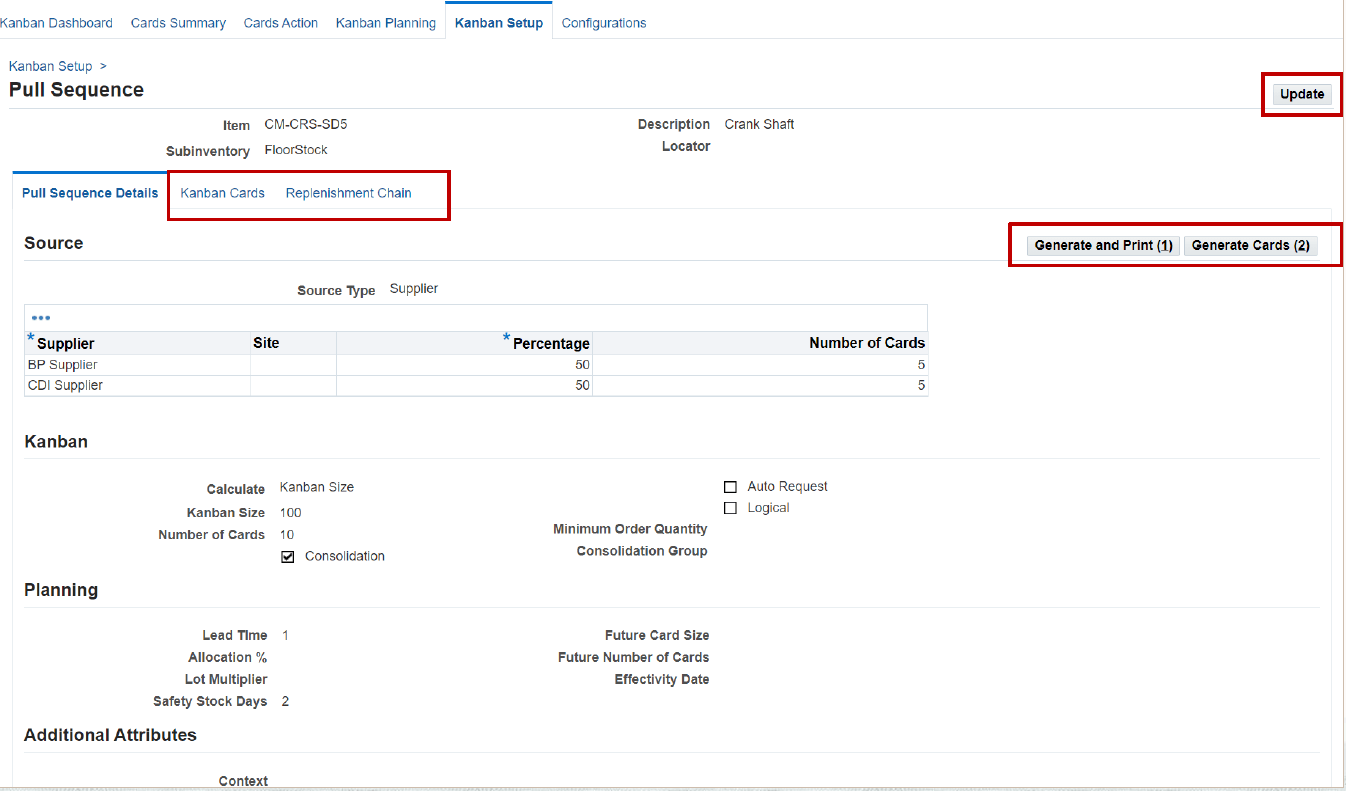
Configurations - As an administrator, you can use this page to define settings at the site or organization level. You can also set configuration options for demand calculations, lead-time calculations, dashboard tolerance settings, inventory health thresholds, and default values for Kanban transactions.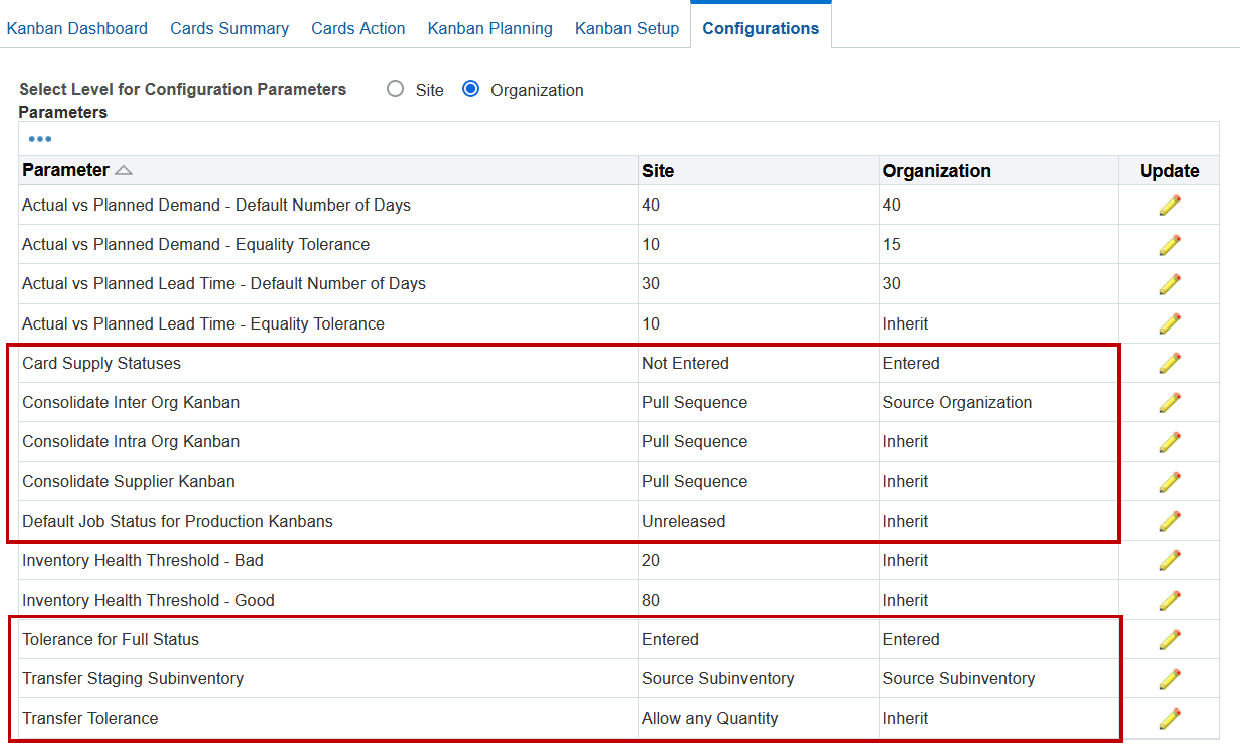
These modernized pages provide a streamlined and efficient experience for Kanban planners and administrators, making it easier to manage replenishment processes, monitor performance, and maintain Kanban operations. Electronic Kanban also integrates with Oracle iSupplier Portal and provides extensibility through APIs and hooks. Oracle Electronic Kanban provides a complete, modern, and highly configurable Kanban management solution that combines setup, planning, execution, analytics, automation, and integration into a single platform, helping organizations improve inventory management and support lean manufacturing initiatives.
Steps to enable and configure
- Enable the profile option: FLM: Enable E-Kanban.
Profile Name Description FLM: Enable E-Kanban Use this profile to enable Electronic Kanban at the site level. The default setting for this profile is No. - Enable Electronic Kanban at the organization level.
- Assign Electronic Kanban roles and responsibilities.
- Configure organization access and security.
- Set up supporting Inventory, Purchasing, Manufacturing, and Planning data.
Once an organization is enabled for Electronic Kanban, Kanban transactions are performed through the Electronic Kanban application rather than the legacy Forms interface.
Tips and considerations
- Use the Kanban Dashboard page to gain quick insights into critical metrics like Inventory Health and Replenishment Lead Time, which can significantly improve decision-making processes.
- Use the Cards Action page for efficient transactions such as replenishing, receiving, transferring, or changing the status of Kanban cards to streamline operations.
- Use Kanban execution to support day-to-day replenishment transactions such as replenish Kanban cards, receive supplier and inter-organization replenishments. Also perform transfer inventory, change card and supply statuses and scan cards directly from the shop floor.
Key resources
- Oracle Electronic Kanban User's Guide
- R12.2.13 TOI: Implement and Use Inventory Management - Electronic Kanban