Count Serialized Items with Single Count by Location and Item in Physical Inventory Counting
Simplify the Physical Inventory counting process by counting serialized items with a single count by location and item in Oracle Inventory Management. Before Release 12.2.13, counting serialized items often required individual tracking of each serial number during physical inventory, which was labor-intensive and prone to errors. This enhancement allows you to perform a single count for serialized items grouped by location and item, streamlining the process and reducing manual effort.
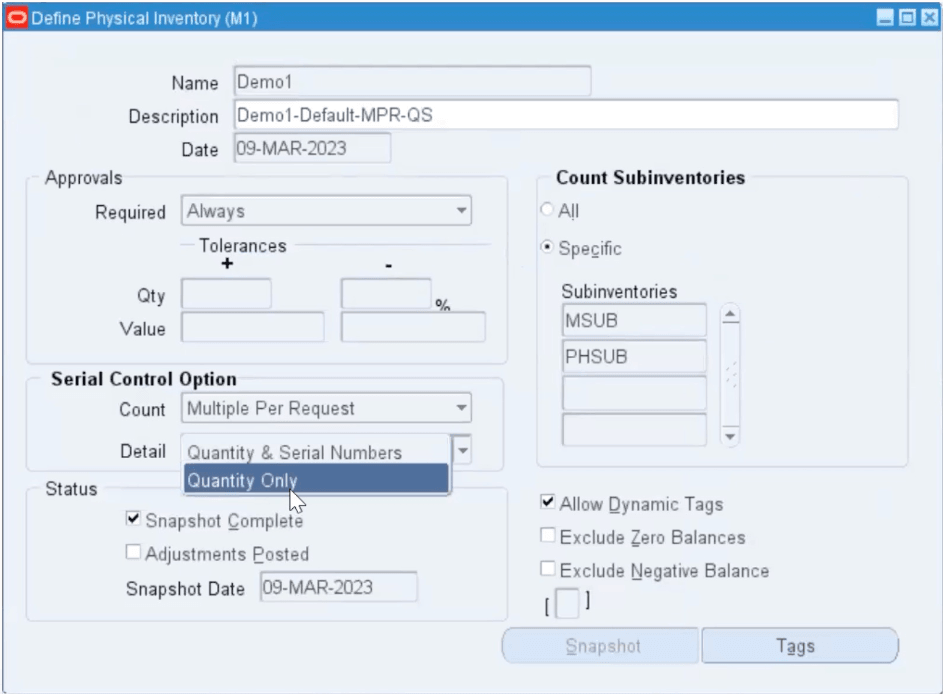
Define Physical Inventory Window
The business value of this feature is evident in reduced counting time and improved accuracy in inventory reconciliation, particularly for organizations managing large volumes of serialized items. It addresses the industry need for efficient inventory management in sectors such as Electronics, Automotive, and Healthcare, where serialized tracking is common. Use cases include conducting annual physical inventories or cycle counts in warehouses with serialized stock. Implementation considerations involve ensuring that location and item grouping configurations align with your physical inventory policies to maximize efficiency.
Steps to enable and configure
You don't need to do anything to enable this feature.
Tips and considerations
- Verify that location and item data are accurately maintained to ensure correct grouping during counts.
- Use this feature in conjunction with barcode scanning or mobile devices to further enhance counting efficiency.
- Review count results to identify discrepancies early and adjust inventory records as needed.
Key resources
Defining a Physical Inventory, Oracle Inventory User’s Guide