Route SFO Rejections by Buyers Back to Servicing Agency
Route seller-facilitated order rejections by buyers back to the servicing agency. After internal review, the buyer can communicate the rejection through the G-Invoicing process so the servicing agency receives the requesting agency decision and can take the next partner-side action.
When a servicing agency creates an order and sends it to the requesting agency for approval, the buyer or contracting officer has the option to reject the order without making any changes, so that a servicing agency will be notified to make changes and resubmit the order for approval. This feature helps reduce the need for the buyer to submit the document to an internal approver if changes are necessary to the line and schedule structure or additional details (such as advance, price, quantity), which must be changed by the servicing agency. This cuts down on the amount of communication that occurs between purchasing organizations's approvers and buyers.
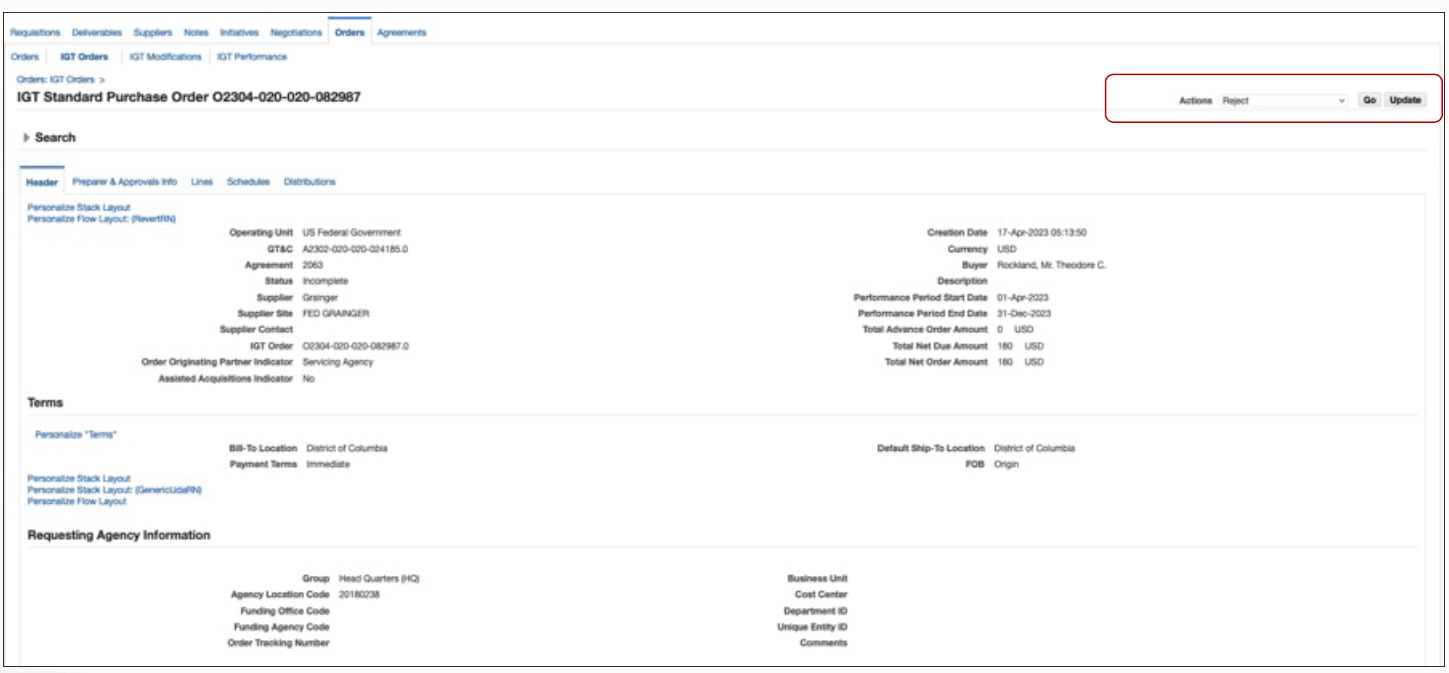
This enhancement completes the operational loop for rejected SFOs by ensuring the servicing agency is informed of the rejection outcome, can review comments, and can decide whether to revise or cancel the SFO. A new action Reject, that is added to the IGT Standard Purchase Order page lets the agency to outright reject an order and send it back to the servicing agency for corrections.
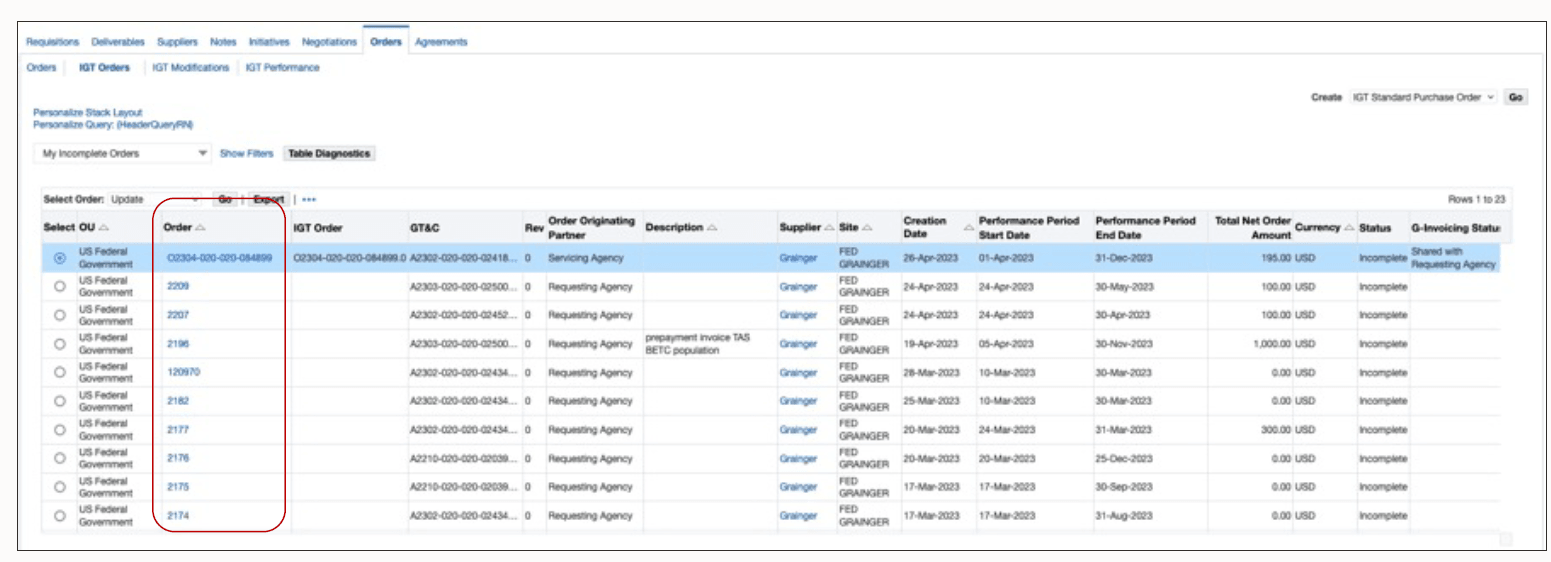
In this example, the status of an SFO is Incomplete and the G-Invoicing Status is Shared with Requesting Agency.
IGT Standard Purchase Order Page
Buyer selects the Reject action.
Selecting the Reject Action
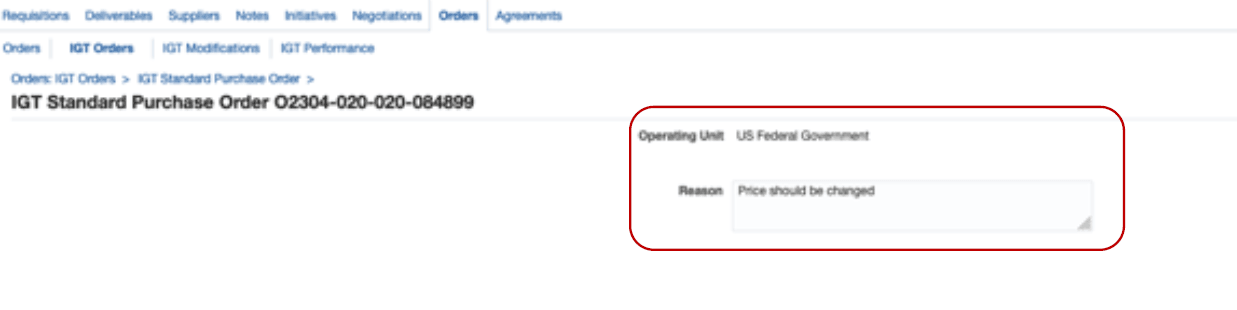
Enters Reason for Rejection
Clear rejection comments and accurate status monitoring are important. Buyers should confirm that the rejection reason is meaningful to the servicing agency and then monitor G-Invoicing status to make sure the routed response is accepted or visible in the partner system.
When the requesting agency rejects an order, the request XML program pushes the rejection details to G-Invoicing. The servicing agency corrects errors or makes other changes and then sends the order to the requesting agency again for approval. When an order is rejected, the G-Invoicing status and the order status are Rejected.
Steps to enable and configure
You don't need to do anything to enable this feature.
Tips and considerations
- Include enough detail in rejection comments for the servicing agency to determine the next action.
- Track G-Invoicing status after routing the rejection to confirm that the servicing agency has received the response.
Key resources
Oracle E-Business Suite G-Invoicing Process Guide
Oracle Contract Lifecycle Management for Public Sector Purchasing User Guide
- Topic: Seller-Facilitated Orders (SFO) for the Requesting Agency
- Topic: Rejecting an SFO
Transfer of Information
R12.2.13 TOI: Implement and Use Contract Lifecycle Management for Public Sector - G-Invoicing