Choose to Copy Charge Lines and PO Number in Copied Service Requests
Optimize service request creation by utilizing enhanced flexibility in the Copy Service Request feature in Oracle TeleService. This enhancement enables support agents to copy manually created charge lines when duplicating a service request, providing greater control over the data carried over to the new request.
Prior to this release, copying a service request did not include options to transfer manually created charge lines or selectively copy purchase order numbers, limiting the utility of the copy function for complex service scenarios.
This feature improves efficiency and accuracy in creating similar service requests, reducing manual data entry and ensuring consistency. It addresses the industry need for adaptable service request processes, supporting use cases such as replicating service requests with specific financial details for recurring issues. Implementation considerations include reviewing which elements (like charge lines or purchase order numbers) are critical to copy based on your organization's workflows.
Feature Description
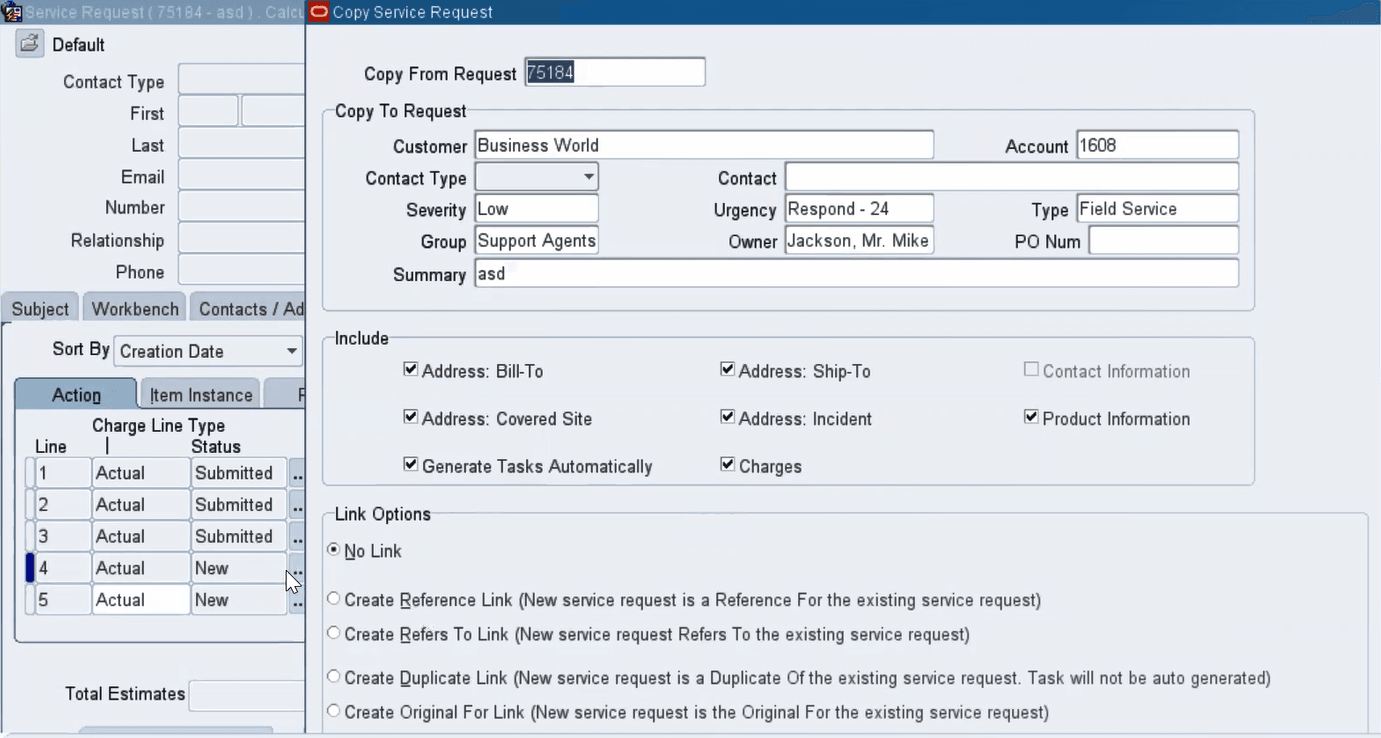
In the Copy Request window, a new Charges check box is added to the Include region and is selected by default. Use this check box to copy unsubmitted charge lines that are manually created using the Charges tab or the Charges page. You can also copy charge lines of Estimate type. The application does not copy charge lines that originate from an Oracle Field Service debrief or from an Oracle Depot Repair order.
Copy Request Window
A new PO Num field is added. When you copy a service request to create a new one, the PO number defaults from the source service request. You can accept the default PO number, update, or remove the value.
Edit Copied PO Num
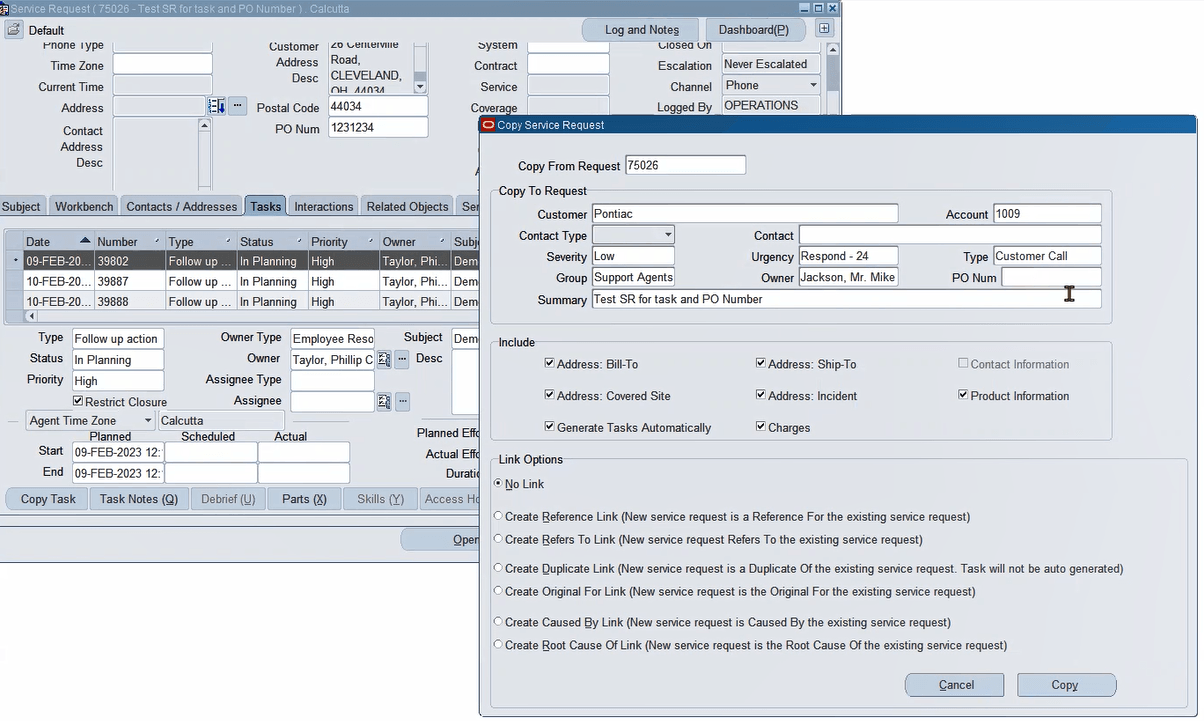
Steps to enable and configure
You don't need to do anything to enable this feature.
Tips and considerations
- Determine which data elements, such as manually created charge lines or purchase order numbers, are essential to copy for your specific service request types.
- Train users on the updated copy functionality to ensure they select the appropriate options during the process.
- Monitor the use of this feature to identify any data inconsistencies that may arise from selective copying.
Key resources
Oracle TeleService Implementation and User Guide
- Chapter: User Interfaces in Contact Center and Service Request Module
- Topic: About the Charges Tab
- Topic: About the Copy Service Request Window
- Chapter: User Interfaces in Contact Center and Service Request Module
- Topic: About the Copy Request Window
Transfer of Information
R12.2.13 TOI: Implement and Use TeleService