Drill Down to Sales Orders from Charges Tab
Support agents can drill down directly to the Sales Orders window of Oracle Order Management from the Charges Tab in Oracle TeleService. This feature allows users to access detailed sales order information seamlessly, improving visibility and traceability of charges linked to specific orders within the service request workflow.
Prior to this release, accessing sales order details related to charges often required navigating through multiple screens or separate modules, which could disrupt workflow efficiency.
This feature streamlines access to critical order data, reducing time spent on navigation and improving decision-making accuracy. This addresses the broader industry need for integrated financial and service data visibility, supporting use cases such as verifying charge accuracy against sales orders or resolving billing discrepancies. Implementation considerations include ensuring that user permissions are configured to allow access to sales order details for relevant roles.
Feature Description
Service administrators can set the OM: Sales Orders Form Preference profile option to enable support agents to drill down to the Sales Orders window or the Quick Sales Orders window from the Order Number field in the Order Status subtab of the Charges tab.
OM: Sales Orders Form Preference Profile Option
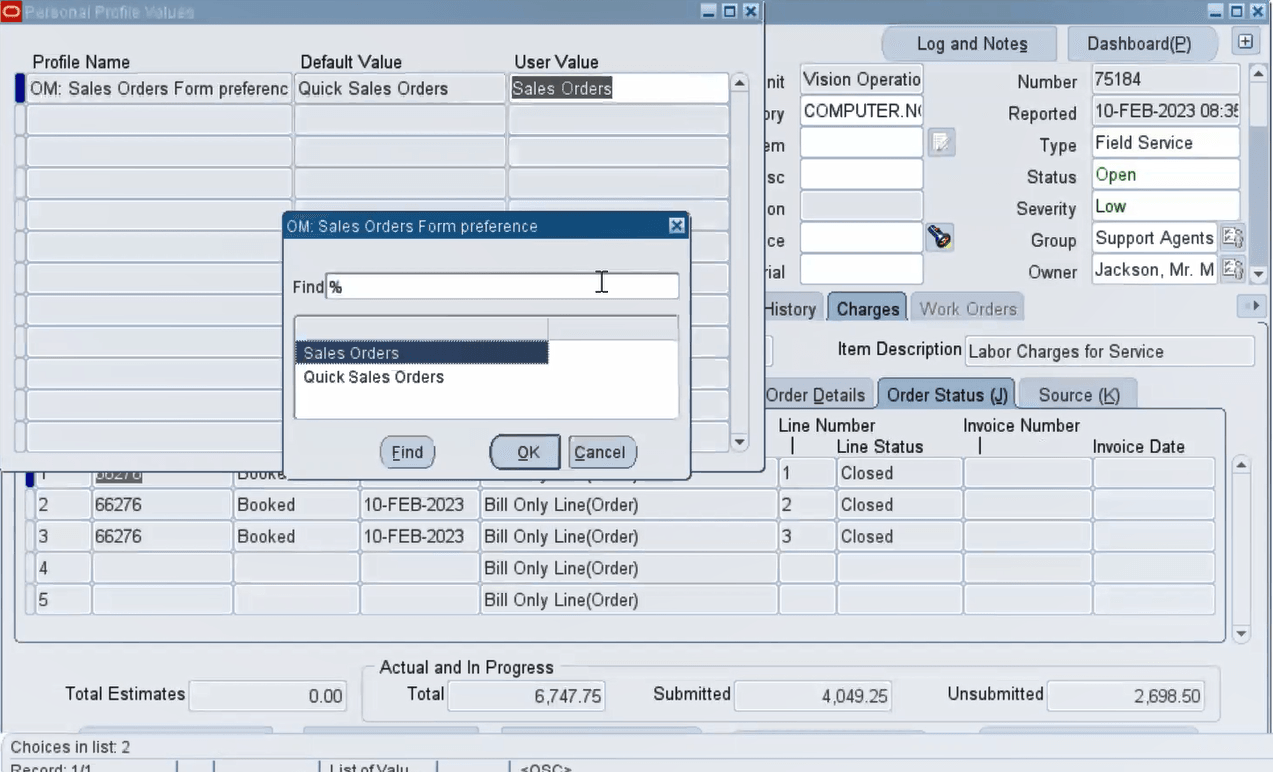
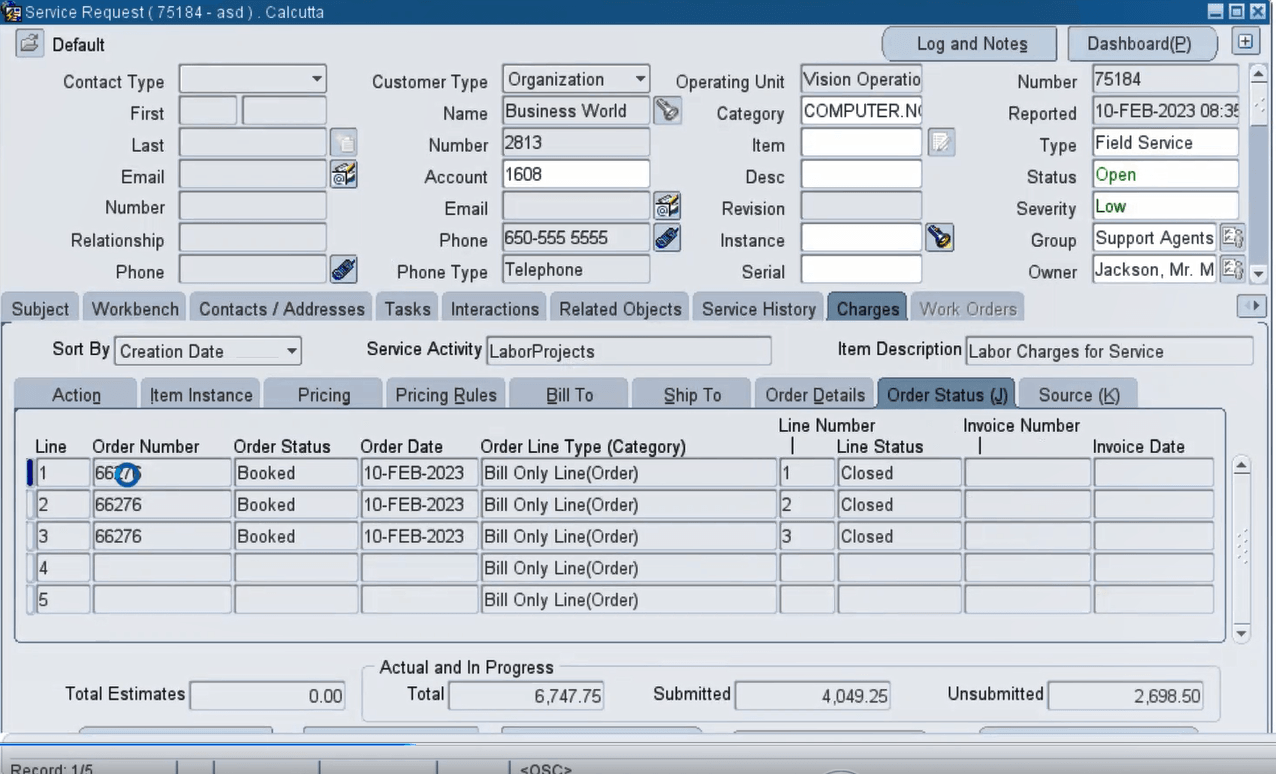
In the Service Request window, Order Status tab, when a support agent double-clicks the order number, the window that appears is dependent on the value set for the OM: Sales Orders Form Preference profile option. The profile OM: Sales Orders Form Preference has two options, Sales Orders and Quick Sales Orders.
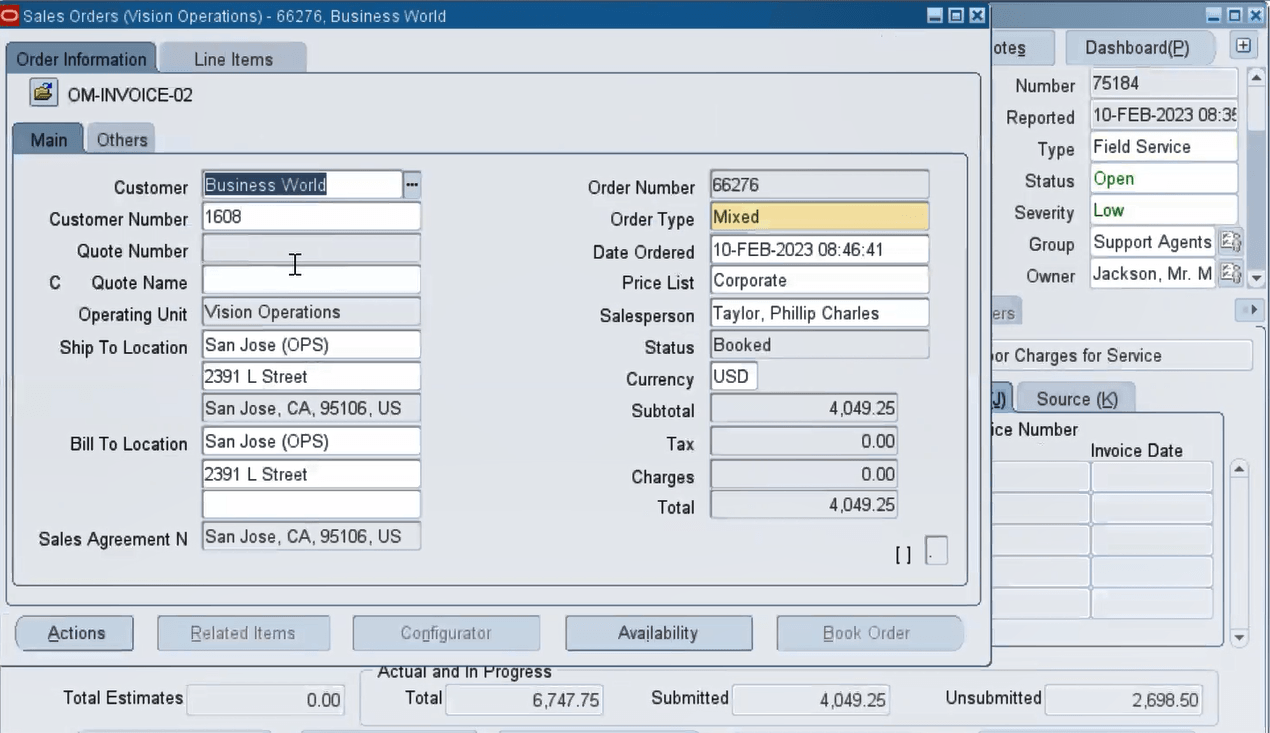
- If the profile value is set to Sales Orders, then the Sales Orders window opens.
- If set to Quick Sales Order, then the Quick Sales Orders window opens.
Double-Click Order Number
Sales Orders Window Appears Based on the Profile Option Value Set
Steps to enable and configure
Set the OM: Sales Orders Form Preference profile option based on your business requirement.
Tips and considerations
- Ensure that users have appropriate access rights to view sales order details to fully utilize this drill-down capability.
- Train staff on navigating from the Charges Tab to the Sales Orders Form to enhance workflow efficiency.
Key resources
Oracle TeleService Implementation and User Guide
- Chapter: User Interfaces in Contact Center and Service Request Module
- Topic: About the Charges Tab
Transfer of Information
R12.2.13 TOI: Implement and Use TeleService