
 Add
Hidden Business View Columns to Grid
Add
Hidden Business View Columns to Grid Before You Begin
This 5-minute tutorial shows you how to add a business view column that is hidden in the Form Design Aid (FDA) to the grid on an EnterpriseOne form by using the form extensibility framework.
Background
A shipping supervisor wants to monitor shipments which have been charged zero freight rate or a very high freight rate. To monitor the shipments, a watchlist alert needs to be created for the Work with Shipments application (P4915). However, the business view columns Billable Charge (F4941.FRCC) and Payable Charge (F4941.FRVC) that are required for the watchlist alert are not available in the grid because they are hidden in the business view. The two columns must be added to the grid so that they can be used to create a query for the watchlist alert.
What Do You Need?
To perform the steps in this tutorial, you must have:
- Installed JD Edwards EnterpriseOne Applications 9.2 with Tools 9.2.5 or later.
- Enabled the Form Extensions feature and set up UDO security in EnterpriseOne. For more information, see: "Managing UDO Feature Security" and “Managing UDO Action Security” in the JD Edwards EnterpriseOne Tools Security Administration Guide.
 Add
Hidden Business View Columns to Grid
Add
Hidden Business View Columns to Grid
To add hidden business view columns to a grid:
- Navigate to EnterpriseOne Menus, Logistics Management, Transportation Management (G49), Daily Processing (G491), Shipments and Loads (G4911), Work with Shipments (P4915).
- In the Work with Shipments form, click the Form Extension icon.
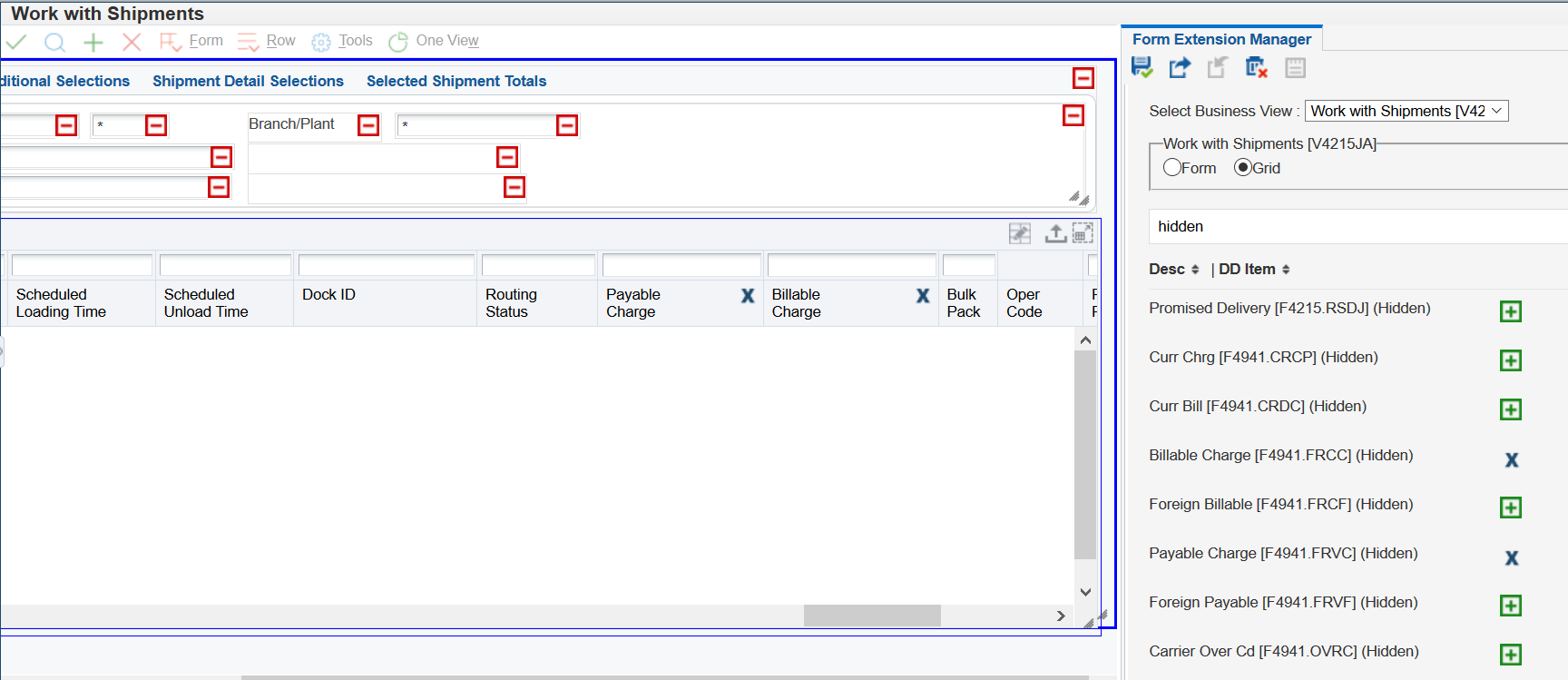
- In the Form Extension Manager side panel, select the Grid option.
- In the Column Search field, enter "hidden" to search for all the hidden business view columns.
- Add the following columns to the grid by clicking the Add Column to Grid button:
- Billable Charge (F4941.FRCC)
- Payable Charge (F4941.FRVC)
- Click Save in the Form Extension Manager side panel.
- Click Close Side Panel.
The Work with Shipments form should look like this:
 Want
to Learn More?
Want
to Learn More?