Undeploy the JD Edwards AppPack from the Management Agent
Use this procedure to undeploy the JD Edwards AppPack from the Management Agent.
You should do this step prior to undeploying the JD Edwards AppPack from Management Servers, which is described in the next section of this guide entitled: Undeploy the JD Edwards AppPack from Management Servers.

In Oracle Enterprise Manager Cloud Control, navigate Setup > Extensibility > Plugins
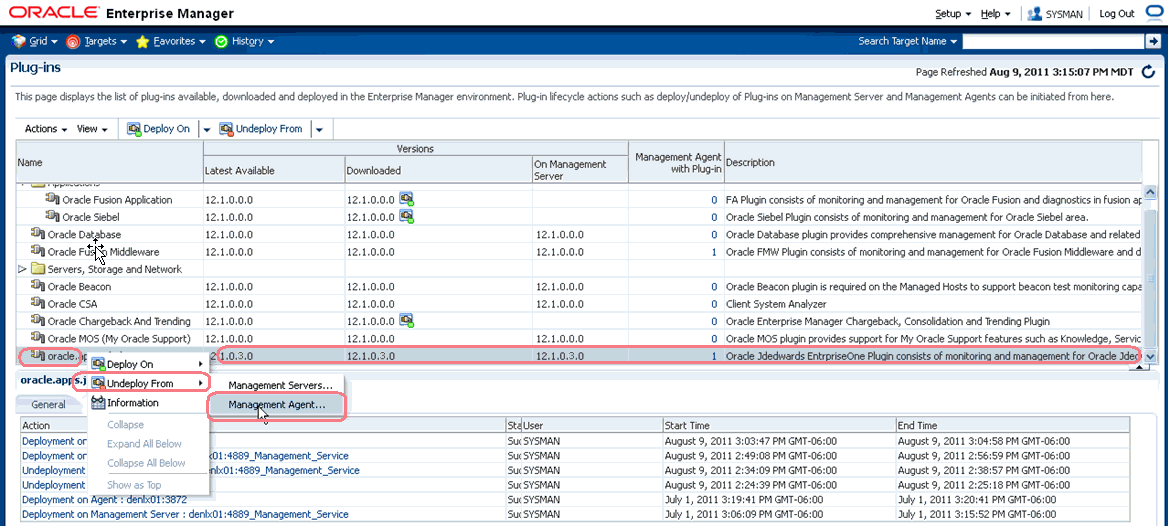
With the undeployed plugin highlighted, right click and choose Undeploy From > Management Agent...
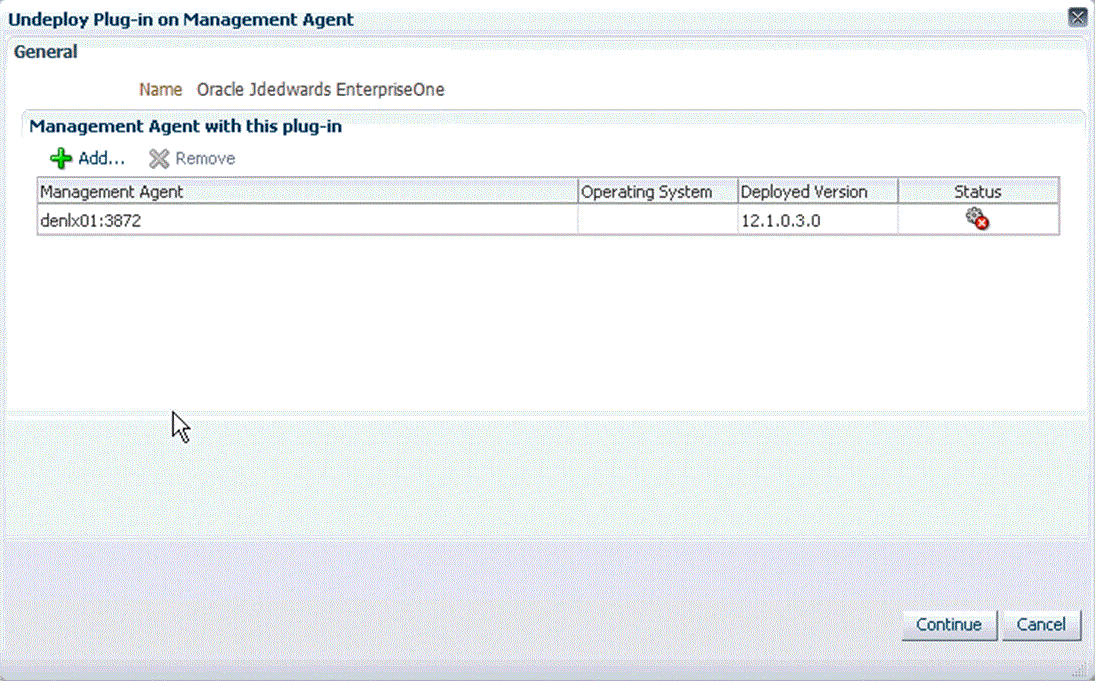
On Undeploy Plug-in on Management Agent, General, click the Continue button to undeploy the auto-detected Management Agent.
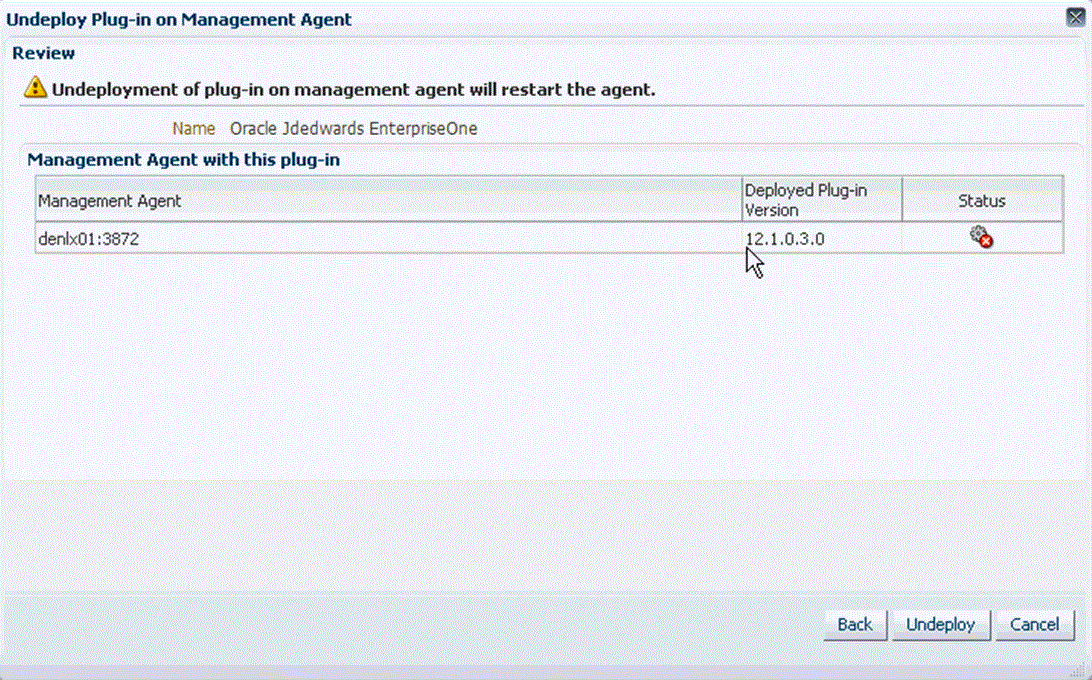
On Undeploy Plug-in on Management Agent, Review, the panel warns that deployment of the plug-in on the Management Server will restart the agent.
Click the Undeploy button.
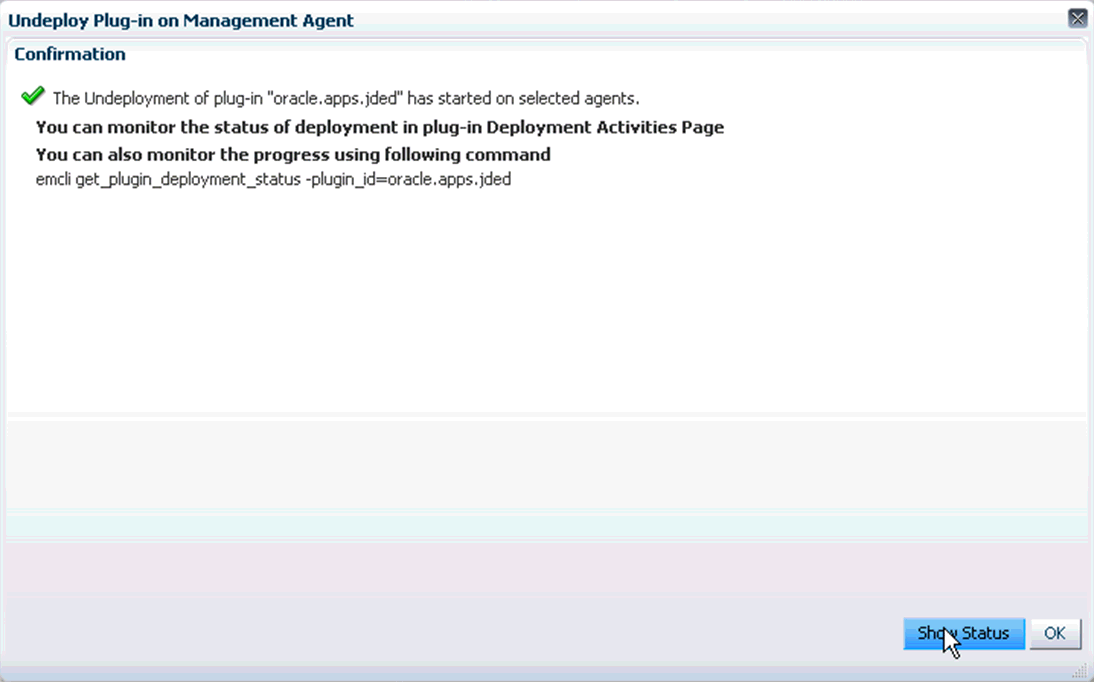
On Undeploy Plug-in on Management Agent, Confirmation, click the Show Status button. This Confirmation screen indicates that the undeployment is started on selected agents.
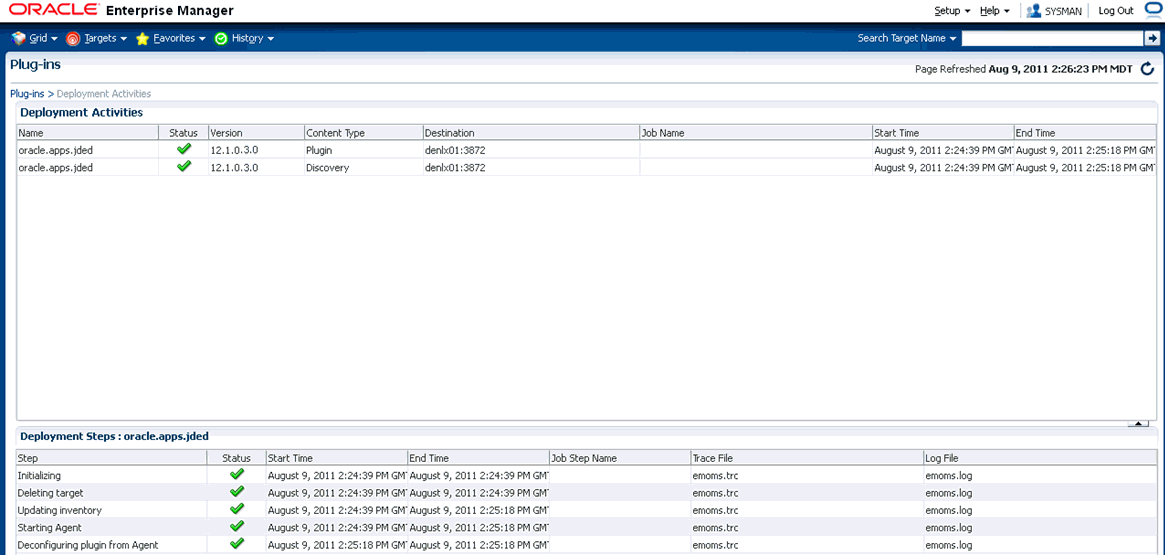
The undeployment is complete when the status shows a green check mark on this Deployment Step:
Deconfiguring Plugin from Agent