Associating Environments with the Enterprise Server
You associate environments with the Enterprise Server to automate the server map Object Configuration Manager (OCM) generation during the upgrade process.
- Log in to the JDEPLAN environment on the Deployment Server.
- Run the Work with Locations and Machines (P9654A) application.
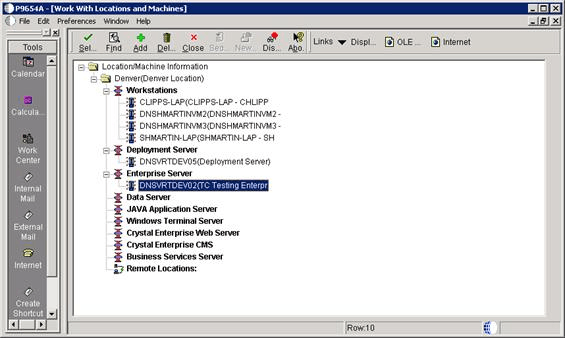
- Expand the Enterprise Server node and select your Enterprise Server.
- Click Environments on the Form menu.
- Add all environments associated with the path code you are upgrading on the Enterprise Server.
- Click OK and restart JD Edwards EnterpriseOne.