Setting Up Microsoft SQL Server
This section shows you how to set up Microsoft SQL Server for use with JD Edwards EnterpriseOne on Oracle Cloud Infrastructure.
Prerequisites
- You must have a Microsoft Windows VM or server for the Microsoft SQL Server database that will be deployed by JD Edwards EnterpriseOne One-Click Provisioning.
- You must have performed the tasks described in the module "Performing Common Setup for All Microsoft Windows Servers" of this Learning Path.
Setting Up Microsoft SQL Server
A standard installation of Microsoft SQL Server is required.
Underscore (_)
At sign (@)
Tilde (~)
Plus sign (+)
Hyphen (-)
Asterisk (*)
Period (.)
It is optional, but recommended, to perform a separate installation of a compatible version of the associated product called Microsoft SQL Server Management Studio.
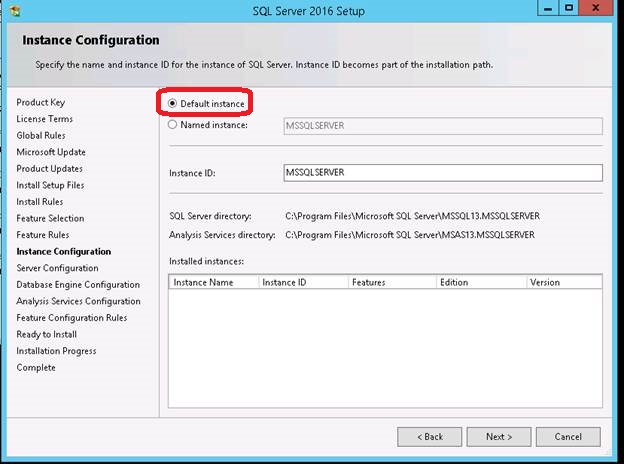
Because this release of One-Click does not support a Named instance for Microsoft SQL Server, as shown below you must select the Default instance option when you are installing the Microsoft SQL Server database.