Preview
You can use the Preview tab (preview mode) in the Enterprise Process Manager window to preview the Receipt Routing process with the current runtime metrics defined in the template. The system displays the template preview in the model pane and the Process Analytics tab on the right.
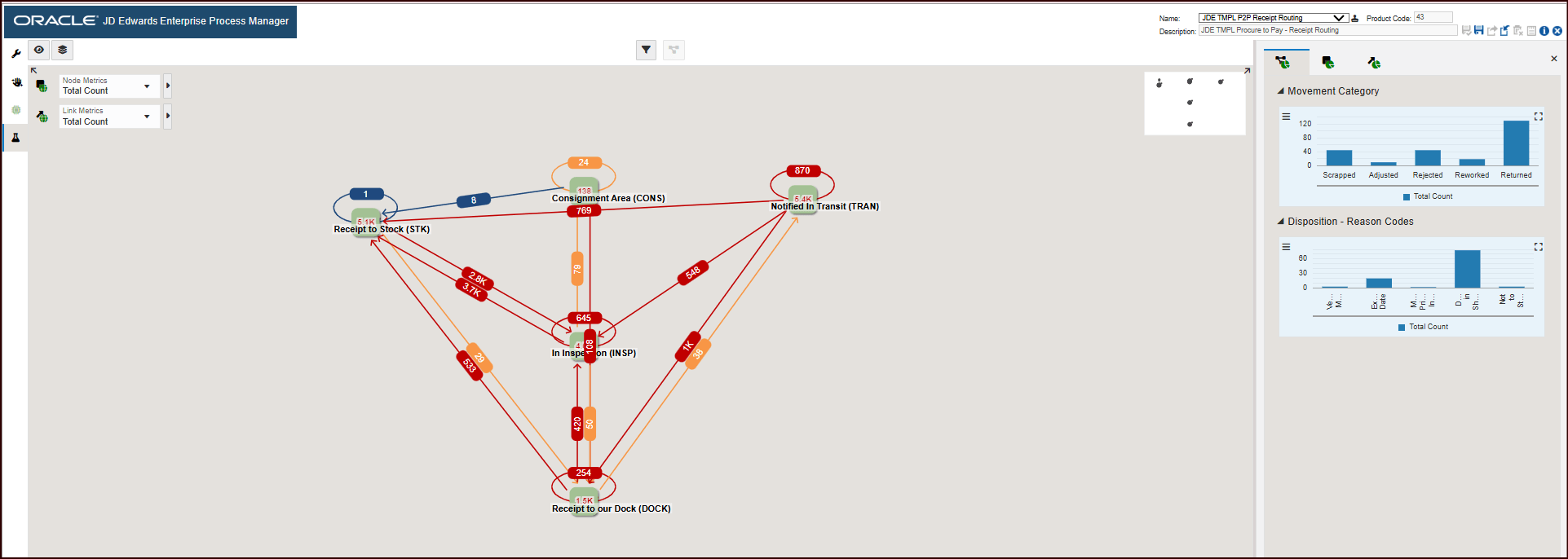
In the preview mode, you can adjust the position of the nodes, change the default filters, modify the display options, configure the metrics thresholds, set up chart configurations within the analytic panes, use the snap to node and grid, and zoom to fit options. All these changes can be saved in the preview mode.
To preview the runtime metrics of the Receipt Routing process model:
- In the Enterprise Process Manager window, click the Preview tab. The
Process Analytics tab is displayed on the right. This tab displays the
analytics charts for the Receipt Routing process model. You can view the following charts in the Process Metrics tab. These charts are generated based on the grouping selection in the Context Analytic section in design time.
- Movement Category
- Disposition - Reason Code