Process Metrics
The Process Metrics tab displays details such as Filter Criteria, Variables, Series Definition, Context Analytic, and so on for the related tables and business views of the selected enterprise process template. The Process Metrics is used to analyze and measure the overall performance of the process.
Click the Process Metrics icon. For the Procure to Pay Process model, you can review the settings in the read-only mode for the following process metrics:
- Supplier Delivery Performance
- Average Cycle Time by BP
- Cycle Time by PO
- Approvals Time Taken by PO
- Receipts Per Day
- Vouchers Per Day
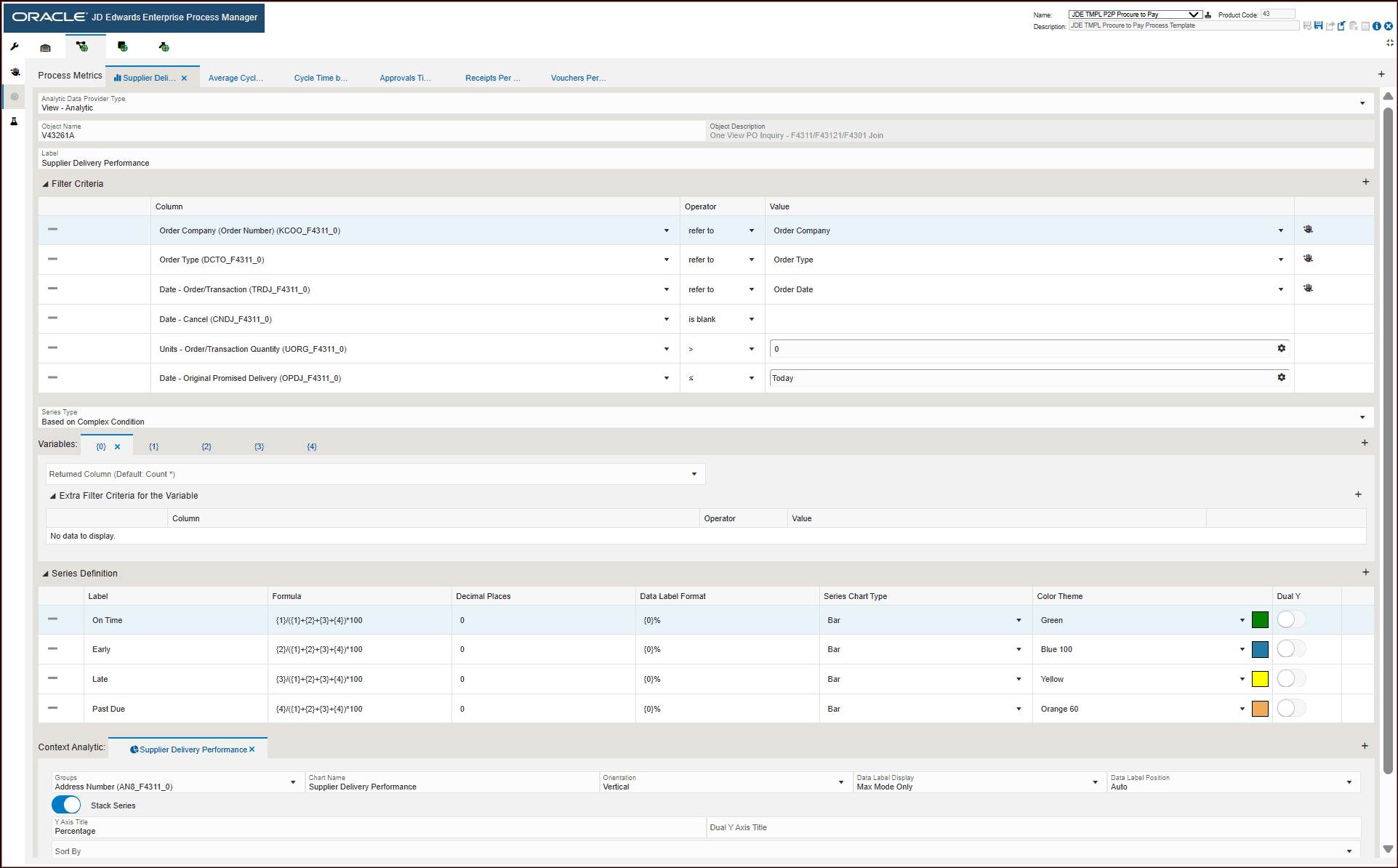
For the Supplier Delivery Performance, the process metrics displays the following information:
- Object type: View - Analytic
- Object Name: V43261A
- Object Description: One View PO Inquiry - F4311/F43121/F4301 Join
- The Filter Criteria displays the list of columns that are considered for filtering and the value each column is referring to. These filter options are displayed when you click the Show Filter Options icon to analyze the enterprise process. For more information, see "Using the Show Filter Options".
- The Series Type selected is Based on Complex Condition. This criteria returns standard aggregated values to display on the charts in preview mode.
- The Variables section defines the filter criteria for the variable.
- The Series Definition section defines the formula to calculate On Time, Early, Late, and Past Due values.
- The system uses the data in Context Analytic section to generate charts. For every row in this section, a unique chart is generated.
Charts
Based on the details in the Context Analytic section, the data is grouped in the Process Metrics tab. For Supplier Delivery Performance metrics, the Supplier Delivery Performance chart is generated.
This table lists and describes the charts that are available on the Process Metrics tab for full receipts:
|
Component Title |
Description |
|---|---|
|
Supplier Delivery Performance |
Use this chart to view the percentage of delivery status. The grouping is based on Address Book. This graph depicts the delivery status of an order from a supplier in terms of the percentage delivered before the due date, on the due date, after the due date, and not delivered even past the due date. |
Click the Average Cycle Time by BP tab. The process metrics displays the following information:
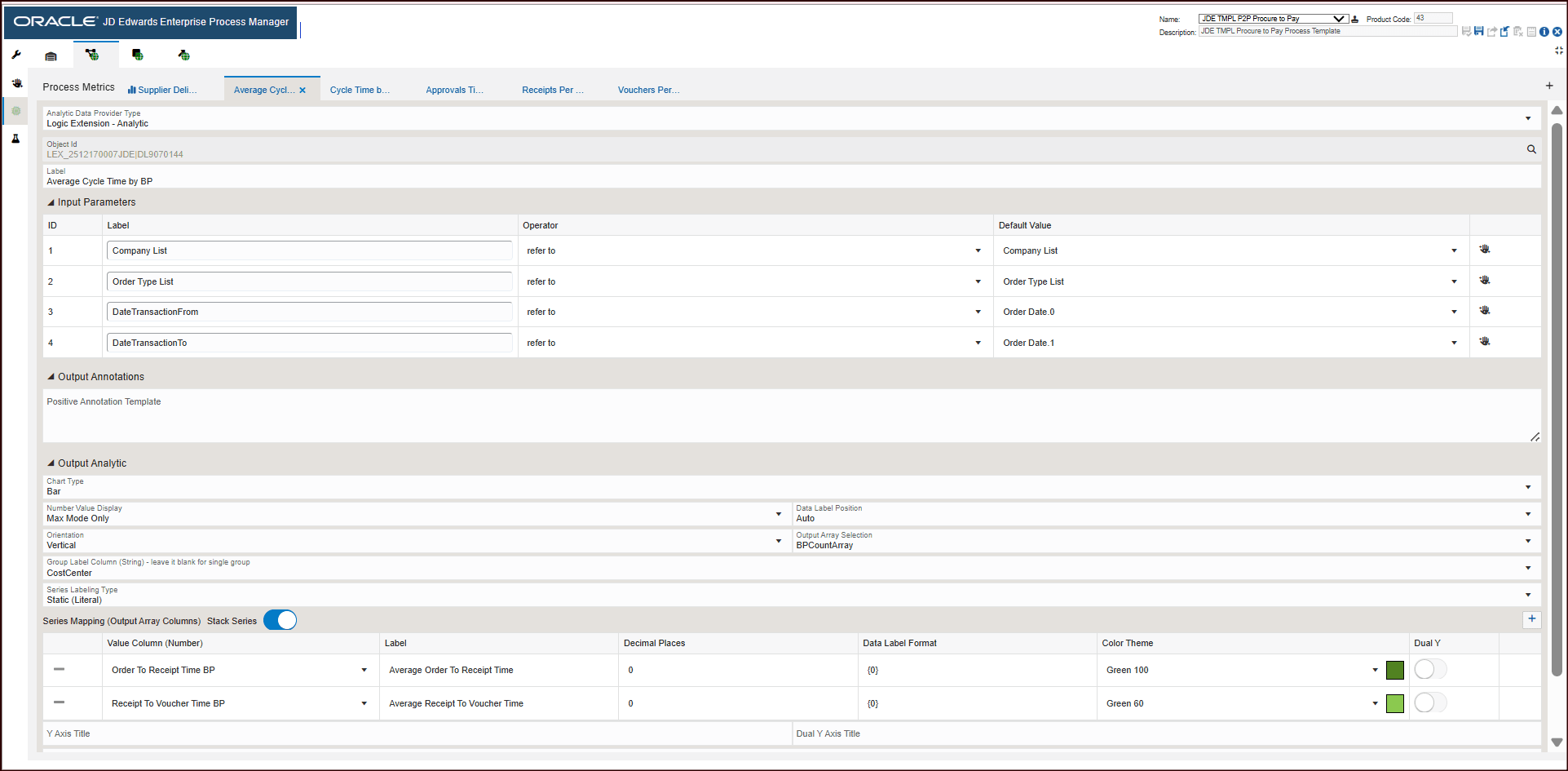
- Object type: Logic Extension - Analytic
- Object Name: LEX_2512170007JDE|DL9070144
- Input Parameters: displays the parameters for the execution of the business function.
- The Output Analytic displays the configuration for generating the chart.
- The Series Mapping section defines the values to generate the chart.
Charts
Component Title
Description
Average Cycle Time by BP
Use this chart to view the average number of days vs. threshold days value.
The chart depicts the average cycle time of the PO process by Branch Plant.
Click the Cycle Time by PO tab. The process metrics displays the following information:
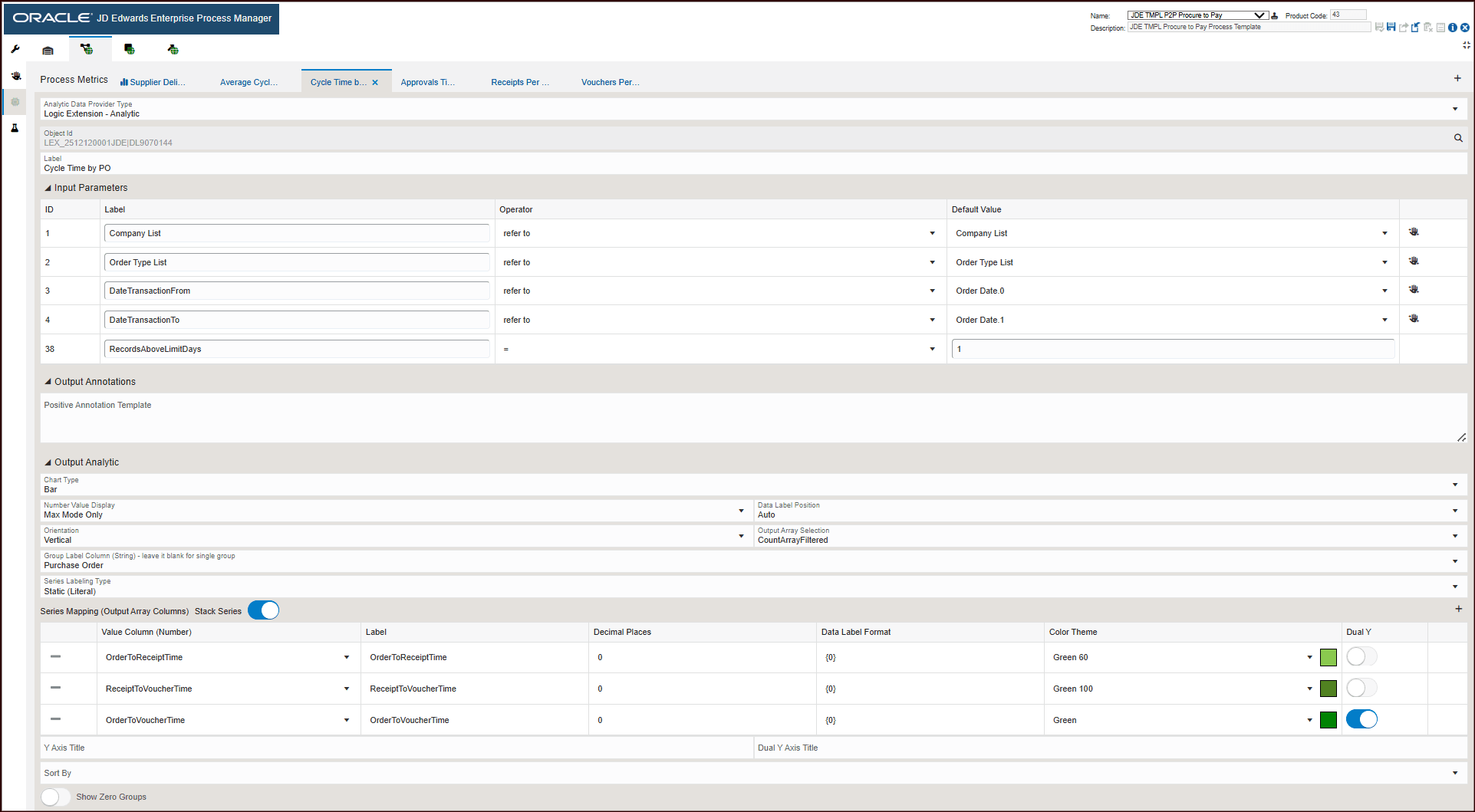
- Object type: Logic Extension - Analytic
- Object Name: LEX_2512120001JDE|DL9070144
- Input Parameters: displays the parameters for running the business function.
- The Output Analytic displays the configuration for generating the chart.
- The Series Mapping section defines the values to generate the chart.
Charts
|
Component Title |
Description |
|---|---|
|
Cycle Time by PO |
Use this chart to view the average cycle time for a purchase order. |
Click the Approvals Time Taken by PO tab. The process metrics displays the following information:
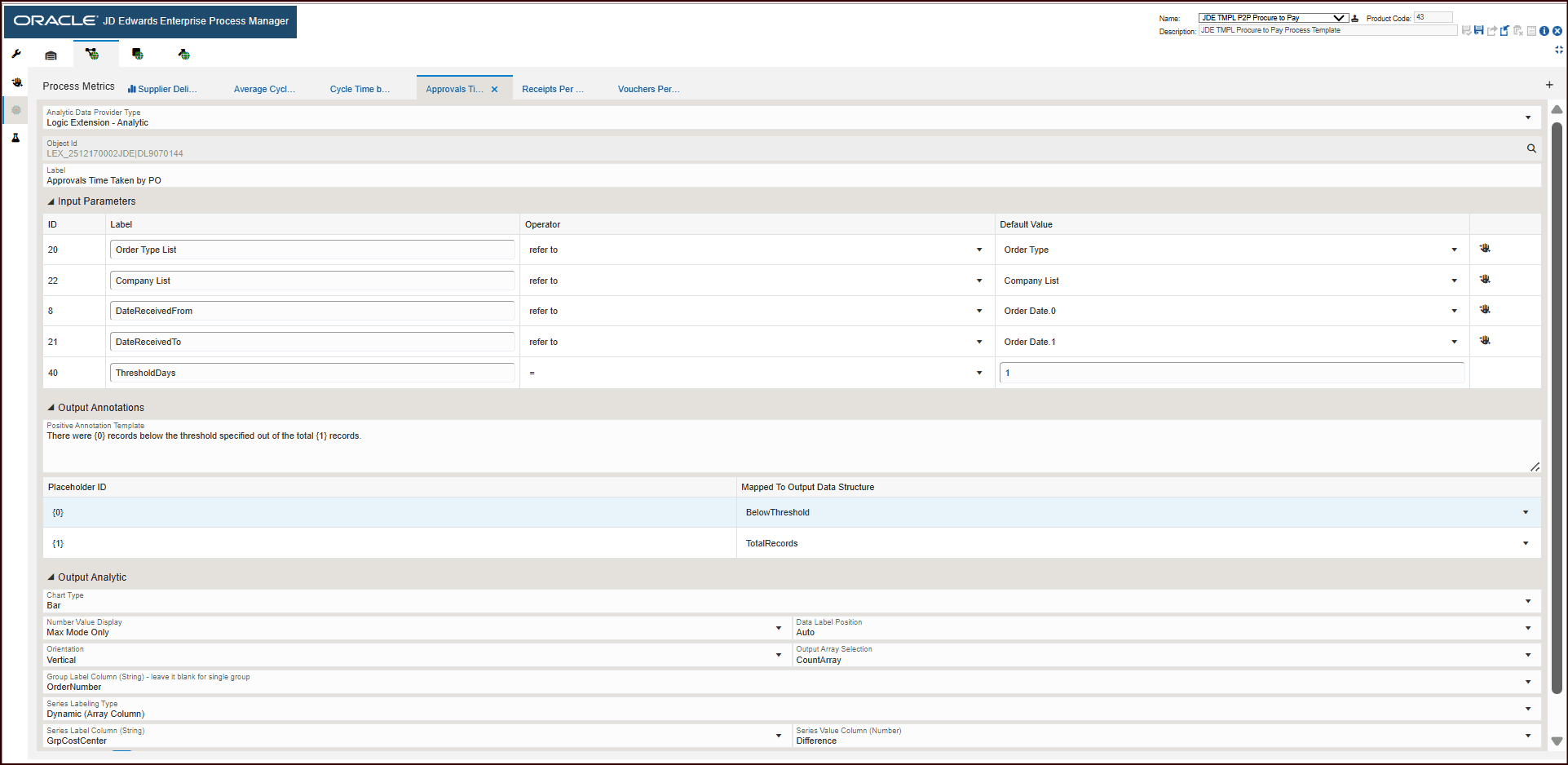
- Object type: Logic Extension - Analytic
- Object Name: LEX_2512170002JDE|DL9070144
- Input Parameters: displays the parameters for running the business function.
- The Output Analytic displays the configuration for generating the chart.
Charts
Component Title
Description
Approval Time Taken by PO
Use this chart to view the average approval time for a purchase order.
Click the Receipts per Day tab. The process metrics displays the following information:
- Object type: Logic Extension - Analytic
- Object Name: LEX_2512170006JDE|DL9070144
- Input Parameters: displays the parameters for the execution of the business function.
- The Output Analytic displays the configuration for generating the chart.
Charts
Component Title
Description
Receipts Per Day
Use this chart to view the count of receipts processed per day.
Click the Vouchers Per Day tab. The process metrics displays the following information:
- Object type: Logic Extension - Analytic
- Object Name: LEX_2512180001JDE|DL9070144
- Input Parameters: displays the parameters for the execution of the business function.
- The Output Analytic displays the configuration for generating the chart.
Charts
Component Title
Description
Vouchers Per Day
Use this chart to view the count of vouchers processed per day.