Changing an External Organization ID
This section discusses changing an organization ID.
Page Used to Change Organization IDs
| Page Name | Definition Name | Navigation | Usage |
|---|---|---|---|
|
Change Organization ID |
ORG_ID_CHANGE |
|
Select an organization ID to change. |
Selecting the Organization ID to Change
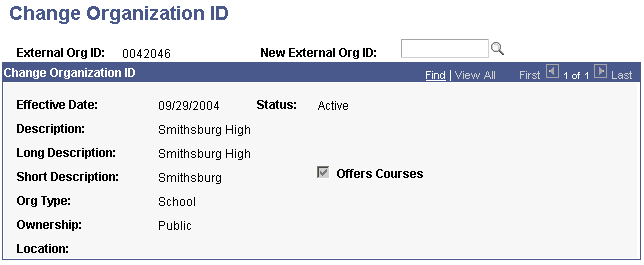
Access the Change Organization ID page ().
This example illustrates the fields and controls on the Change Organization ID page. You can find definitions for the fields and controls later on this page.
| Field or Control | Description |
|---|---|
|
New External Org ID (new external organization ID) |
Enter the external organization ID to assign. You can enter a nonexisting ID or choose from the list of existing IDs. |