(Optional) Step 13: Setting Up an Entity Profile for an Online Transaction
When you use an entity profile, CTM will identify the entity profile ID and prepare a response message based on the profile setting. Using an entity profile improves web service performance because you can set the payload size of the response message. Currently, only service requests whose response message contains the Constituent entity can take advantage of CTM entity profiling.
To set up an entity profile for an online transaction:
-
Go to
-
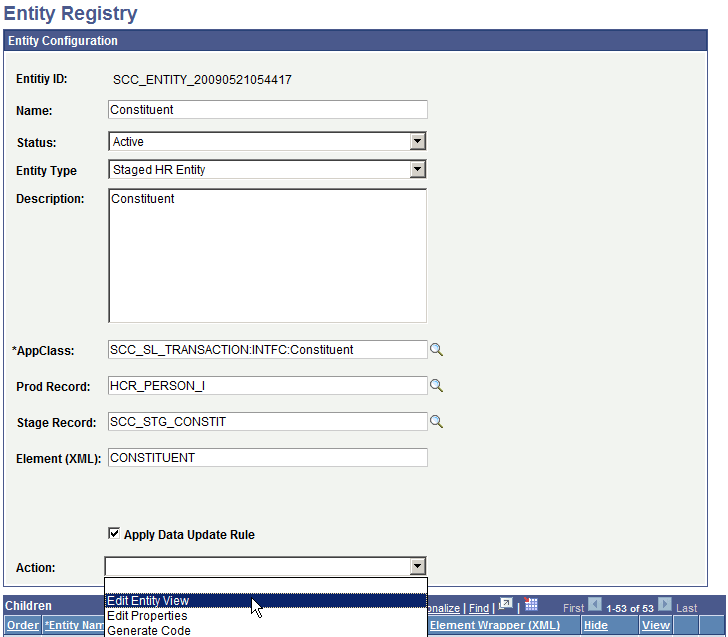
Search for Constituent. The Entity Configuration page appears.
-
From the Action drop-down field, select Edit Entity View.
This example illustrates the fields and controls on the Edit Constituent Entity View (example).
-
To add an entity view, click the + button to add a row.
-
In Entity View Name, enter a name for the view. For example, PROFILE_TESTER.
-
Scroll down to the Entity Children region, then select the entities you do not want to appear in the response message. For example, if you select all entities in the list and leave the child entity ‘Name’ deselected, only Name will appear in the response message.
-
Save your changes.
-
Associate the entity view you created to an entity profile:
-
Go to Set Up SACR, System Administration, Entity, Entity Profile.
-
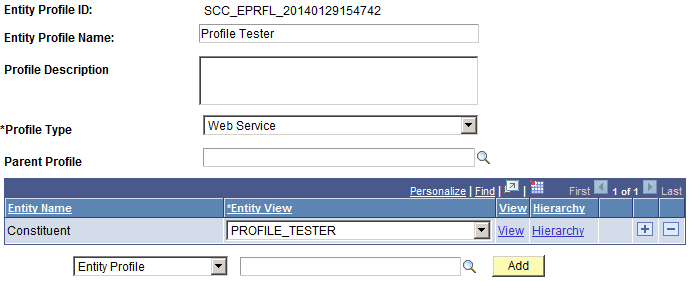
Click Add a New Value to set up an entity profile.
-
In Entity Profile Name, provide a name for the profile.
-
In Profile Type, select Web Service.
-
Click Save and an Entity Profile ID is generated.
This example illustrates the fields and controls on the CTM — Entity Profile Example page.
-
-
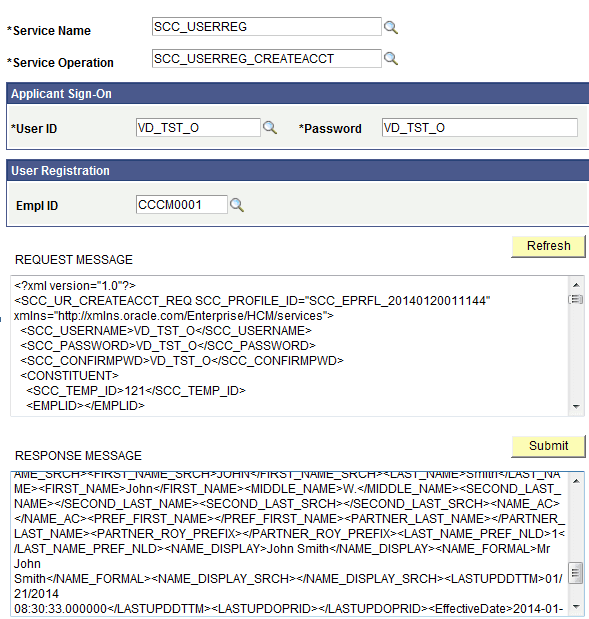
To test the entity profile, submit a service request for SCC_USERREG using any service tester. In the request message, make sure you include the attribute SCC_PROFILE_ID, and use the value that was generated for Entity Profile ID.
The response message should return only the entity or entities you selected when you created the entity view.
This example illustrates the fields and controls on the Service Request for SCC_USERREG - Response Message example.
Related Topics