Outbound FERPA Service
The outbound FERPA service publishes to or notifies external systems of changes to Campus Solutions FERPA data for constituents.
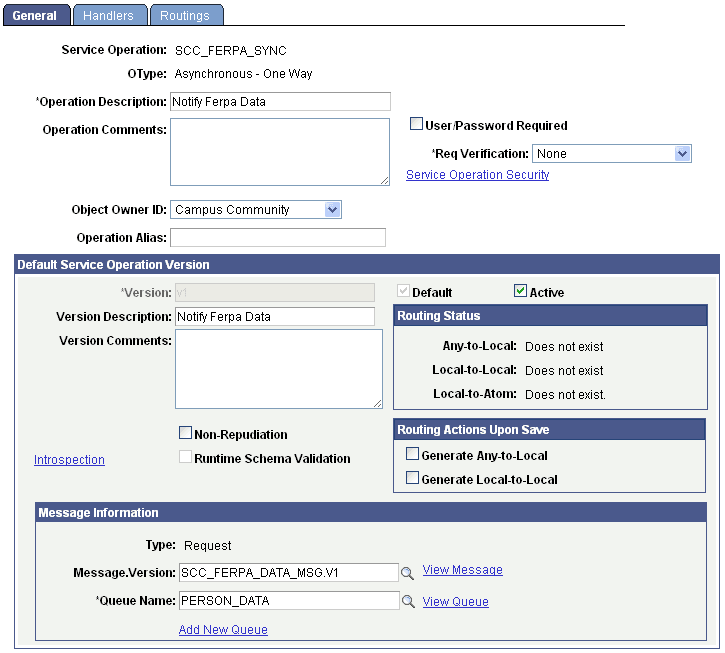
This example illustrates the fields and controls on the General page: outbound service (FERPA).
Description
|
Service |
SCC_FERPA_SYNC |
|
Operation |
SCC_FERPA_SYNC |
|
Direction/Type |
Outbound/Asynchronous |
|
Summary |
Updates a constituents FERPA data restrictions in an external system based on the restrictions set in the PeopleSoft Campus Solutions system. |
|
Request Message |
SCC _FERPA_DATA_MSG.V1 |
|
Queue Name |
PERSON_DATA |
|
Description |
This service is configured to be published to an external system when a constituent's FERPA data restrictions are created or updated. This process is designed to keep a system like a hub, in sync with the Campus Solutions system. This is an asynchronous call, so there is no return. |
|
Pre-Conditions |
Valid constituent FERPA restriction data. Triggers are set up on FERPA administrative pages and self service pages. |
|
Processing |
This service operation performs the following processing steps:
|
|
Post-Conditions |
N/A Asynchronous |
Create the Subscription by adding a new Routing to the SCC_FERPA_SYNC Service operation to consume the published messages in to third party integration system.
-
Navigate to
-
Search for the SCC_FERPA_SYNC Service Operation and navigate to Routings Tab.
-
Provide the Routing Name and click Add button.
-
Enter Description.
-
Sender Node: Local Node name of Campus Solutions.
-
Receiver Node: any External Node name.
-
Navigate to Connector Properties tab.
-
|
Gateway ID |
Select Integration Gateway |
|
|
Connector ID |
HTTPTARGET |
|
|
Connector Properties: |
||
|
HTTPPROPERTY |
Method |
POST |
|
HTTPPROPERTY |
SOAPUpContent |
Y |
|
HEADER |
Content-Type |
text/xml |
|
HEADER |
SOAPAction |
<soapactionstring> |
|
PRIMARYURL |
URL |
<endpoint url of the service provided in third party system> ex: http://hostname:port/ServiceName |
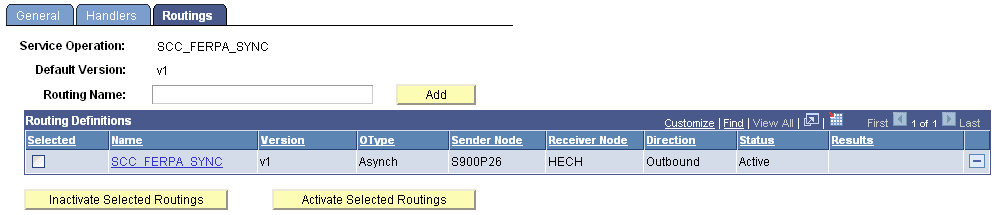
This example illustrates the fields and controls on the Routings page (FERPA).
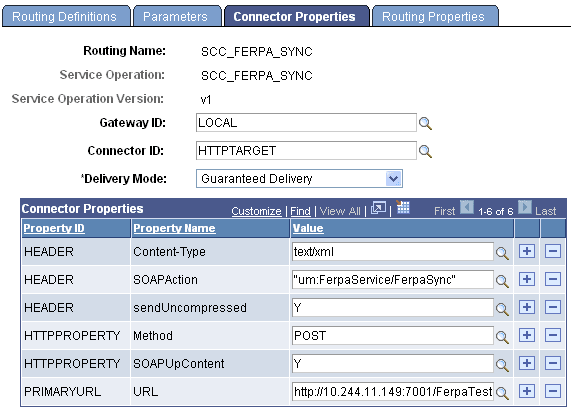
This example illustrates the fields and controls on the Connector Properties page (FERPA).