Reviewing a Bulk USI Request
Review Bulk USI Request records and the status of student application records in the batch.
Access the Review Bulk USI Request page ().
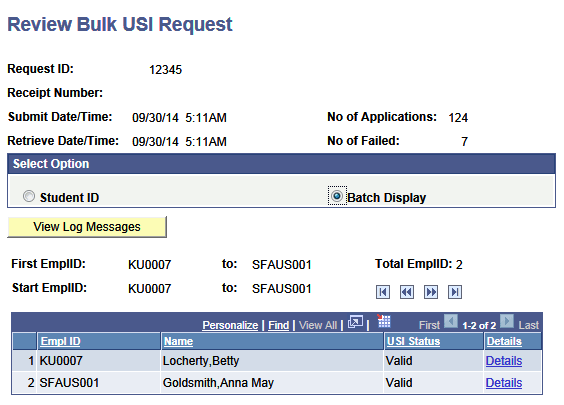
This example illustrates the fields and controls on the Review Bulk USI Request page. You can find definitions for the fields and controls later on this page.
| Field or Control | Description |
|---|---|
|
Request ID |
A sequence-generated unique number that can never be reused with the same OrgCode. If the maximum submission size is met, the process creates multiple Request IDs and submits each request batch separately. |
|
Receipt Number |
The receipt number for this batch returned by the web service. |
|
Number of Applications |
The number of applications in the batch. |
|
Number of Failed |
The number of failed student USI applications in the batch. |
|
Select Option Select Student ID or Batch Display |
Select Student ID to enter and search by an ID. Select Batch Display to view details of student USI records in the batch. Use the navigation buttons to navigate through the records. |