Step 8: Modifying the Proxy Terms and Conditions Page to Include Proper Constituent Fields
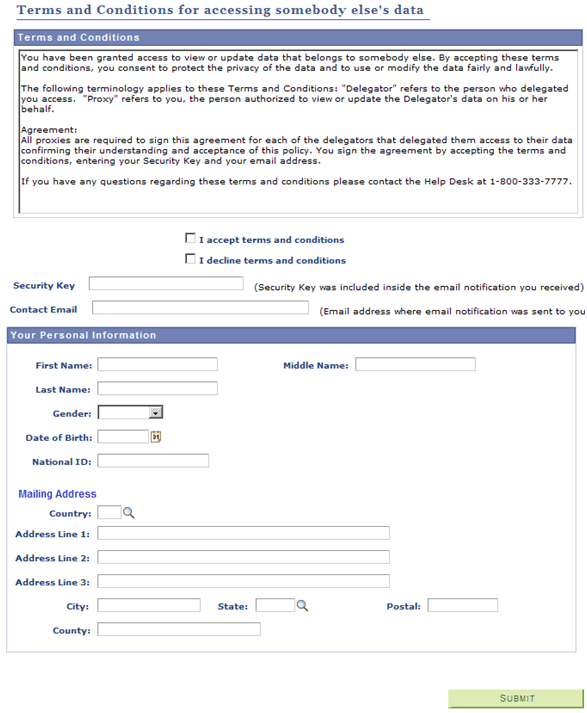
Review the Proxy Terms and Conditions self-service page and consider modifying the fields in the ‘Your Personal Information’ page (SCC_DA_PERINFO_SBP). This page is delivered as a sample. Include the desired constituent fields that you need to capture personal information about the proxy. If your delegation transactions are set to create an EMPLID for the proxies, make sure you gather enough information so Search/Match can use them as search data to identify or create an EMPLID.
The constituent fields that you can include in this page must be part of the Constituent entity or part of any of its children entities (for example, Names, Email Address, Citizenship, and so on). But you need to extend the SCC_DA:UTILS:DAUtils App Class methods to capture the data from new fields on this page.
It is recommended that you do not modify the delivered SCC_DA_PERINFO_SBP page. Instead clone it, then rename it.
This example illustrates the fields and controls on the Proxy Terms and Conditions Page.