Modifying Self-Service Loan Status Descriptions
To set up self-service loan status descriptions, use the Self Service Loan Status component (SS_FA_LOAN_STAT).
This section discusses how to modify loan status descriptions.
Page Used to Modify Self-Service Loan Status Descriptions
| Page Name | Definition Name | Navigation | Usage |
|---|---|---|---|
|
Self-Service Loan Status |
SS_FA_LOAN_STAT |
|
Modify loan status descriptions and comments text that you want a student to see online. This page provides students with their loan application status. These values are delivered by Oracle. |
Modifying Loan Status Descriptions
Access the Self-Service Loan Status page ().
This example illustrates the fields and controls on the Self-Service Loan Status page. You can find definitions for the fields and controls later on this page.
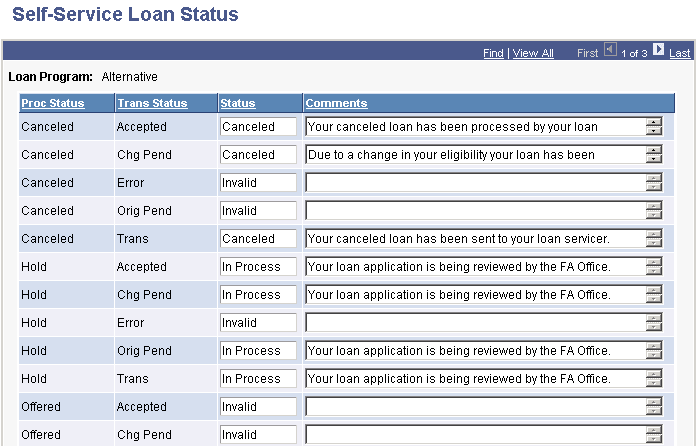
You can view or modify the status and comments text that you want a student to view online.
| Field or Control | Description |
|---|---|
|
Proc Status (processing status) |
Indicates where the loan application is in the origination process between your institution and the loan servicer. |
|
Trans Status (transaction status) |
Indicates the current status of the loan application. |