Setting Security for Admissions Actions
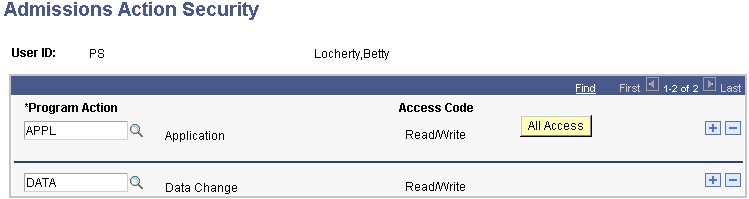
To set up admissions actions security, use the Admissions Action Security component (SCRTY_ADM_ACTION).
This section lists a prerequisite and discusses how to assign program action security.
Page Used to Set Security for Admissions Actions
| Page Name | Definition Name | Navigation | Usage |
|---|---|---|---|
|
Admissions Action Security |
SCRTY_ADM_ACTION |
|
Assign the admissions program actions that a user ID can access. Users have access only to the program actions entered on this page. Only program actions used by Recruiting and Admissions are available. These program actions are entered on Add Application, Maintain Applications, Action/Reason Entry, and Program Addition. |