Assigning Volunteers to Roles
One of the ways to link volunteers to a project is to assign them to a role within a leadership group.
This section discusses how to
-
Assign volunteers to roles within the structure.
-
Create subgroup volunteer assignments.
Related Topics
Pages Used to Assign Volunteers to Roles
| Page Name | Definition Name | Navigation | Usage |
|---|---|---|---|
|
Volunteer Group Assignments |
AV_VOL_GRP1_ASGN AV_VOL_GRP1_ASGN_M |
|
Begin the process of assigning volunteers to the positions outlined in the volunteer structure. When you save the Leadership Group and Sub-Group pages, the system populates this page with each position that you outlined in the structure so that you can assign volunteers to them. |
|
Sub-Group Assignments |
AV_VOL_GRP2_ASGN AV_VOL_GRP2_ASGN_M |
|
Begin the process of assigning volunteers to the subgroup positions outlined in the volunteer structure. |
Assigning Volunteers to Roles Within the Structure
Access the Volunteer Group Assignments page (). This page populates with the roles you defined on the Volunteer Structure page. Here, you can assign volunteers to fill each position outlined in the structure.
This example illustrates the fields and controls on the Volunteer Group Assignments page. You can find definitions for the fields and controls later on this page.
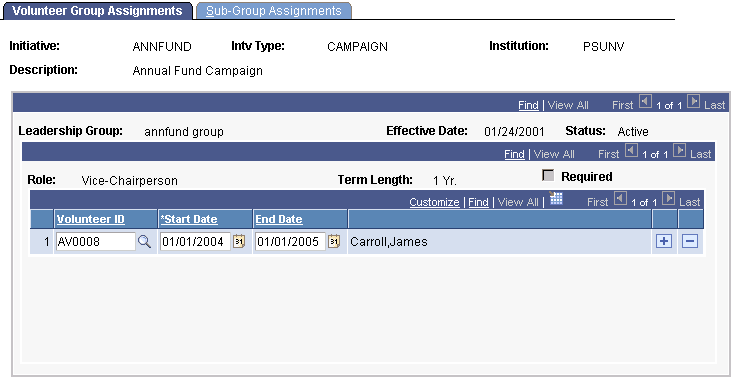
Scroll through the list of roles and term lengths and enter the Volunteer ID, Start Date, and (optional) End Date for each assignment to the volunteer structure.
Important:
If a required position has not been filled when you save this page, a warning message appears. You can assign a volunteer to the required position or save anyway.
Creating Subgroup Assignments
Access the Sub-Group Assignments page (). This page populates with each role you defined in the structure on the Sub-Groups page. Here, you can assign volunteers to fill those roles.
This example illustrates the fields and controls on the Sub-Group Assignments page. You can find definitions for the fields and controls later on this page.
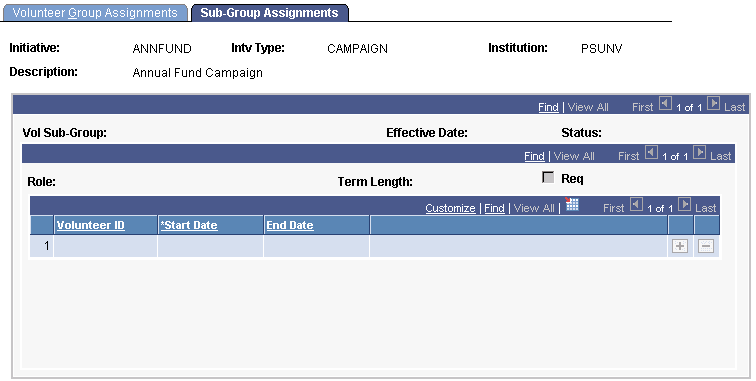
Scroll through the list of roles and term lengths and enter the Volunteer ID, Start Date, and (optional) End Date for each assignment to the volunteer structure.
Important:
If a required position has not been filled when you save this page, a warning message appears. You can assign a volunteer to the required position or you can save without assigning a volunteer.