Reviewing Equations
This section discusses how to view equations as algebraic expressions.
Page Used to Review Equations
| Page Name | Definition Name | Navigation | Usage |
|---|---|---|---|
|
Review Equations |
SCC_EQUATION_VIEW |
|
View equation as algebraic expressions. |
Viewing Equations as Algebraic Expressions
Access the Review Equations page ().
This example illustrates the Review Equations page.
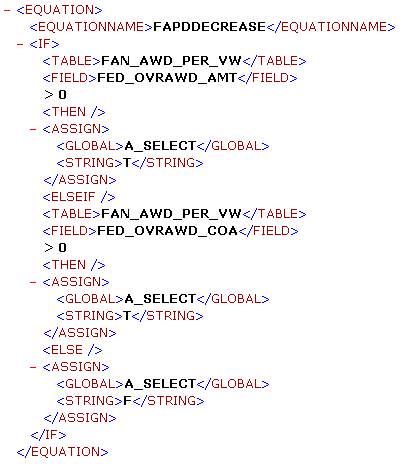
This page displays the equation name and an approximate algebraic representation of the equation. You cannot edit the equation on this page. Use the scroll bar to view the entire equation.
Note:
This summary is a representation of the equation that you created on the Equation Editor page. The Equation Editor page determines how your equation functions.