Setting Up Award Adjustment Reasons
To set up award adjustment reasons, use the Award Adjustment Reasons component (AWRD_ADJ_RSN_TBL).
Award adjustment reasons are institutionally defined reasons indicating why an award may be adjusted. Award adjustment reasons can be used for clarification when modifying an award and also for statistical tracking purposes. You can enter an award adjustment reason any time that you change an award on the award entry pages, but award adjustment reasons are required on the Professional Judgement page. Some sample award adjustment reasons come pre-delivered with Financial Aid, but you can modify, add, and delete these.
This section discusses how to create award adjustment reasons.
Pages Used to Set Up Award Adjustment Reasons
| Page Name | Definition Name | Navigation | Usage |
|---|---|---|---|
|
Award Adjustment Reasons |
AWRD_ADJ_RSN_TBL |
|
Create or modify award adjustment reasons. |
|
Copy Adjustment Reasons |
AWD_ADJ_RSN_COPY |
Click the Copy button on the Award Adjustment Reasons page. |
Copy award adjustment reasons from one aid year and institution combination to another. |
Creating Award Adjustment Reasons
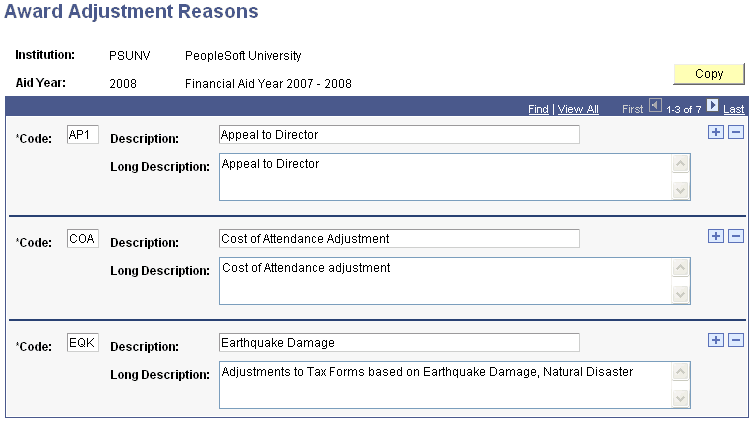
Access the Award Adjustment Reasons page ().
This example illustrates the fields and controls on the Award Adjustment Reasons page. You can find definitions for the fields and controls later on this page.
| Field or Control | Description |
|---|---|
|
Code |
Enter a three-character code that represents the award adjustment reason. |