Setting Up Severity Levels for Pell Comment Codes
To set up severity levels for Pell comment codes, use the Pell Comment Code component (PELL_COMM_CD_TABLE).
This section discusses how to:
-
Define severity levels for Pell comment codes.
-
Copy Pell comment codes.
Pages Used to Define Severity Levels for Pell Comment Codes
| Page Name | Definition Name | Navigation | Usage |
|---|---|---|---|
|
Pell Comment Code Table |
PELL_COMM_CD_TABLE |
|
Define severity levels for Pell comment codes to indicate what action you want to system to take. |
|
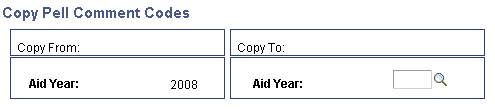
Copy Pell Comment Codes |
PELL_COMM_CD_COPY |
Click the Copy Pell Comment Code button on the Pell Comment Code Table page. |
Copy Pell comment codes from one aid year to another. |
Defining Severity Levels for Pell Comment Codes
Access the Pell Comment Code Table page ().
This example illustrates the fields and controls on the Pell Comment Code Table page. You can find definitions for the fields and controls later on this page.
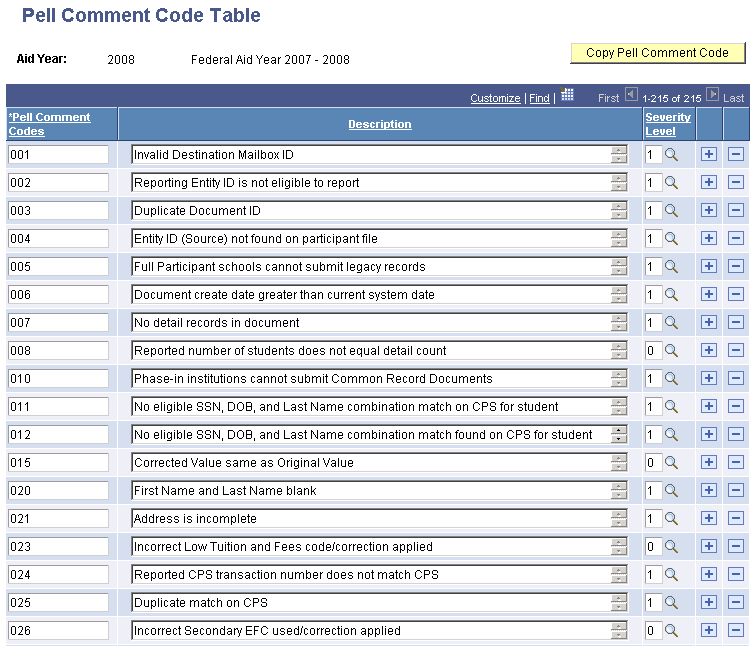
This page defines the Pell Comment Codes from the Department of Education.
| Field or Control | Description |
|---|---|
|
Pell Comment Codes |
Lists the identification number assigned to a specific Pell comment. |
|
Description |
Describes the Pell comment code. |
|
Severity Level |
Select one of the following severity levels to indicate the action that you want the system to take. 0 - Ignore: The system disregards the message. 1 - Action Required: The institution's Pell processor is required to take action to resolve the issue. |
|
Copy Pell Command Code |
Click this button to access the Copy Pell Comment Codes page, where you can copy the setup data from one aid year to another. |