1.4.2 Modifying the ECIN0001.SQR File
The ECIN0001.SQR is the PeopleTools EDI Manager Inbound EC Agent process. The default configuration of this file is set to only process individual files containing no more than 2500 rows of data. To allow the SQR to handle larger files, the SQR must be modified.
Note:
This modification may be needed if the Financial Aid Office is importing and exporting large files using the CommonLine™ loan process. This is not needed for Common Record CommonLine (CRC) loan processing. Verify with the Financial Aid Office whether or not this modification is necessary for their business process.
To modify the ECIN0001.SQR file:
-
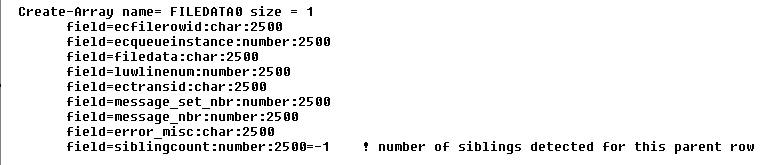
Open the ECIN0001.SQR file using a text editor and find this section:
Figure 1-4 Section of ECIN0001.SQR file
-
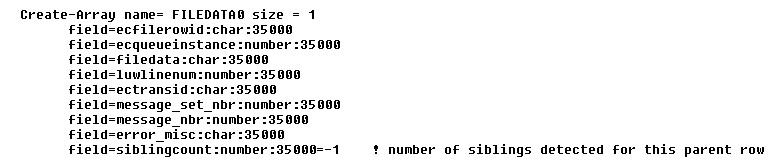
Modify the section by replacing the value 2500 with 35000.
This modification increases the maximum number of rows allowed in a file to 35,000 rows. You may increase the file row limit up to 64,000, if necessary.
Figure 1-5 Modified ECIN0001.SQR file