Correcting Admission Transaction Errors
An admission transaction might have an error status for the constituent (person) or the application record. For error indicators, use both the components to find the corresponding field and enter a valid value.
Use the Constituent Staging component to review and correct the constituent errors.
Use the Application Transactions component to review and correct the application errors.
Note:
For File Parser, only after the CTM Transaction Management process runs, any errors appear in the components. In the case of AAWS, errors can appear either when the user saves or submits an admission application.
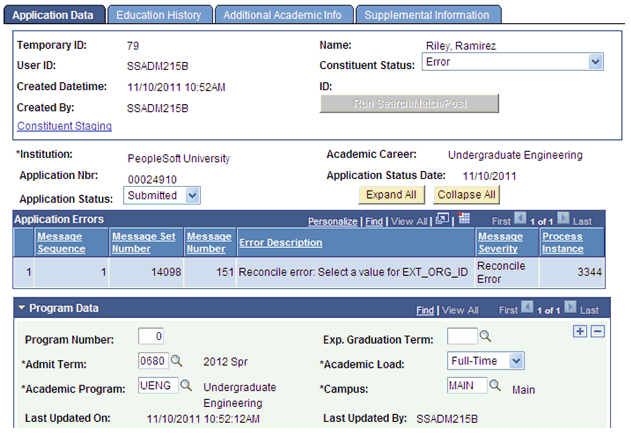
An example of an error message that the Application Transactions staging component displays: Suppose you selected the Manual Reconciliation option for Home Schools on the School Setup page. If the applicant has indicated that a school of attendance is a home school and submitted the application, the Application Transactions component displays an error message.
This example illustrates an error message in the Application Transactions component.
To resolve such an error, you can click the Education History tab, then select the valid external organization ID for the home-schooled applicant and finally click the Save button.