Pre-Loading OUAC Data
This section discusses how to pre-load OUAC data.
Page Used to Pre-Load OUAC Data
| Page Name | Definition Name | Navigation | Usage |
|---|---|---|---|
|
OUAC Pre Load Parms (OUAC pre load parameters) |
OUAC_PRELOAD_PARMS |
|
Prepare the OUAC file for EDI. The OUAC pre load process adds control records to transaction groups and sends them to the output file. |
Pre-Loading OUAC Data
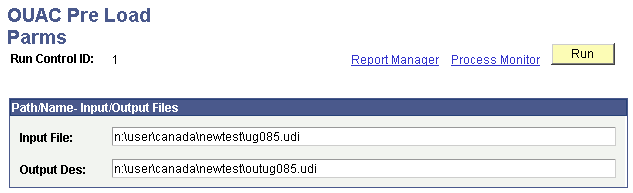
Access the OUAC Pre Load Parms (OUAC pre load parameters) page ().
This example illustrates the fields and controls on the OUAC Pre Load Parms page. You can find definitions for the fields and controls later on this page.
| Field or Control | Description |
|---|---|
|
Input File |
Enter the full path and name of the OUAC file that you want to process. |
|
Output Des (output description) |
Enter the full path and name of the output file. |
Click the Run button to run the OUAC pre load process at user-defined intervals.