Setting Up Collectors
To set up collectors, use the Collector component (COLLECTOR_SF).
Before you can start assigning past due items for collection, you must establish collectors within the system.
Page Used to Set Up Collectors
| Page Name | Definition Name | Navigation | Usage |
|---|---|---|---|
|
Collector |
COLLECTOR_SF |
|
Define collectors. |
Defining Collectors
Access the Collector page ().
This example illustrates the fields and controls on the Collector page. You can find definitions for the fields and controls later on this page.
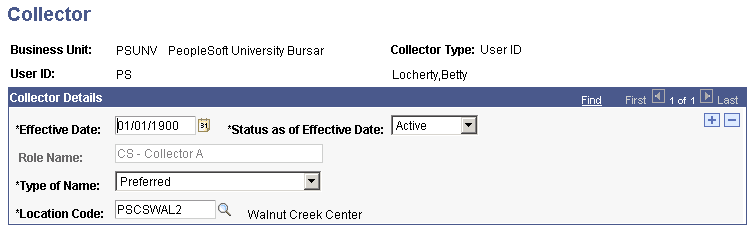
| Field or Control | Description |
|---|---|
|
Role Name |
If your business unit assigns collection responsibilities by role rather than by user ID, select a collector role. |
|
Type of Name |
Select the type of name that the system uses when referring to this collector. |
|
Location Code |
Enter the code that is associated with the location where the collector is based. |