Integration Broker Setup for Research Administrator Profile Affiliations
Complete the following Integration Broker steps to ensure that Research Supervisor functionality works as expected.
Note:
This setup is a requirement for the Student Academic Projects feature.
-
Integration Broker Message:
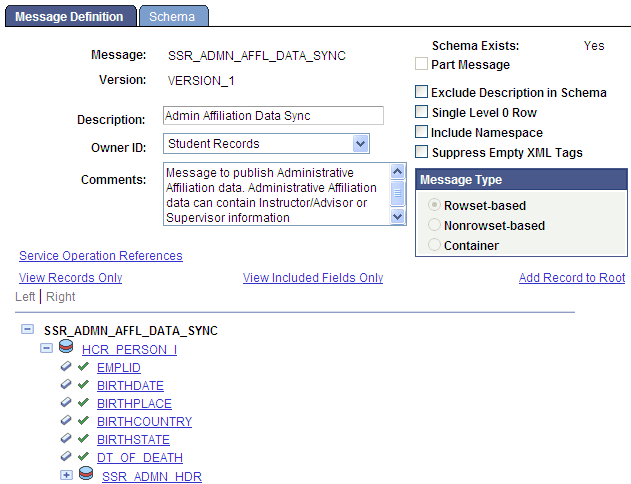
A Message Definition is delivered for processing affiliations created through the Administrative Profile Management component. This is a rowset-based message. Verify that the message SSR_ADMN_AFFL_DATA_SYNC is available in your database and that schema exists for the message. Refer to the following example:
Note:
If the Schema does not exist, generate the schema using the Message Schema Builder.
-
Integration Broker Service:
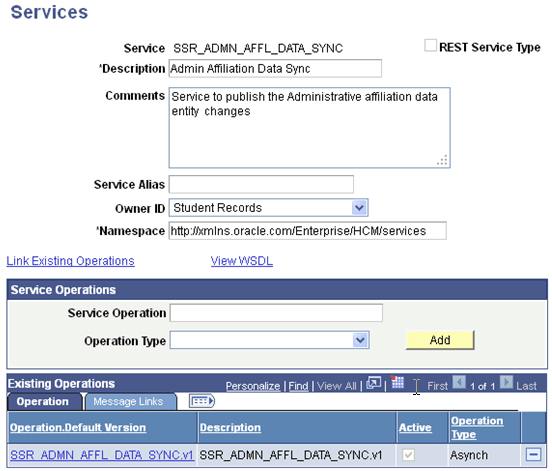
An Integration Broker Service definition is created to communicate with the Affiliation framework. Verify that the Service definition SSR_ADMN_AFFL_DATA_SYNC is available in your database.
-
Integration Broker Service Operation:
An Integration Broker Service Operation is created to communicate with the Affiliation framework. Verify that the Service Operation definition SSR_ADMN_AFFL_DATA_SYNC is available in your database. Select the Active check box.
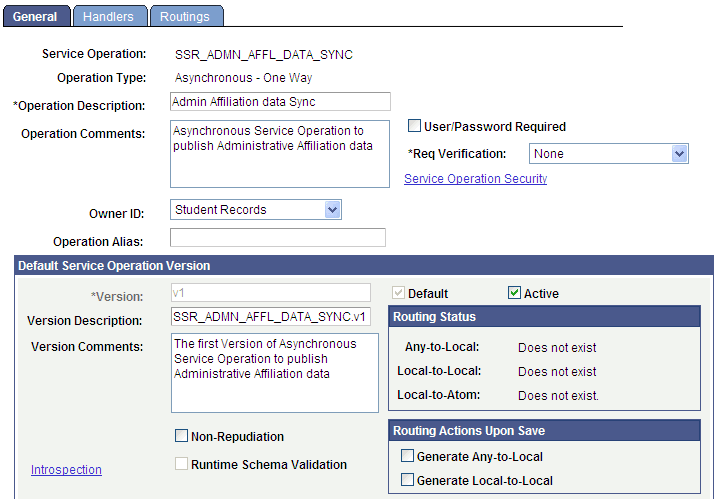
After the Service Operation is Active, perform the following steps:
1. Generate Local-to-Local routing.
When you select the Generate Local-to-Local check box the Local-to-Local value appears. Additionally, system generated Routing information is populated on the Routings page.
2. Set up Security.
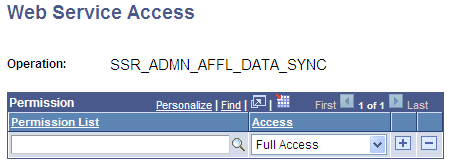
Click the Service Operation Security link to access the Web Service Access page and assign one or more permission lists to the service operation.
This example illustrates the Web Service Access page as explained above.
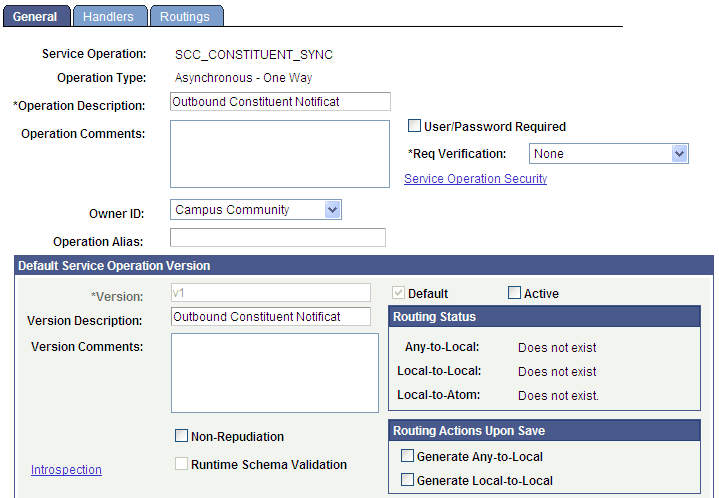
Additionally, ensure that the following Service Operation which is available in your database (SCC_CONSTITUENT_SYNC) is also Active and Service Operation Security has been set up.
-
Integration Broker Service Operation Handler
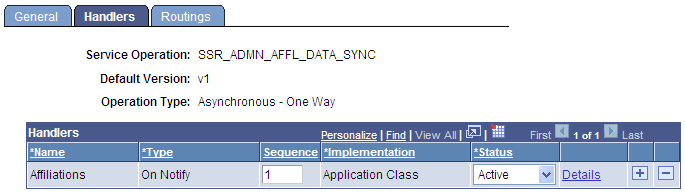
An Integration Broker Service Operation Handler is delivered to support integration with the Affiliation framework. Verify that the following handler definition is available in your database. Set the status to Active.
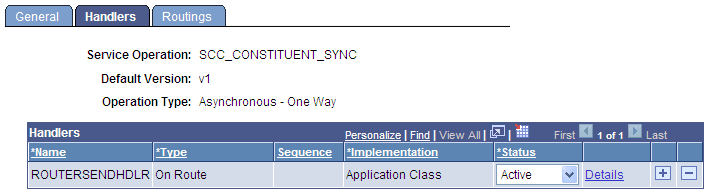
Additionally, set the following Integration Broker Service Operation Handler to Active:
-
Service Operation Routing
Review the Service operation routing and note the local routing that was automatically generated when you saved the operation.
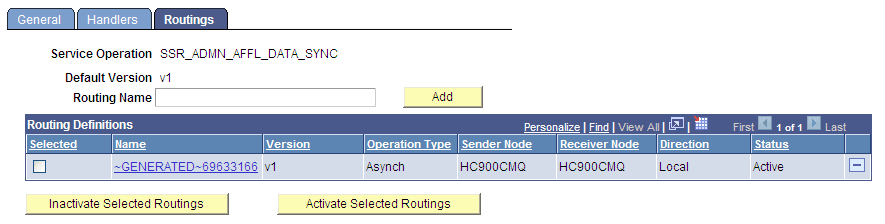
Additionally, review the Service operation routing and note the local routing that was automatically generated when you saved the operation for SCC_CONSTITUENT_SYNC.
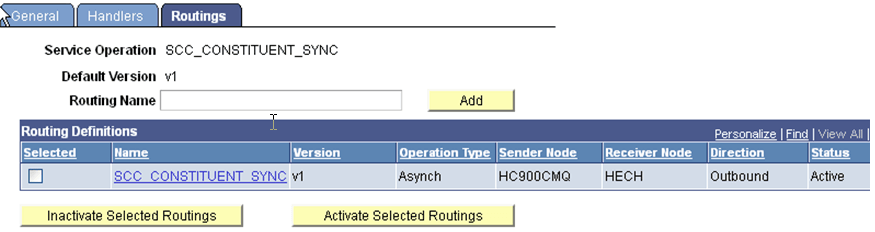
-
Service Operation Queue Definition
A queue definition is delivered to support integration with the Affiliation framework. Verify that the following handler definition is available in your database. Set the Queue Status to Run.
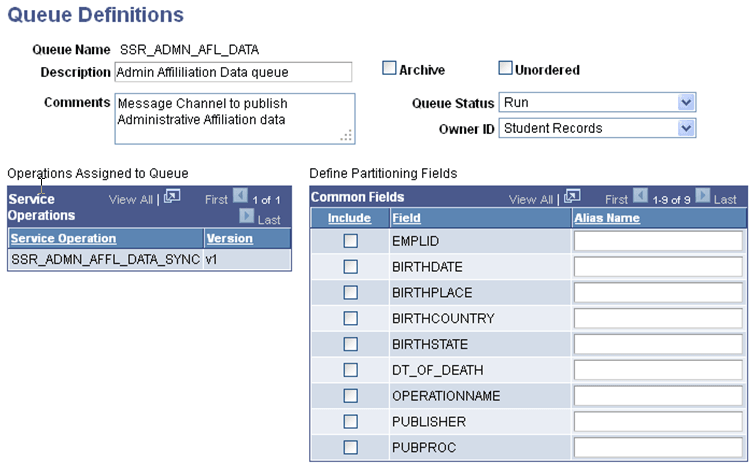
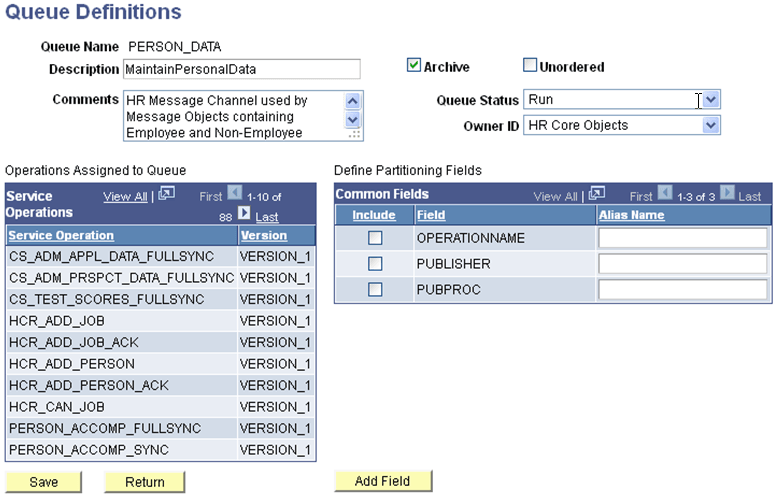
Additionally, set the Queue Status to Run for the following queue definition (PERSON_DATA):
-
Constituent Event Registry
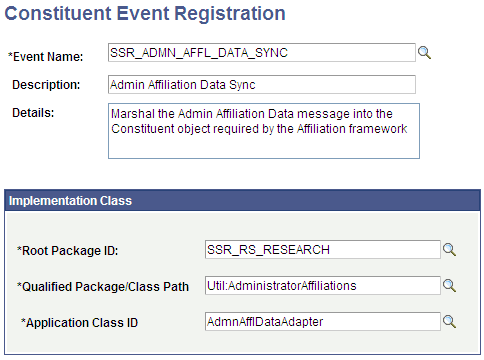
A Constituent Event (SSR_ADMN_AFFL_DATA_SYNC) is registered to support integration with the Affiliation framework. Verify that following entry is available in your database.
-
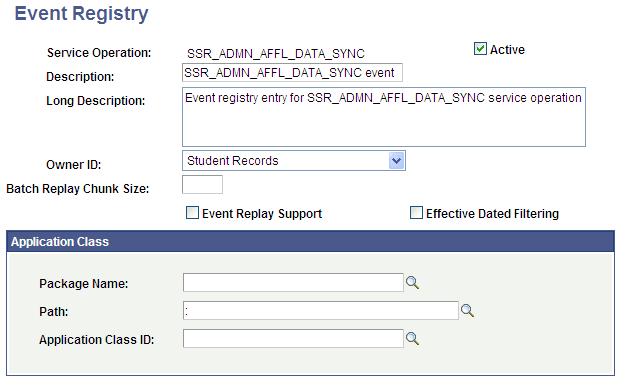
SOA Framework Event Registry
An event is registered in Campus Solutions SOA Framework to support integration with the Affiliation framework. Verify that following entry is available in your database and is Active.
See Campus Community Fundamentals: Understanding Constituent Web Services
See Campus Community Fundamentals: Outbound and Inbound Services
See Campus Community Fundamentals: Configuring Constituent Event Triggers
See Campus Community Fundamentals: Configuring Notification Handlers
See Campus Community Fundamentals: Defining Affiliations
See Student Administration Integration Pack: Setting Up Enrollment and Course Batch Processing