Modifying Course Events
This section lists a prerequisite and discusses how to define course events.
Page Used to Modify Course Events
| Page Name | Definition Name | Navigation | Usage |
|---|---|---|---|
|
Class Event Table |
COURSE_EVENT |
|
Review a class section's facility reservations, and modify or delete facility reservations by date. |
Defining Class Events
Access the Class Event Table page ().
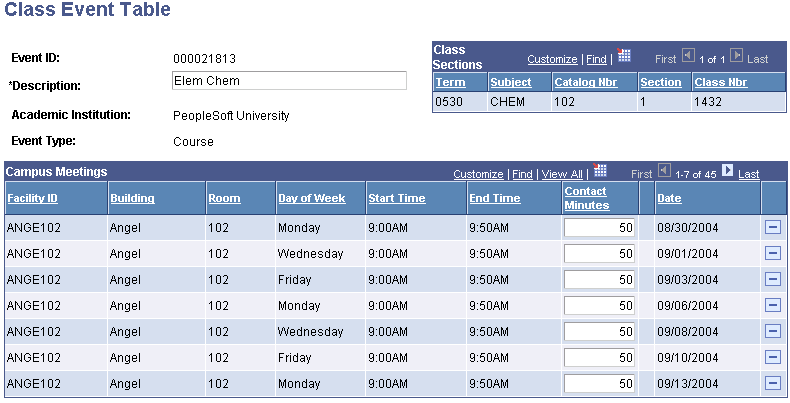
This example illustrates the fields and controls on the Class Event Table page. You can find definitions for the fields and controls later on this page.
| Field or Control | Description |
|---|---|
|
Description |
The description of the course event. This is the course description. |
|
Contact Minutes |
Modify contact minutes for individual classes if necessary. The system bases the contact minutes on the start and end time of the course as defined in the Schedule of Classes. Changing contact minutes for a class meeting has no impact on course contact hours or instructor contact hours. If you have a particular class meeting that you would like additional facility time (perhaps a day for group project presentations, where students need additional time to take down their presentation materials at the end of class), you can increment the contact minutes to your desired reservation time. In addition, you can delete a single meeting facility reservation to make the facility available for another event. Click the Save button to edit the facility reservation. If facility checking is active, the system verifies that your requested reservation is valid before saving the request. |
Note:
If you are using the PeopleSoft facility conflict checking logic, be sure when you are scheduling classes that you indicate a facility for at least one component of a course. The system does not populate the Class Event Table page unless a facility is booked for at least one component of a course. You indicate facilities for course components on the Meetings page.