Personalizing XML Transcript Dates
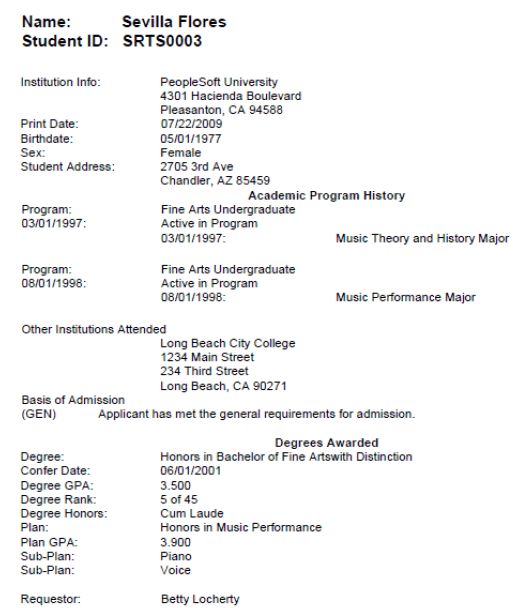
The system date format is set up on the Define Personalizations page in PeopleTools Individual users can also set the date format by using the menu link. A local variable exists on the XML Transcript template, date_mask, to represent the date mask as the date format that was set up using personalizations. This variable is then added to each date field in the template, as the academic plan date. The Print Date and Plan Date fields on the transcript use this date formatting, as this example illustrates.
This example illustrates personalized date formatting on an XML transcript.