Updating Mass Change Operator Security

Important:

Mass Change is a deprecated product. It is strongly recommended that you use Application Engine instead. For more information on Application Engine, see PeopleTools: Application Engine.

In order for end users to be able to select the Create Student Block template when creating a mass change definition, the template must be added to the user security for the user or class profile to which the end users belong.

This section discusses how to update operator security.
Page Used to Update User Security

Page Name Definition Name Navigation Usage

Security

MC_OPER_SECURITY

PeopleTools, and then Security, and then Mass Change Operator Security, and then Security

Grant access to the Create Student Block mass change template to permission lists so that users can run the Create Student Block mass change process.

Updating Operator Security

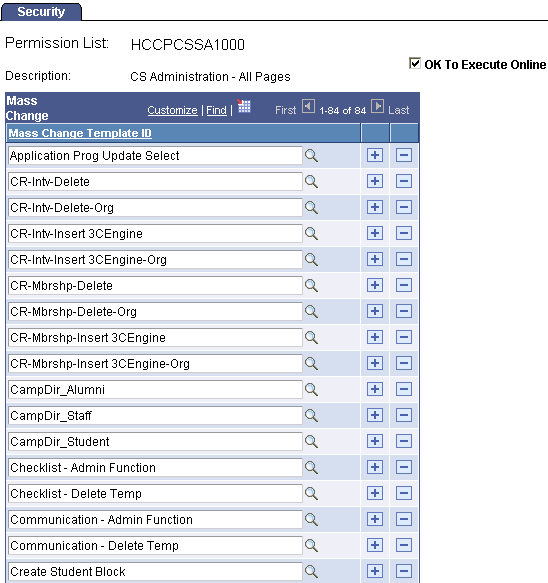
Access the Security page (PeopleTools, and then Security, and then Mass Change Operator Security, and then Security).

This example illustrates the fields and controls on the Security page. You can find definitions for the fields and controls later on this page.

Security page
Field or Control Description

Mass Change Template ID

Select the Create Student Block template ID.