Securing Distribution Code Prompt Values
ChartField Security supports securing the distribution code prompt values for the products that use distribution codes to provide default ChartField values. Similar to the ChartField prompt values, ChartField Security only displays the authorized values in the prompt list. ChartField Security does not look at distribution codes to authorize access to transaction pages. Only the distribution code prompt values are secured.
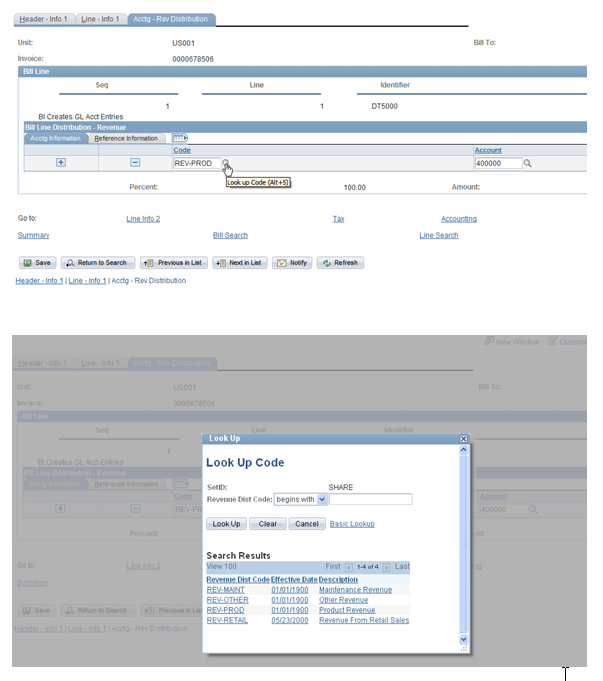
In the following example, the prompt list includes only the authorized distribution codes:
This example illustrates the fields and controls on the Example of Look Up Code prompt showing authorized codes. You can find definitions for the fields and controls later on this page.
Note:
Security for distribution code can be enabled and disabled at the component level in the Component Registry page.
See Component Registry - Secured Components Page.
See Securing ChartFields for PeopleSoft Receivables.