Travel and Expenses Dashboard
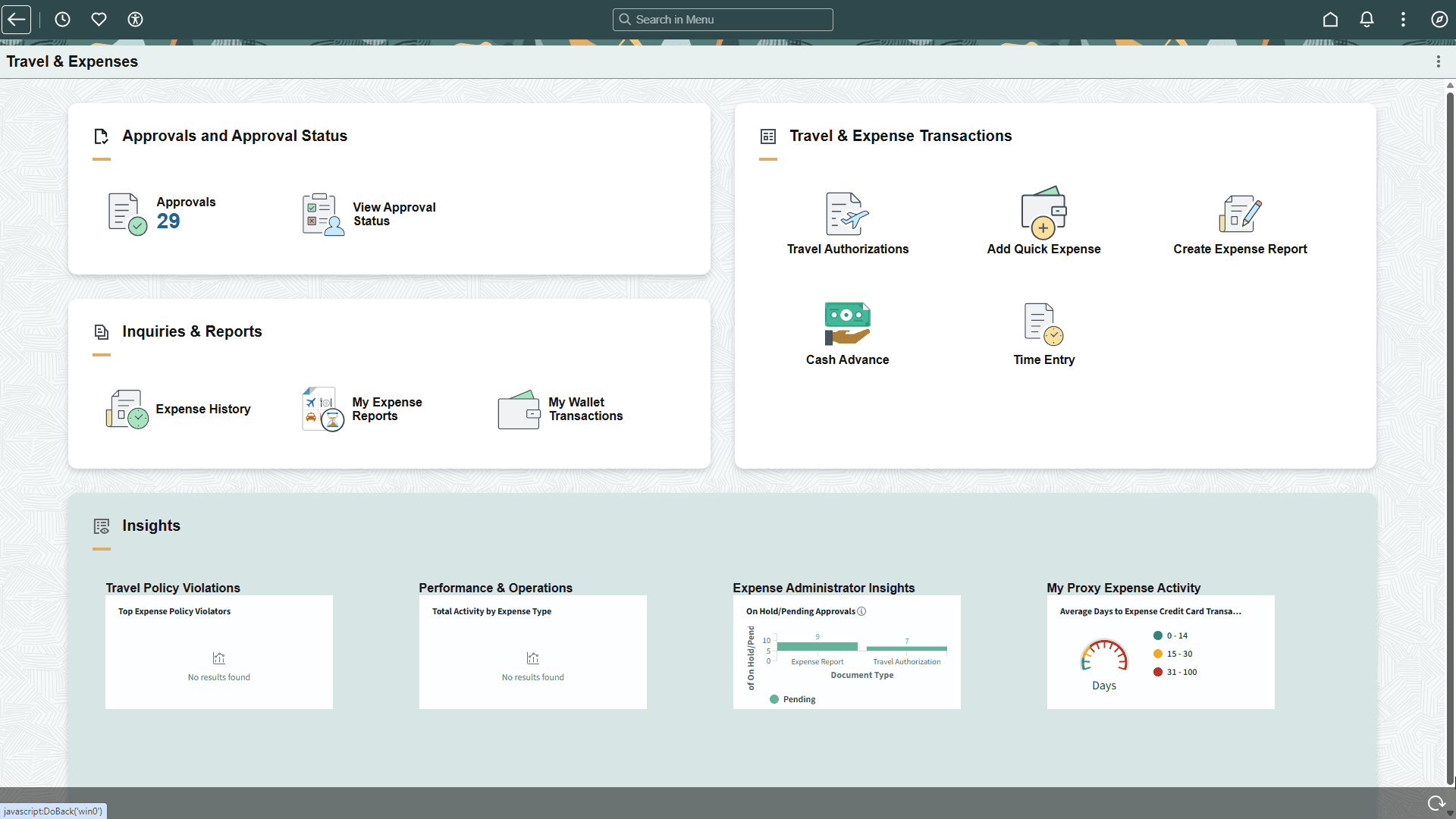
Use the Travel and Expenses Dashboard (EP_EXPENSES_DB) to access self-service tiles related to travel and expenses.
Navigation:
Access the My Home landing page.
This example illustrates the fields and controls on the Travel and Expenses Dashboard.
Approvals and Approval Status
| Tile | Description |
|---|---|
|
Approvals |
Select to access the Pending Approvals Page. |
|
View Approval Status |
Select to access the View Approval Status Page. |
Inquiries & Reports
| Tile | Description |
|---|---|
|
Expense History |
Select to access the PeopleSoft Expenses: Expense Report History Page. |
|
My Wallet Transactions |
Select to access the PeopleSoft Expenses: Wallet Entry Page. |
|
My Expense Reports |
Select to access the PeopleSoft Expenses: My Expense Reports Page. |
Travel & Expense Transactions
| Tile | Description |
|---|---|
|
Travel Authorizations |
Select to access the PeopleSoft Expenses: Travel Authorization Search Page. |
|
Add Quick Expense |
Select to access the PeopleSoft Expenses: Wallet Entry Page. |
|
Create Expense Report |
Select to access the PeopleSoft Expenses: Expense Report Page. |
|
Cash Advance |
Select to access the PeopleSoft Expenses: Create Cash Advance Page. |
|
Time Entry |
Select to access the PeopleSoft Expenses: Time Entry Page. |
Insights
These tiles are delivered and can appear in this section.
Note: Security access (permissions lists and roles) is available in the linked topic.
| Tile | Description |
|---|---|
|
Travel Policy Violations |
Select to access the PeopleSoft Expenses: Travel Policy Violations Dashboard. |
|
Performance & Operations |
Select to access the PeopleSoft Expenses: Performance & Operations Dashboard. |
|
Expense Administrator Insights |
Select to access the PeopleSoft Expenses: Expense Administrator Insights Dashboard. |
|
My Proxy Expense Activity |
Select to access the PeopleSoft Expenses: My Proxy Expense Activity Dashboard. |