Viewing PeopleSoft Search Results
When performing searches against enabled categories, search results only contain data for which the user is allowed to see. This is based on the URL that is defined in the search definition. For example, if a user does not have access to the purchase order menu, then the user does not see search results that contain purchase orders. In addition, a component search result (in most cases) is controlled by row level security, similar to that defined for the component. If a user cannot access a business unit- or SetID-controlled component, then they do not see search results for any item containing that business unit or SetID.
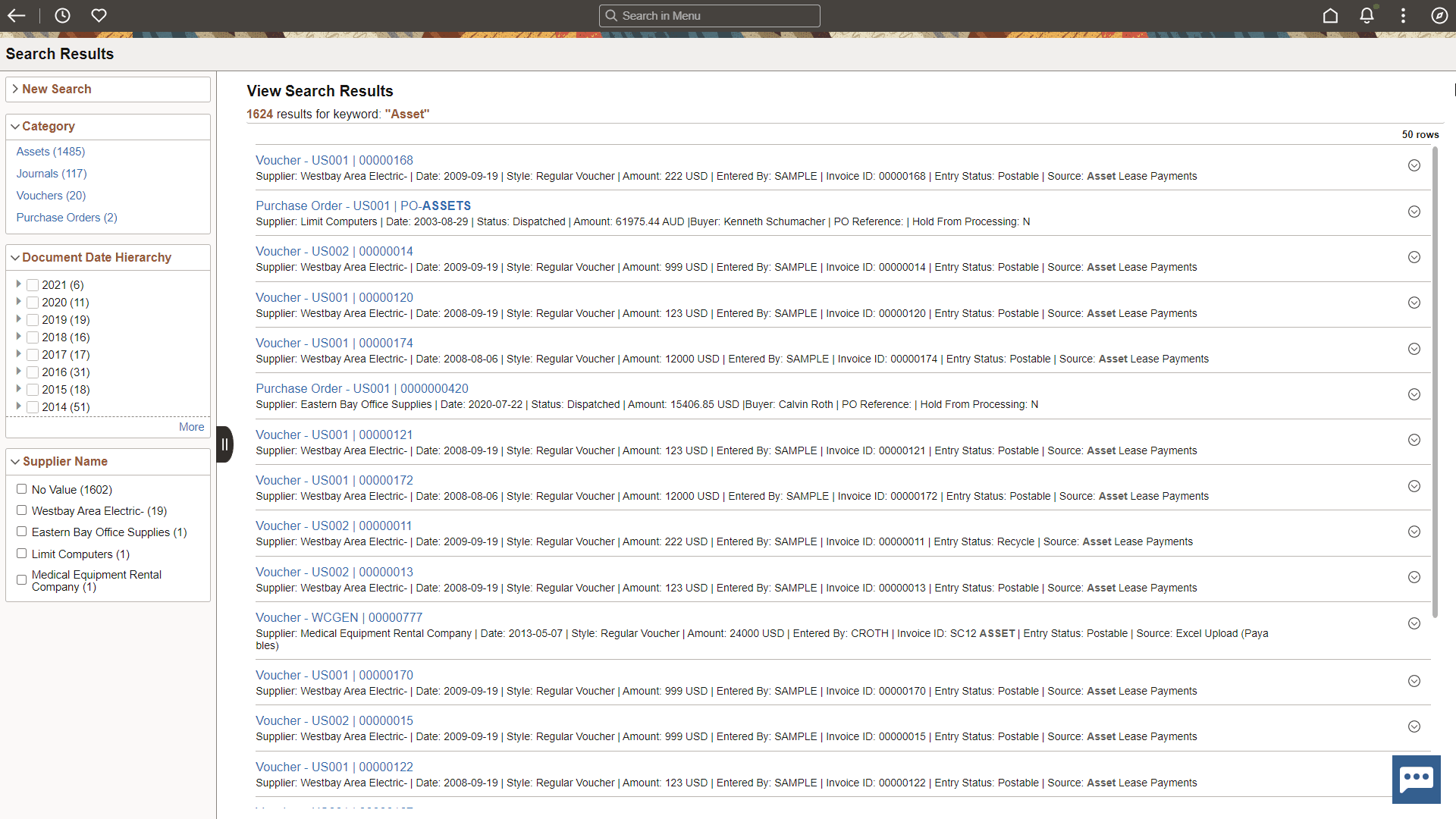
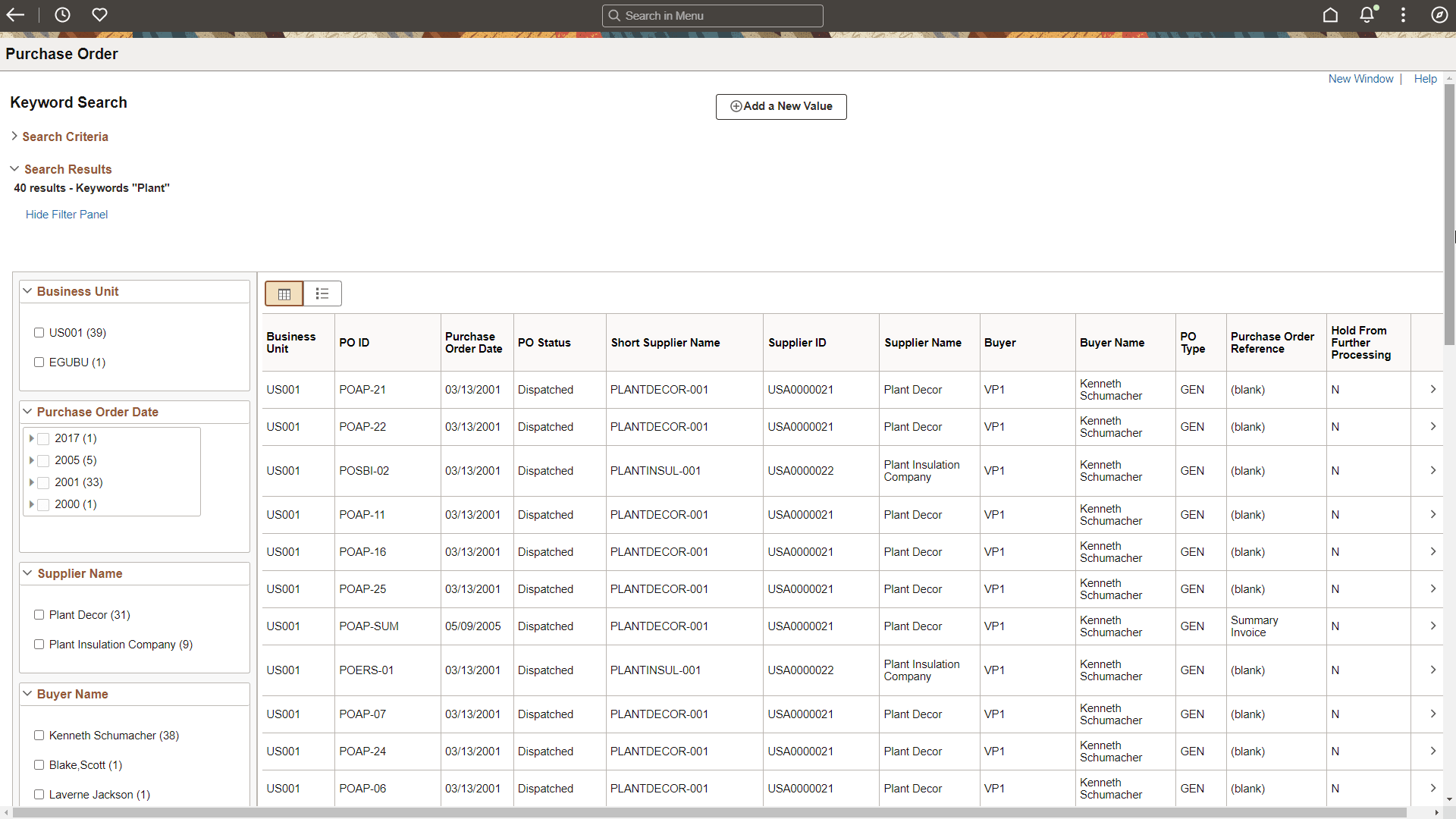
The following page shots display examples of:
-
Global search results.
-
Keyword search from a component in a grid format.
-
Keyword search from a component in a list format.
This example illustrates Global Search Results.
This example illustrates the Component Search: Keyword Search - Grid Format.
This example illustrates the Component Search: Keyword Search - List Format.
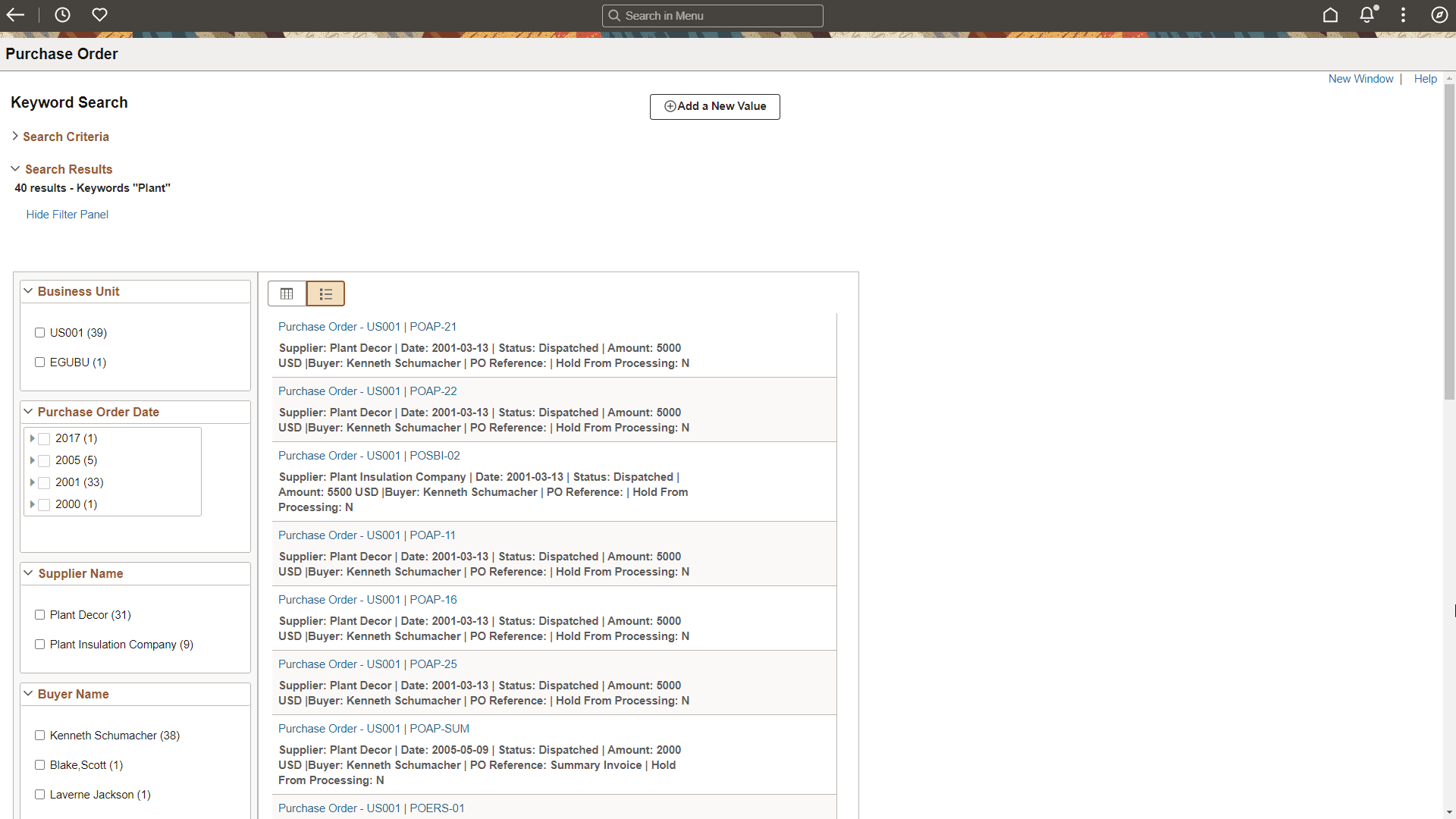
Component, keyword search results are broken into three sections:
-
The breadcrumb section lists the facets selected in the order in which they were selected.
-
The Filter by section lists all facets defined for the search category.
-
The results section displays results in a grid or list format.