Example: Request and Approval of Asset Disposal
The following example shows the sequence of an asset disposal routed to the Worklist.
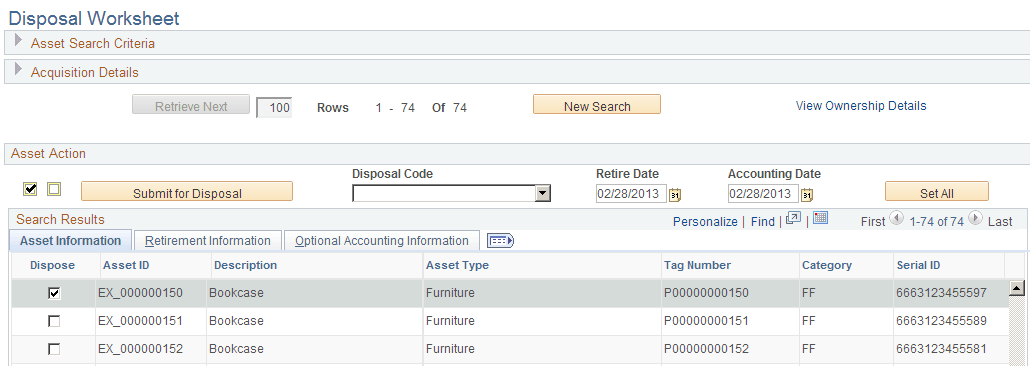
User AMA1 submits the following asset (EX_000000150) for disposal:
This example illustrates the fields and controls on the Disposal Worksheet page. You can find definitions for the fields and controls later on this page.
For more information, see PeopleSoft Asset Management: Understanding Asset Retirement Using the Disposal Worksheet
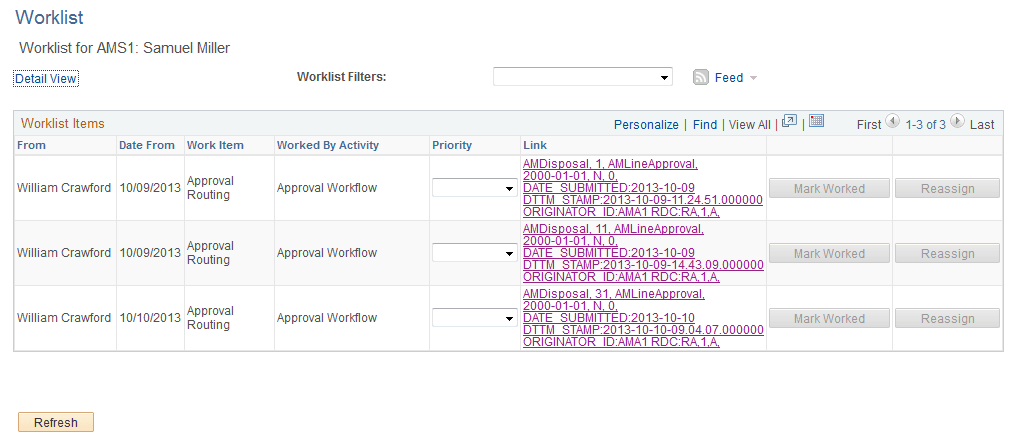
Once the requester, AMA1, submits the selected asset for disposal, the AMDisposal link appears on the approver’s worklist (AMS1) as a worklist item from AMA1:
This example illustrates the fields and controls on the Example of the Worklist Page. You can find definitions for the fields and controls later on this page.
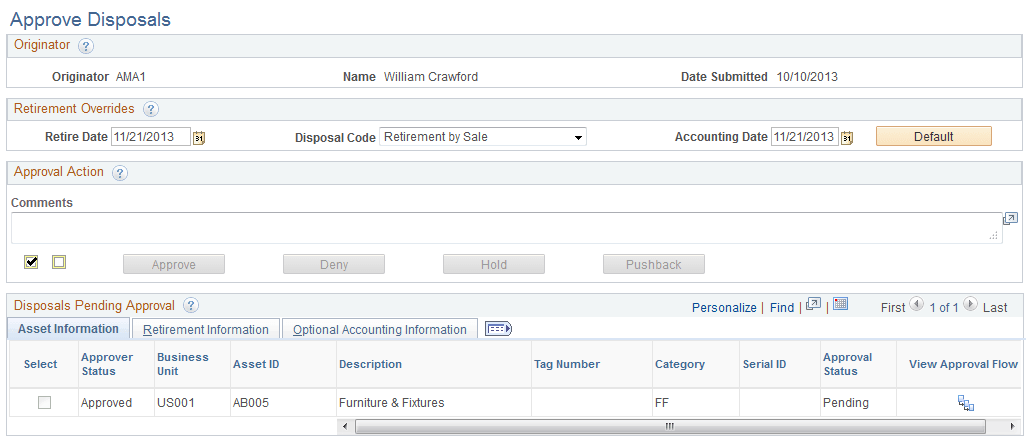
Clicking the link from the Worklist page, the approver is routed to the Approve Disposals page for approval action:
This example illustrates the fields and controls on the Example of the Approve Disposals Page.
For more information, see Approve Disposals page, PeopleSoft Asset Management: Understanding Asset Retirement Using the Disposal Worksheet