Asset Management WorkCenter
Use the Asset Management WorkCenter Home page (AM_WORKCENTER) to manage Asset Management activities in one location.
This example illustrates the fields and controls on the Example of an Asset Management WorkCenter home page.
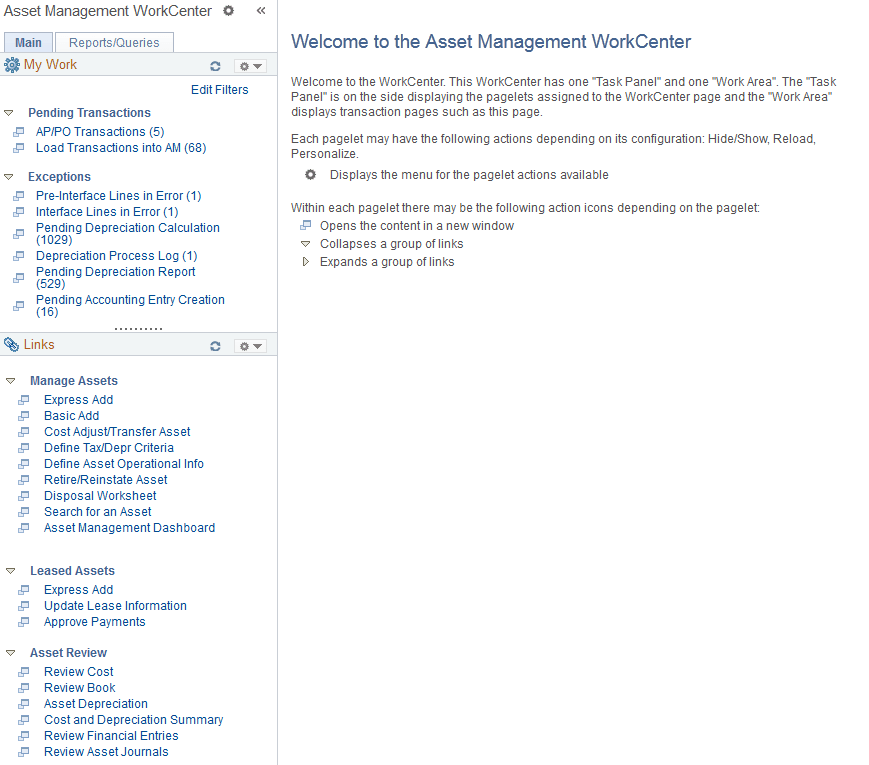
The WorkCenter navigation is located on the left side of the page and can include these primary tabs and sections:
-
Main tab:
-
My Work
-
Links
-
-
Reports/Queries tab
-
Queries
-
Reports and Processes
-
Some WorkCenter pagelets are common to multiple applications, and some pagelets are unique to individual applications.
For more information about the Asset Management WorkCenter, see
PeopleSoft Asset Management WorkCenter
For more information about the links that appear on the My Work pagelet, see Using the Asset Management WorkCenter - My Work Pagelet
For more information about the links that appear on the My Work pagelet, see Using the Asset Management WorkCenter - Links Pagelet
For more information about the links that appear on the My Work pagelet, see Using the Asset Management WorkCenter – Queries Pagelet
For more information about the links that appear on the My Work pagelet, see Using the Asset Management WorkCenter - Reports and Processes Pagelet
For more information about the links that appear on the My Work pagelet, see Using the Asset Management WorkCenter - Dashboard